
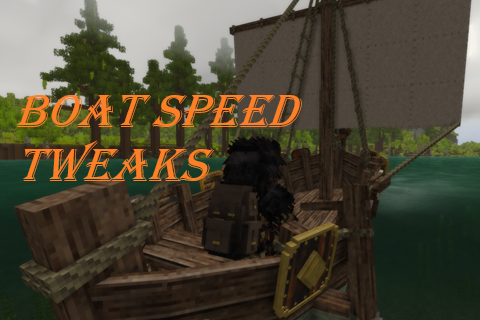
Boat Speed Tweaks
Override Sailboats and Rafts speedMultiplier, separately (default for both = 2.0)
Description
<h2 data-path-to-node="0">BoatSpeedTweaks - No Code! Now with presets!</h2> <p>A really simple mod to change the speed of Sailboats and Rafts separately. <br />It just overrides the <em>speedMultiplier</em> attribute of both watercrafts. Vanilla: <strong>1.2</strong>, default override: <strong>2.0</strong>!</p> <h2>Installation</h2> <p><span class="undefined" aria-owns="action-menu-parent-container" data-copy-service-computed-style="font-family: monospace; font-size: 14px; font-weight: 400; margin: 0px; text-decoration: none; border-bottom: 0px rgb(230, 232, 240);">Required on the server. Work fine without clients installing it; the server will automatically sync the speed attributes upon connection.</span></p> <p><span class="undefined" aria-owns="action-menu-parent-container" data-copy-service-computed-style="font-family: monospace; font-size: 14px; font-weight: 400; margin: 0px; text-decoration: none; border-bottom: 0px rgb(230, 232, 240);">Suggested on clients if used with external configuration mods.</span></p> <p><em><span class="undefined" aria-owns="action-menu-parent-container" data-copy-service-computed-style="font-family: monospace; font-size: 14px; font-weight: 400; margin: 0px; text-decoration: none; border-bottom: 0px rgb(230, 232, 240);">If you experience any rubber-banding issues on high-latency/multiplayer servers, please let me know in the comments!</span></em></p> <h2 data-path-to-node="7">Configuration Guide</h2> <p><span style="background-color: #f1c40f;"><strong> No code = MORE PERFORMANT! <br /></strong><span style="background-color: #fbeeb8;"> Also no source code needed, It's just .json files! Same as any other<strong> content mod</strong>! </span></span></p> <p>The only downside is that it can't generate and use classic config files, <span style="text-decoration: line-through;">so configuration is a bit more involved..</span></p> <ul> <li>Integration with <a href="https://mods.vintagestory.at/imm" target="_blank" rel="noopener">IMM</a> (thanks <a class="mention username mceNonEditable" href="https://mods.vintagestory.at/show/user/141CF6003EDEFFCF7674" data-user-hash="141CF6003EDEFFCF7674">YangWenLi</a>)</li> <li>Integration with <a href="https://mods.vintagestory.at/configkit" target="_blank" rel="noopener">ConfigKit</a></li> <li>Integration with <a href="https://mods.vintagestory.at/configlib" target="_blank" rel="noopener">Config Lib</a> (thanks <a class="mention username mceNonEditable" href="https://mods.vintagestory.at/show/user/7FE5D3867D0B85E03FCB" data-user-hash="7FE5D3867D0B85E03FCB">Sheepy_</a>)</li> </ul> <p> </p> <p><span style="background-color: #fbeeb8;">If you load more than one of them, they are applied in <strong>alphabetical order</strong> so only the last one takes effect! </span></p> <p> </p> <p>It still works as a standalone mod;</p> <p>follow the README instructions inside the .zip file.</p> <h2>Feedback</h2> <p>Let me know here or on Discord <strong class="Yjhzub" data-sfc-root="ep" data-sfc-cb="" data-complete="true" data-copy-service-computed-style="font-family: "Google Sans", Arial, sans-serif; font-size: 16px; font-weight: 700; margin: 0px; text-decoration: none; border-bottom: 0px rgb(230, 232, 240);">#mods > Furio's Mods</strong> if you have any issues!</p> <h2 data-path-to-node="19">Credits</h2> <p data-path-to-node="20">Commissioned by <a class="mention username mceNonEditable" href="https://mods.vintagestory.at/show/user/E63FE82EAE30EAFA5F07" data-user-hash="E63FE82EAE30EAFA5F07">AlteOgre</a> for the <a href="https://www.vintagestory.at/forums/topic/15864-1222euen-ilu-ambar-quenta-y%C3%A1ra-whitelisted-coop-build-pve-focussed-modded-light-rp-new-player-friendly-difficulty-progression-unique/" target="_blank" rel="noopener"><strong>Ilu Ambar Server</strong>.</a></p> <h3 data-path-to-node="20"><a href="https://mods.vintagestory.at/show/user/1D7A64D4313D6942BC1F" target="_blank" rel="noopener">Check out my other mods here</a></h3>
Ratings & reviews
Sign in to leave a rating or comment.



