Description
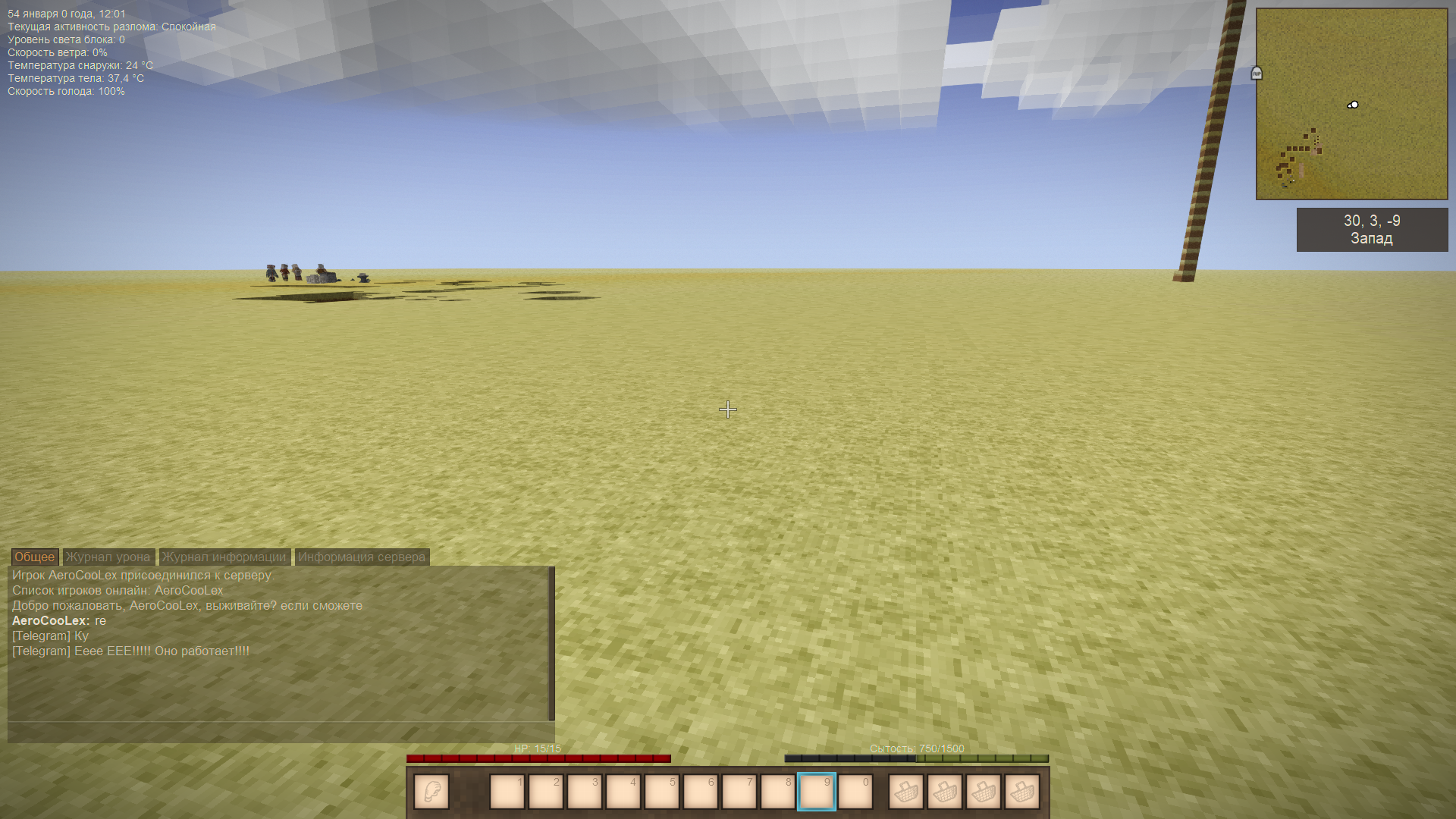
<div class="QmZWSe"> <div class="DHcWmd"> </div> </div> <div class="oSioSc"> <div id="tw-target"> <div id="kAz1tf" class="g9WsWb PZPZlf" data-attrid="tw-targetArea" data-entityname="Google Translate"> <div id="tw-target-text-container" class="tw-ta-container F0azHf tw-nfl" style="text-align: center;" tabindex="0" role="text"> <pre id="tw-target-text" class="tw-data-text tw-text-large tw-ta" dir="ltr" style="text-align: left;" data-placeholder="Перевод" data-ved="2ahUKEwiz-O3ZoO2KAxXXUqQEHQyLB_cQ3ewLegQIChAT" aria-label="Переведенный текст: Adds integration of telegram bot with your server. Configured for a specific bot. To link your bot, visit the GitHub page. Download the source data and in the fields “YOUR_TOKEN” and “CHAT_ID” indicate the token of your telegram bot and chat id. This must be done in all files with the .cs extension. Save the changes. Rejoice!"><span class="Y2IQFc" lang="en">Adds integration of telegram bot with your server. Configured for a specific bot. <br /><span style="background-color: #e74c3c;"><strong>The structure of the mod has been changed!</strong></span> <br /><em><strong>V 2.0.0 now works not from the built-in bot token and chat ID, </strong></em><br /><em><strong>but from the botconfig.json configuration file.</strong></em> <br />You only need to indicate in it the token and chat ID of your bot and <br />Tlegram channel and notifications will come to your channel! <br /><br /><br />When you first start the server, <br />a configuration file will be created, stop the server, fill in the fields in botconfig.json <br />along the path VintagestoryData\ModConfig\botconfig.json<br /><br /></span></pre> <pre class="tw-data-text tw-text-large tw-ta" dir="ltr" style="text-align: left;" data-placeholder="Перевод" data-ved="2ahUKEwiz-O3ZoO2KAxXXUqQEHQyLB_cQ3ewLegQIChAT" aria-label="Переведенный текст: Adds integration of telegram bot with your server."><span class="Y2IQFc" lang="en"><span class="HwtZe" lang="en"><span class="jCAhz ChMk0b"><span class="ryNqvb"><strong>The bot can:</strong> <br />-Send text messages to the server and receive messages from the server.</span></span> <span class="jCAhz ChMk0b"><span class="ryNqvb">Chat, play and watch somewhere.</span></span><span class="jCAhz ChMk0b"><span class="ryNqvb"> <br />- Receive information about the connection of players, send it to the chat below and display a list of players on the server.</span></span><span class="jCAhz ChMk0b"><span class="ryNqvb"> <br />- Send notifications about the death of a player in the chat with the bot.</span></span><span class="jCAhz ChMk0b"><span class="ryNqvb"> <br />- Send a message about the disconnection of players and show a list of the remaining players on the server.</span></span><span class="jCAhz ChMk0b"><span class="ryNqvb"> <br />- Send a message to the chat with the bot that the server has been rebooted and will reboot in 3 55 minutes.</span></span> <span class="jCAhz ChMk0b"><span class="ryNqvb">(because on my computer the reboot is 4 hours) <br />- Notify 5 minutes before the server reboot, that is, in 3 hours 55 minutes (because on my server the reboot is 4 hours)<br />P.S. You can change the time to display the reboot message by changing <br /><br /></span></span></span></span></pre> </div> </div> </div> </div>
Ratings & reviews
Sign in to leave a rating or comment.