






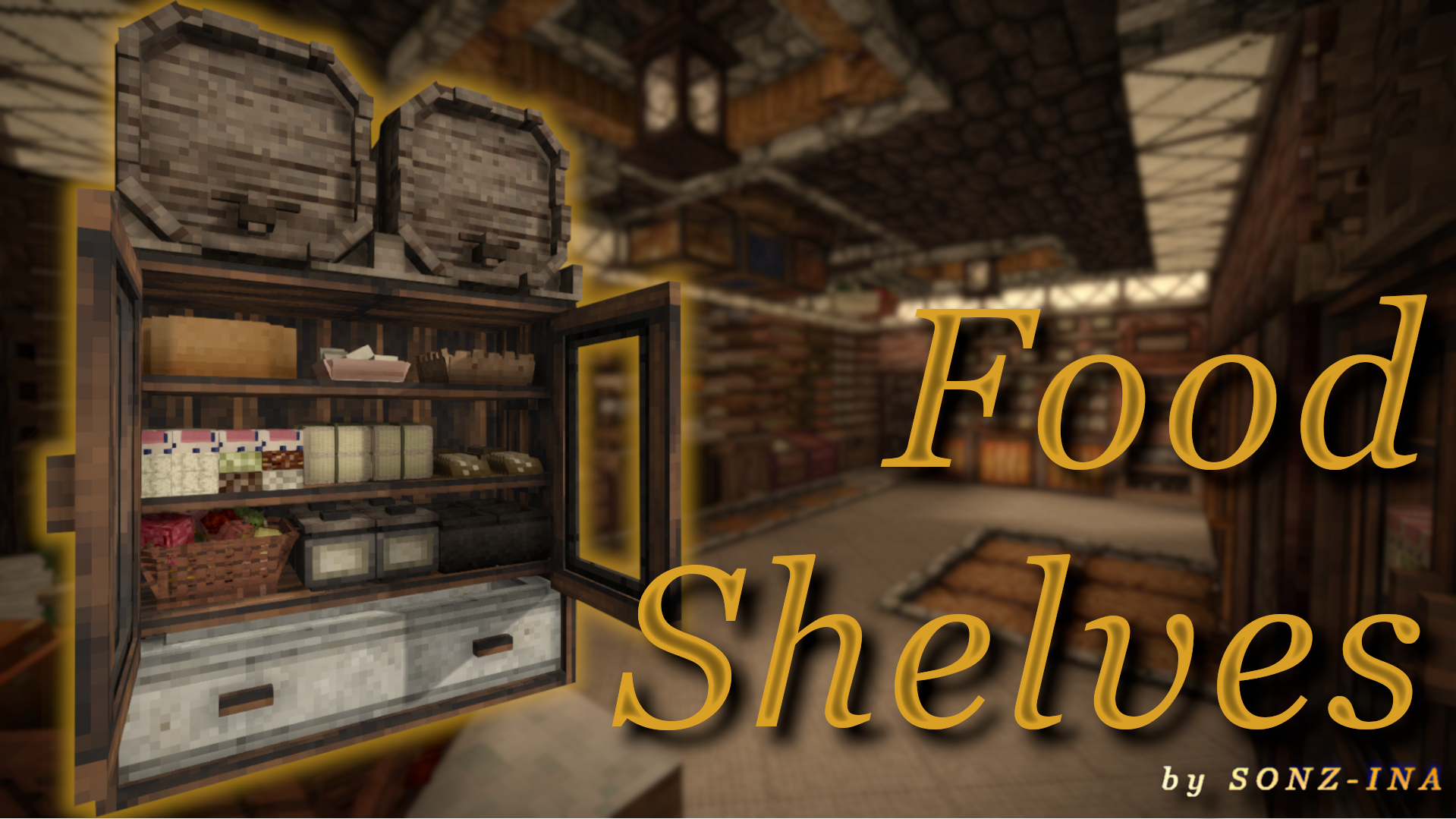
About Food Shelves
From Vintage Story ModDBContains various food shelves and food storage, mainly made to be used alongside Expanded Foods.
Working on mods takes a lot of time and effort. If you're enjoying my Vintage Story mods - please consider supporting me :)
Your support helps keep the mods alive and updated.


Were you disappointed when you realized you can't put pies on shelves?
Do you wish you could pack bread more tightly on a shelf since there's clearly more room?
Well, this mod fixes it.
Features
- Various shelves similar to the vanilla shelf, with specialized storage for bread, eggs, pies, cheese, etc.
- Specialized blocks that have bonuses for drying/curing (like the Jars or Barrel Racks).
- A "food cooling" mechanic: blocks like the Cooling Cabinet or Meat Freezer which you can additionally cool down with ice to preserve your food for longer.
- Specialized containers that keep specific food fresh for longer.
- Decorative blocks and baskets (like the Fruit Basket) on which you can store fruit and also place them in the Cooling Cabinet for a freshness bonus!
Hover over the blocks with your cursor to check if it has a buff, and how strong it is!
Blocks that have extended perish times or additional bonuses are configurable!
Unintentional things can happen and you might lose your stuff.
Compatibility & Extras
Compatible with: Expanded Foods & Wildcraft: Fruits and Nuts (+ a lot of other mods).
Built-in: Texture variations of my shelves (wood & rock variants).
Configuration
GlobalBlockBuffs: Enabled by default - Controls whether the special effects and bonuses of the various storage blocks are enabled. Turning this off makes most blocks act as simple visual storage containers - for example, Barrel Racks lose their freshness bonus, Jars and Large Jars lose their drying/perish effects, etc. Basically everything becomes visual storage with normal vanilla perish rates. Turn this off if you want more of a vanilla+ experience.
LakeIceToCutIce: Disabled by default - Enables the Lake Ice to Cut Ice recipe. Useful if you're using mods that add ways to gather Lake Ice and want it to work with this mod.
GlobalPerishMultiplier: Changes the freshness bonus all Food Shelves containers get. Increase it if you want food to last longer in containers, or lower it if you want the bonuses to be weaker.
Highlights
From source dataGame versions
Built for Vintage Story 1.19.8.
Footprint
Rated a light load on a server.
Food Shelves on Nxeon
From our catalogue- One-click install
- Supported on Nxeon Vintage Story servers. We download it from Vintage Story ModDB, place it, and restart the server.
- Server side
- Required on the server
- Server load
- light
- Smallest plan we suggest
- Vintage Story — 1 GB (1 GB RAM). This follows our own load rating above, not a benchmark.
Run Food Shelves on a Vintage Story server
Pick a server or deploy a new one above; it is installed in one click.
What kind of mod it is
From the catalogBuilding & decoration
Blocks, furniture, decorations and building tools.
Runs on your server
From source side supportVintage Story ModDB lists Food Shelves as required on the server. Check its Vintage Story ModDB page to see whether players need it too.
Compatibility
- Game
- Vintage Story
- Runs on
- Serverrequired on the server
- Game versions
- 1.19.8
Verified at the source
- ✓Vintage Story ModDBOfficial listing, checked 2026-09-24Open ↗
- ✓AuthorSONZINA, as published on Vintage Story ModDB
- ✓LicenseNot published by the sourceFree
More like Food Shelves
Other Vintage Story mods, same category first, ranked by real downloads.


Carry On
Building & decoration · Vintage Story ModDB
Adds the capability to carry various things. Replaces CarryCapacity.


BetterRuins
World generation · Vintage Story ModDB
Adds many new ruins over and underground to your survival game world.


Primitive Survival
Cosmetics, visuals & audio · Vintage Story ModDB
Fishing, trapping, irrigation, smoker, nightcrawlers, snakes, and much more!


Overhaul lib
Libraries & compatibility · Vintage Story ModDB
Library for Combat Overhaul, Firearms and other mods


QP's Chisel Tools
Quality of life & UI · Vintage Story ModDB
Unleash your creativity while chiseling! Invaluable, survival friendly tool set for chiselers!


A Culinary Artillery 2.0.0-dev.24
Technology & automation · Vintage Story ModDB
Adds an arsenal of tools to enhance the culinary experience.


Expanded Foods: Core 2.0.0-dev.14
Quality of life & UI · Vintage Story ModDB
Adds a variety of new uses for existing foods.


ImGui
Libraries & compatibility · Vintage Story ModDB
Wrapper for GUI library
Food Shelves, answered
Generated from the mod’s own source data.
Do my players need to install Food Shelves?
Vintage Story ModDB lists Food Shelves as required on the server. Check its Vintage Story ModDB page to see whether players need it too.
Is it free?
Yes. Food Shelves is free to download from Vintage Story ModDB.
How do I add it to my Nxeon server?
Use “Add to a server” on this page, or open NxLabs from your dashboard. We install it, restart your server and switch it on.

Run Food Shelves on a Vintage Story server.
Deploy in about a minute from $4.00 a month, then add Food Shelves in one click.