
Hide Gear
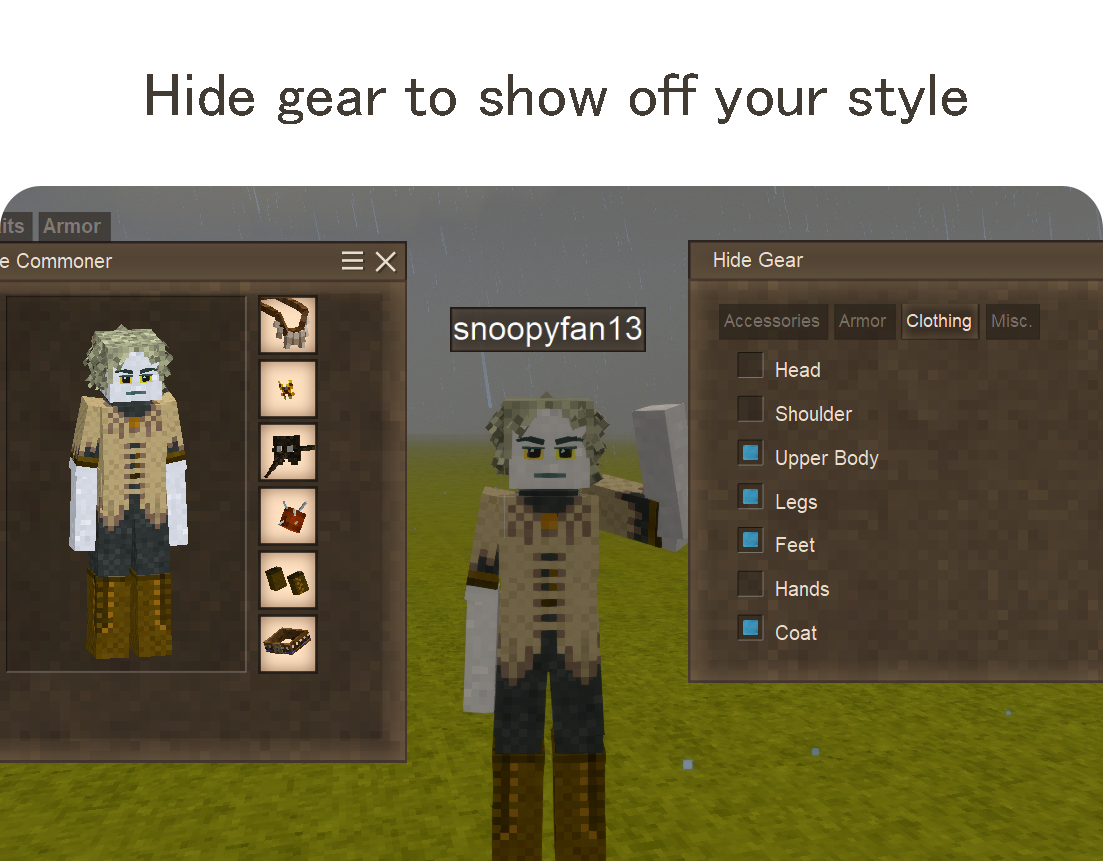
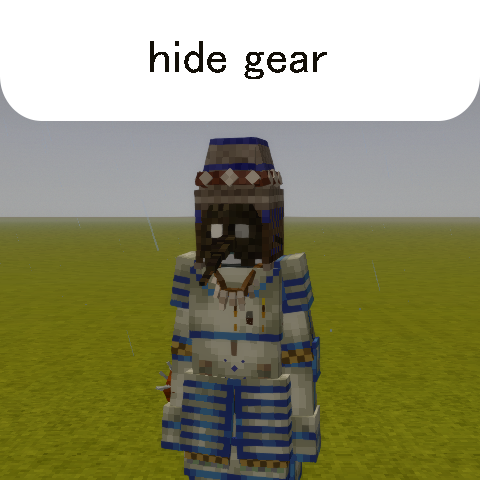
Hide or show equipped gear and clothing in single/multiplayer with a simple interface.
Description
<p>Hide or show equipped gear and clothing with a simple interface. Press <strong>CTRL+SHIFT+C</strong> (or command <strong>.hidegear</strong>) to open the interface.</p> <p> </p> <p><strong>Install in single-player or onto a multiplayer server to allow players to show their style!</strong></p> <p> </p> <p>Adds options to toggle <em>vanilla clothing/armor/accessories</em>, <em>backpacks</em>, <a href="https://mods.vintagestory.at/combatoverhaul"><em>Combat Overhaul</em>,</a> and <a href="https://mods.vintagestory.at/quiversandsheaths"><em>Quivers and Sheaths</em></a> with no custom configuration necessary in multiplayer.</p> <p>Compatible with <em><a href="https://mods.vintagestory.at/playermodellib">Player Model Lib</a></em> and <em><a href="https://mods.vintagestory.at/anasflagofwar">Ana's Flag of War</a></em><span style="text-decoration: underline;"><a href="https://mods.vintagestory.at/anasflagofwar">.</a></span></p> <p> </p> <p><strong>New!: Force-show hidden gear in PvP with <a href="https://mods.vintagestory.at/anasflagofwar">Ana's Flag of War</a>!</strong></p> <p> </p> <p>Server admins can extend the configuration to include gear slots (from other mods not supported out of the box).</p> <p>Created to avoid visual bugs / excessive logging / performance / compatibility issues from similar mods.</p> <p>No polling or per-tick actions, synced in multiplayer using typical methods found in vanilla.</p> <p> </p> <div class="spoiler"> <div class="spoiler-toggle">For server administrators</div> <div class="spoiler-text"> <p>HideGear allows server administrators to customize which gear slots are available for players to hide, and to add support for additional mods.</p> <h4><span style="color: #34495e;">Configuration File</span></h4> <p> </p> <p>The config file is located at:</p> <pre class="language-c"><code>VintagestoryData/ModConfig/hidegear-config.json</code></pre> <p> </p> <p>On first run, the mod creates a default config:</p> <p> </p> <pre class="language-javascript"><code>{ "HiddenSlots": [], "AdditionalSlots": [], "AnasFlagOfWar": { "PollingInterval": 1000, "Enabled": true } }</code></pre> <h4><span style="color: #34495e;">Hiding Built-in Toggle Options</span></h4> <p> </p> <p><span style="color: #000000;">If you want to prevent players from hiding certain gear, add the slot's IdentifierKey to the HiddenSlots array.</span></p> <h6><span style="color: #34495e;"><strong>Example</strong>: Prevent players from hiding their head armor and emblem:</span></h6> <pre class="language-javascript"><code>{ "HiddenSlots": ["head", "emblem", "vanillaarmorhead"], "AdditionalSlots": [], "AnasFlagOfWar": { "PollingInterval": 1000, "Enabled": true } }</code></pre> <h5><span style="color: #34495e;">Available Built-in Slot IDs that can be removed from the GUI:</span></h5> <p> </p> <table style="border-collapse: collapse; width: 45.9815%; height: 1036px;" border="0"> <tbody> <tr style="height: 28px;"> <td style="width: 9.1063%; height: 28px;"><strong>Slot ID</strong></td> <td style="width: 24.5282%; height: 28px;"><strong>Description</strong></td> <td style="width: 16.3656%; height: 28px;"><strong>Required mod</strong></td> </tr> <tr style="height: 20px;"> <td style="width: 9.1063%; height: 20px;">Backpack</td> <td style="width: 24.5282%; height: 20px;"> <p>Backpack slots</p> </td> <td style="width: 16.3656%; height: 20px;"> <p> </p> </td> </tr> <tr style="height: 28px;"> <td style="width: 9.1063%; height: 28px;">head</td> <td style="width: 24.5282%; height: 28px;"> <p>Head slot (hats, hoods)</p> </td> <td style="width: 16.3656%; height: 28px;"> <p> </p> </td> </tr> <tr style="height: 28px;"> <td style="width: 9.1063%; height: 28px;">shoulder</td> <td style="width: 24.5282%; height: 28px;">Shoulder slot (scarf)</td> <td style="width: 16.3656%; height: 28px;"> </td> </tr> <tr style="height: 28px;"> <td style="width: 9.1063%; height: 28px;">upperbody</td> <td style="width: 24.5282%; height: 28px;">Upper body (shirts)</td> <td style="width: 16.3656%; height: 28px;"> </td> </tr> <tr style="height: 28px;"> <td style="width: 9.1063%; height: 28px;">legs</td> <td style="width: 24.5282%; height: 28px;">Legs (pants)</td> <td style="width: 16.3656%; height: 28px;"> </td> </tr> <tr style="height: 28px;"> <td style="width: 9.1063%; height: 28px;">feet</td> <td style="width: 24.5282%; height: 28px;"> <p>Feet (shoes)</p> </td> <td style="width: 16.3656%; height: 28px;"> <p> </p> </td> </tr> <tr style="height: 28px;"> <td style="width: 9.1063%; height: 28px;">hands</td> <td style="width: 24.5282%; height: 28px;">Hands (gloves)</td> <td style="width: 16.3656%; height: 28px;"> </td> </tr> <tr style="height: 28px;"> <td style="width: 9.1063%; height: 28px;">coat</td> <td style="width: 24.5282%; height: 28px;">Coat</td> <td style="width: 16.3656%; height: 28px;"> </td> </tr> <tr style="height: 28px;"> <td style="width: 9.1063%; height: 28px;">neck</td> <td style="width: 24.5282%; height: 28px;">Neck (necklaces, capes)</td> <td style="width: 16.3656%; height: 28px;"> </td> </tr> <tr style="height: 28px;"> <td style="width: 9.1063%; height: 28px;">emblem</td> <td style="width: 24.5282%; height: 28px;">Emblem/medal/pin</td> <td style="width: 16.3656%; height: 28px;"> </td> </tr> <tr style="height: 28px;"> <td style="width: 9.1063%; height: 28px;">face</td> <td style="width: 24.5282%; height: 28px;">Face (masks)</td> <td style="width: 16.3656%; height: 28px;"> </td> </tr> <tr style="height: 28px;"> <td style="width: 9.1063%; height: 28px;">belt</td> <td style="width: 24.5282%; height: 28px;">Belt (vanilla)</td> <td style="width: 16.3656%; height: 28px;"> </td> </tr> <tr style="height: 28px;"> <td style="width: 9.1063%; height: 28px;">arm</td> <td style="width: 24.5282%; height: 28px;">Arm (tailor pin, etc)</td> <td style="width: 16.3656%; height: 28px;"> </td> </tr> <tr sty
Ratings & reviews
Sign in to leave a rating or comment.



