
Hydrate or Diedrate visualizer
Readable Hydrate Or Diedrate status icons and tooltips via Player Status Strip.
Description
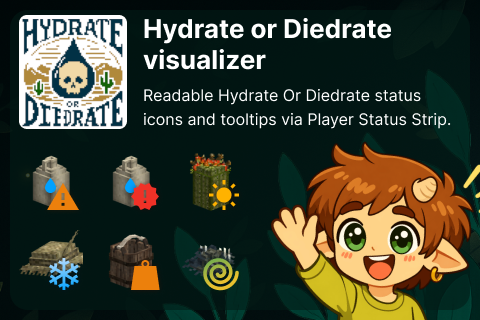
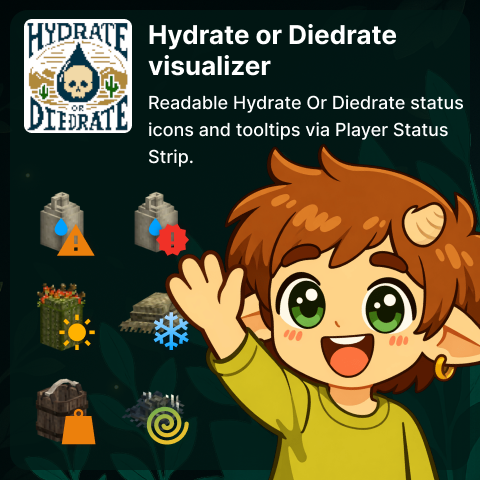
<div style="width: 100%; background: #01241E; color: #f8fbde; font-family: Segoe UI,Roboto,Arial,sans-serif; font-size: 15px; line-height: 1.55;"> <div style="max-width: 700px; margin: 0 auto; padding: 24px 16px 32px;"> <section style="padding: 16px 0; margin: 0 0 12px;"> <h2 style="margin: 0 0 6px; font-size: 30px; line-height: 1.15; color: #e4f265;">HOD Visualizer</h2> <p style="margin: 0 0 8px;">Understand your active survival effects at a glance - no guessing, no hidden penalties.</p> <p style="margin: 0; opacity: .92;">This page focuses on what you will see in-game and how to read it quickly.</p> </section> <section style="background: rgba(154,31,31,.28); border: 1px solid rgba(255,140,140,.5); border-left: 4px solid #ff8a8a; border-radius: 10px; padding: 10px 12px; margin: 0 0 12px;"><strong style="color: #ffd2d2;">Required dependencies:</strong> Install both <a style="color: #e4f265; text-decoration: none;" href="https://mods.vintagestory.at/hydrateordiedrate">Hydrate Or Diedrate</a> and <a style="color: #e4f265; text-decoration: none;" href="https://mods.vintagestory.at/playerstatushud">Player Status HUD</a>. Installing HOD Visualizer alone does not make sense and will not provide useful gameplay status output.</section> <section style="background: #03332B; border: 1px solid rgba(228,242,101,.18); border-radius: 12px; padding: 14px 16px; margin: 0 0 12px;"> <div style="font-size: 11px; text-transform: uppercase; letter-spacing: .08em; color: #e4f265; font-weight: bold; margin: 0 0 8px;">Status coverage</div> <div style="display: grid; grid-template-columns: repeat(2,minmax(0,1fr)); gap: 8px; margin: 0 0 10px;"> <div style="padding: 10px 10px 9px; display: flex; gap: 10px; align-items: flex-start;"><img style="display: block; min-width: 64px; min-height: 64px; width: 64px; height: 64px;" src="https://i.ibb.co/B2vwbzFh/severe-thirst.png" alt="Thirst" /> <div style="min-width: 0;"> <p style="margin: 0 0 6px 0; color: #e4f265; font-weight: bold;">Thirst</p> <p style="margin: 0;">Appears when hydration enters debuff range and indicates movement speed penalty.</p> </div> </div> <div style="padding: 10px 10px 9px; display: flex; gap: 10px; align-items: flex-start;"><img style="display: block; min-width: 64px; min-height: 64px; width: 64px; height: 64px;" src="https://i.ibb.co/GQzwWvn6/dehydrating.png" alt="Critical Thirst" /> <div style="min-width: 0;"> <p style="margin: 0 0 6px 0; color: #e4f265; font-weight: bold;">Critical Thirst</p> <p style="margin: 0;">Appears at zero hydration or lower and warns about periodic damage plus stronger movement penalty.</p> </div> </div> <div style="padding: 10px 10px 9px; display: flex; gap: 10px; align-items: flex-start;"><img style="display: block; min-width: 64px; min-height: 64px; width: 64px; height: 64px;" src="https://i.ibb.co/Kj4Nc59B/hot.png" alt="You Are Hot" /> <div style="min-width: 0;"> <p style="margin: 0 0 6px 0; color: #e4f265; font-weight: bold;">You Are Hot</p> <p style="margin: 0;">Shows when heat makes your thirst drain faster.</p> </div> </div> <div style="padding: 10px 10px 9px; display: flex; gap: 10px; align-items: flex-start;"><img style="display: block; min-width: 64px; min-height: 64px; width: 64px; height: 64px;" src="https://i.ibb.co/TD2K16QV/cold.png" alt="Comfortable Conditions" /> <div style="min-width: 0;"> <p style="margin: 0 0 6px 0; color: #e4f265; font-weight: bold;">Comfortable Conditions</p> <p style="margin: 0;">Shows when shade, shelter, or similar conditions reduce thirst drain.</p> </div> </div> <div style="padding: 10px 10px 9px; display: flex; gap: 10px; align-items: flex-start;"><img style="display: block; min-width: 64px; min-height: 64px; width: 64px; height: 64px;" src="https://i.ibb.co/8D59B7bT/encumbrance.png" alt="Liquid Encumbrance" /> <div style="min-width: 0;"> <p style="margin: 0 0 6px 0; color: #e4f265; font-weight: bold;">Liquid Encumbrance</p> <p style="margin: 0;">Highlights movement penalty from carrying too much liquid.</p> </div> </div> <div style="padding: 10px 10px 9px; display: flex; gap: 10px; align-items: flex-start;"><img style="display: block; min-width: 64px; min-height: 64px; width: 64px; height: 64px;" src="https://i.ibb.co/WpFb5xfX/nutrition-deficit.png" alt="Nutrition Deficit" /> <div style="min-width: 0;"> <p style="margin: 0 0 6px 0; color: #e4f265; font-weight: bold;">Nutrition Deficit</p> <p style="margin: 0;">Shows your accumulated nutrition deficit value.</p> </div> </div> </div> <div style="font-size: 11px; text-transform: uppercase; letter-spacing: .08em; color: #e4f265; font-weight: bold; margin: 0 0 8px;">How to read statuses quickly</div> <ul style="margin: 0; padding-left: 18px;"> <li>If you see <strong>Thirst</strong>, your movement is already affected.</li> <li>If you see <strong>Critical Thirst</strong>, you are in danger and should recover immediately.</li> <li><strong>Hot</strong> and <strong>Comfortable Conditions</strong> explain why your thirst may drain unusually fast or slow.</li> <li>If no status is shown, there is usually no meaningful effect to react to right now.</li> </ul> </section> <section style="background: #03332B; border: 1px solid rgba(228,242,101,.18); border-radius: 12px; padding: 14px 16px; margin: 12px 0;"> <div style="font-size: 11px; text-transform: uppercase; letter-spacing: .08em; color: #e4f265; font-weight: bold; margin: 0 0 6px;">Why this mod exists</div> <p style="margin: 0 0 10px;">In active gameplay, it is often hard to understand what exactly is affecting your character right now.</p> <ul style="margin: 0 0 10px; padding-left: 18px;"> <li>Why is my character suddenly so slow?</li> <li>Am I hot right now, or is my temperature stable?</li> <li>Why is thirst draining this fast?</li> </ul> <p style="margin: 0;">HOD Visualizer answers these questions with clear icons and plain-language tooltips, so you can react faster and make better decisions.</p> </section> <section style="background: #03332B; border: 1px solid rgba(228,242,101,.1
Ratings & reviews
Sign in to leave a rating or comment.



