Description
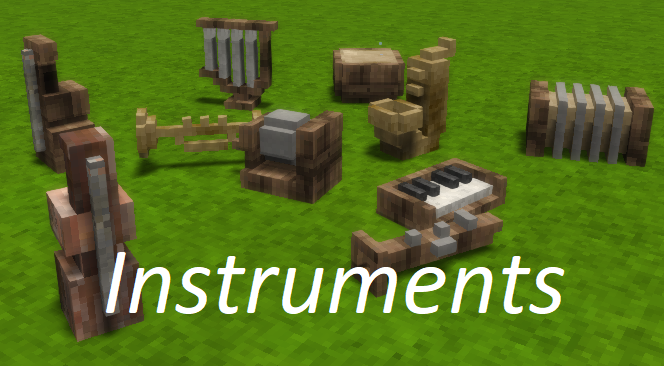
Adds instruments to Vintage Story. These allow players to play ABC music files alone and together!
As of Vintage Story version 1.20.1, the code and the sound files are in separate mods.
This is the base 'code' mod, the instruments can be found HERE.
Features:
- May play instruments using the player's view angle to change pitch
- May also read .ABC files to play tunes
- Play .ABC files alone, or together using a band system
- While each player needs the mod to play the instruments, not all players need the ABC files to hear them!
- May also craft an 'ABC Player' to play your abc files at the click of a button, compatible with the band system
We have a discord channel! LINK
This is where we have most of our discussions on features, songs, and issues. Check it out!
Installation:
- Download both this and any instrument packs you want
- Copy the mods into the mods folder, like any other mod
- In your Vintage Story game directory (usually in C:\Program Files\Vintage Story):
- Create a folder named 'abc'
- Put your abc files into here!
- You may use sub-directories, which makes sorting files easier
- Disclaimer for Linux users - some users have had their abc folders deleted when updating Vintage Story. Please keep a backup of your ABC files!
Usage:
Craft an instrument of your choice (recipes are available in the handbook)
- Press F while holding an instrument to select the 'mode'
- Mode 1: 'SemiTone Step' enables users to play notes depending on the player angle, in semitone steps
- Mode 2:'Tone Step' is the same, but the note steps in tones
- Mode 3: 'Fluid' is also the same, but does not step
- Mode 'ABC': enables users to play ABC files
- When in ABC mode, right click to bring up another interface to choose your ABC file to play
- A band name may be given here for band play
- If no ABC files are found, an error will be written in the chat window to help fix it.
- Shift+right click while holding the instrument to choose the 'mode'
- 'SemiTone Step' enables users to play notes depending on the player angle, in semitone steps
- 'Tone Step' is the same, but the note steps in tones
- 'Fluid' is also the same, but does not step
- 'ABC' enables users to play ABC files
- Enter a band name to synchronise playback with others (so long as your band name is the same!)
- When in ABC mode, right click to bring up another interface to choose your ABC file to play
- If no ABC files are found, an error will be written in the chat window to help fix it.
It says "ABC error: could not find folder at..."!
Unlike other mods, this mod looks in your game's installed directory for abc files that it can play. This way, if the mod needs to be updated, your tunes will remain untouched. You'll need to source your own abc files - there are plenty out on the web!
Alternatively, modify the ModConfig.json "abcLocalLocation" to the folder you would like to use (see below).
Where do I find .abc files?
Here are some demo songs to get started. Other than this, you can search for abc files, or make your own!
I would recommend adding "Starbound" to your search, as the abc community for that game is huge. There are plenty of tutorials for converting MIDI files to abc as well, which will work with this mod.
Useful tools:
- Starbound Composer- Huge thanks to the creator, Lourens Elzinga. Load in a MIDI file and it will split the channels into ABC format. Various other useful tools for editing and merging channels
- Sound files in Starbound format - Huge thanks to <span class="mention username">_epic_fish_</span>! Point to this file if you don't have Starbound installed for Starbound Composer to work
What about making abc files available on my server?
Similarly to having abc files on your client, you can have abc files available to everyone who joins your server. In your server install directory, place your abcs in a folder "abc_server". You can put your abcs in subfolders just as normal, so you can make a subfolder for any groups you might have.
ModConfig settings:
- "enabled": true
- Enables or disables the functionality. If you're playing on a server that uses the mod but you don't want to hear it, set this to false.
- "playerVolume": 0.7
- Sets the relative volume for player instrument playback, between 0 and 1.
- "blockVolume": 1.0
- Sets the relative volume for abc player instrument playback, between 0 and 1.
- "abcBufferSize": 32
- A safety measure to stop spammy abc files from using up too much CPU processing. The maximum number of notes that can be played in a second. A higher number allows more notes to be played.
Download
No download link is available for this entry right now.
Ratings & reviews
Sign in to leave a rating or comment.