
Joy of Painting
Adds the ability to create any custom painting (without having to put an image on the server)
Description
<span style="color: #000000;">If you find a bug, have a suggestion or want to talk, feel free to join my Discord server!</span>
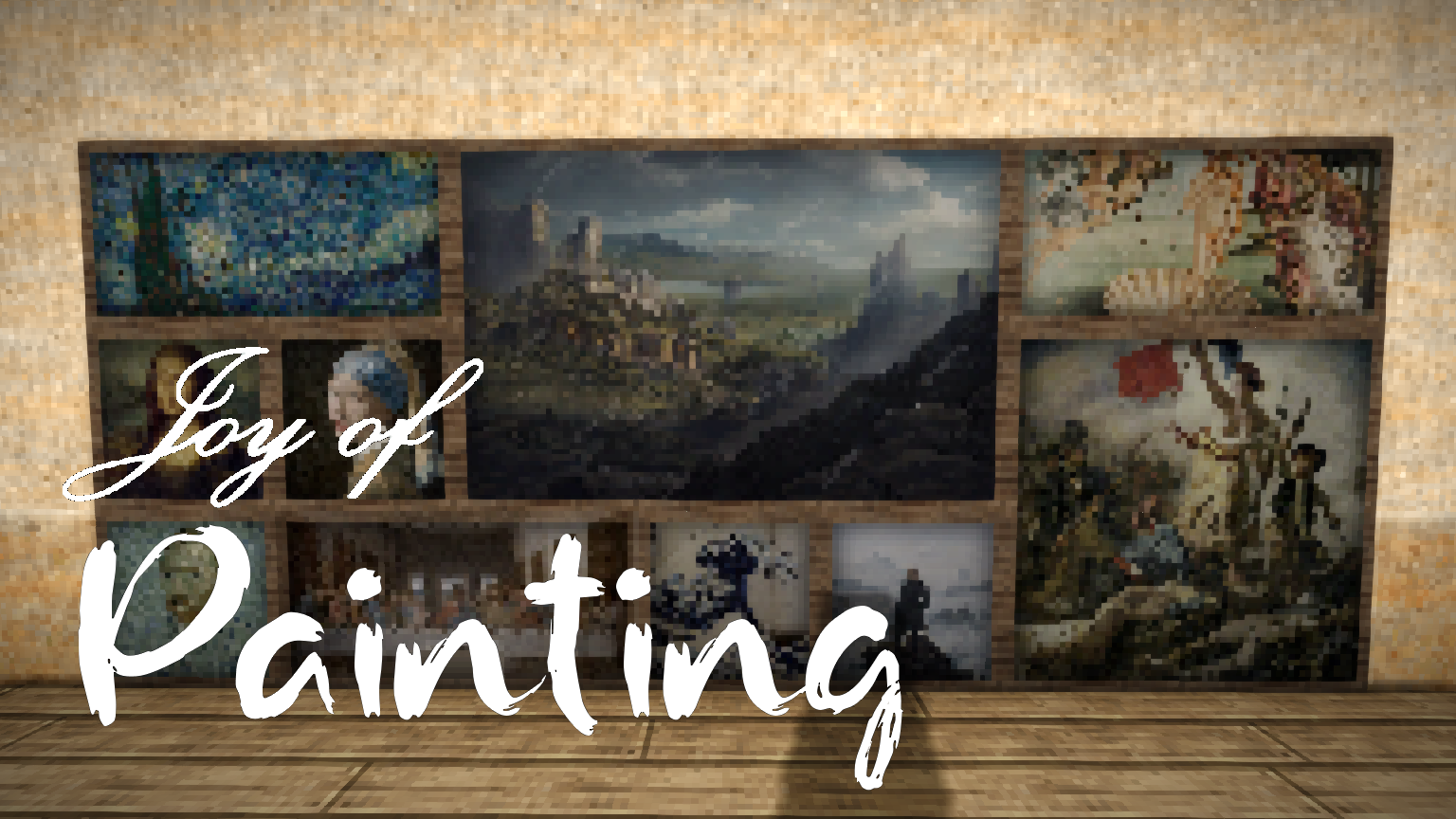
The second installment in the "Joy of..." series adds a new decorative block: the Painting!
Unlike vanilla paintings, this one is customizable.
<span style="color: #e74c3c;"><span style="color: #000000;">The recipe for the painting is in the handbook. You will need 4 planks (any wood), 1 square-stitch linen and 4x0.5L of any dye (the handbook make it look like you need 4 times the same dye, you don't. You can mix them)</span></span>
<span style="color: #e74c3c;"><span style="color: #000000;">Once you have a painting, hold it in your hand and type the command:</span></span>
<span style="color: #e74c3c;"><span style="color: #000000;">.loadpainting [painting file name] (example: you have a file named monalisa.bmp in your Paintings folder, the command is .loadpainting monalisa)</span></span>
<span style="color: #e74c3c;"><span style="color: #000000;">Since 1.4.0, it's also possible to load an image from an URL (note that this feature is still experimental and might not work all the time):</span></span>
<span style="color: #e74c3c;"><span style="color: #000000;">.loadpainting [painting URL, ending with an image file format (.</span></span><span style="color: #e74c3c;"><span style="color: #000000;">png,</span></span><span style="color: #e74c3c;"><span style="color: #000000;"> .jpg...)]</span></span>
<span style="color: #e74c3c;"><span style="color: #000000;">It's also possible since 1.4.0 to rename a painting with the /renamepainting [painting name] command.</span></span>
<span style="color: #e74c3c;"><span style="color: #000000;">The painting file should be an image (bitmap, jpeg, png...) with a resolution of 32x in your VintagestoryData/Paintings folder (you have to create it manually). The name that you will input in the command can't have any spaces, and you should not add the file extension at the end of the name, it will be added automatically (so if you write it, it will look for a paintingname.bmp.bmp for instance)</span></span>
<span style="color: #e74c3c;"><span style="color: #000000;">
</span></span>The great part is that only you need to have the file: it's then uploaded to the server so everyone can see it!
<span style="color: #e74c3c;"><span style="color: #000000;">Oh, also, you can place paintings on the floor and on ceilings!
</span></span>
<span style="color: #e74c3c;"><span style="color: #000000;">Starting in 1.5.0, paintings can also be rotated with a wrench (hold CTRL to rotate it counter-clockwise).</span></span>
<span style="color: #e74c3c;"><span style="color: #000000;">Please note: painting synchronization might take a short time after you loaded the painting. The painting might still not be loaded if you place it immediatly afterwards depending on server lag. Once it's placed though, if it works, it won't change.</span></span>
<span style="color: #e74c3c;"><span style="color: #000000;">Also, as of 1.4.0, paintings don't render immediatly in your hotbar, even when successfully loaded. You need to move them in your inventory (or drop them to the ground) to update the in-inventory rendering.</span></span>
<span style="color: #e74c3c;"><span style="color: #000000;">Paintings can be placed in vertical racks, but for unknown reasons they all look like the first painting you put in it.</span></span>
Making paintings
If you want to touch up an image for a painting, you can use Paint.NET (Windows only), it's what I use, it's pretty simple to understand and MUCH better than MS Paint.
You can resize the image with image -> resize (check "keep proportions" and force the smallest dimension to a multiple of 32), then crop it with Image -> canvas size (or something) to make sure that both dimensions are multiples of 32.
You can then split it into 32x32 squares with the rectangle selection tool, copy it, create a new image, paste it, then File -> Save as..., enter the name and under it select "Bitmap" (or jpg, png, tiff... since 1.4.0)
<span style="font-size: 8pt;">For search referencing, the mod id is jopainting
More search referencing stuff, people might search for pixel art chiseling chiselling chisel</span>
Ratings & reviews
Sign in to leave a rating or comment.



