
Description
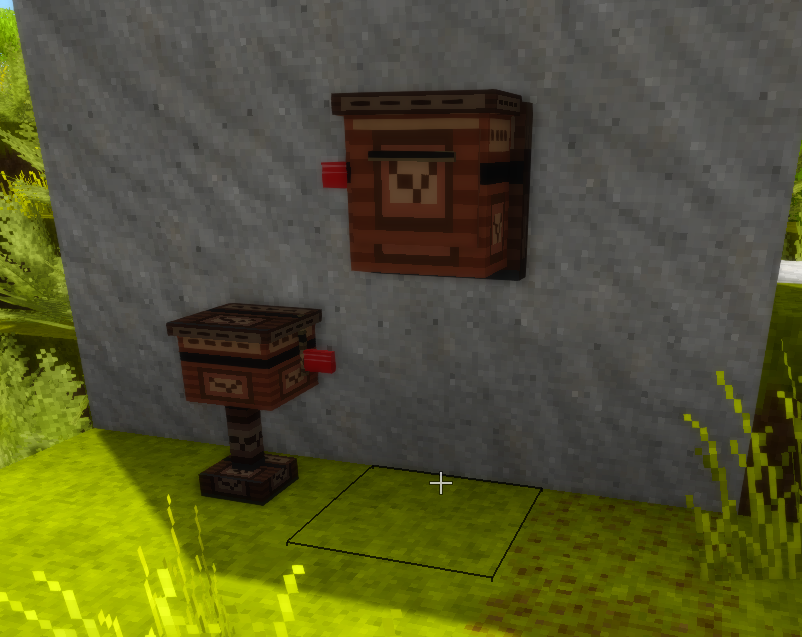
<p>Mailbox style item trading between players.</p> <div> <div> </div> </div> <div> <div>## GUI Usage</div> <br /> <div>- Right-click a postbox to open the mailbox interface</div> <div>- Filter field: enter a sender name and click Apply filter</div> <div>- Claim: select an entry and click Claim selected or click the item</div> <div>- Direct send: put item in field choose a target player from the dropdown and click Send</div> <div> </div> <br /> <div> </div> <strong>Last Change</strong><br /> <div> <ul> <li>Mail sending was expanded from <strong>online-only recipients</strong> to <strong>all known players</strong>.</li> <li>The mod now keeps a persistent list of known players (UID + name), so players who were seen before can still be selected as recipients while offline.</li> <li>Recipient resolution now works in two steps: <ul> <li>first try online player lookup</li> <li>fallback to known-player lookup</li> </ul> </li> <li>Known-player data is automatically updated from: <ul> <li>current online players</li> <li>existing mailbox entries</li> <li>send operations (sender and receiver)</li> </ul> </li> <li>Receiver names in the GUI now represent known players (not only online users), including an updated empty-state label.</li> <li>Store persistence was extended with known-player records and backward-compatible loading.</li> </ul> <h3>Result</h3> <ul> <li>You can send mail to players who are currently offline, as long as they are already known in that world/session history.</li> </ul> <p> </p> <p>if you´re looking for Mail only, have a look here <a href="https://mods.vintagestory.at/show/mod/44113">Email Trade</a></p> </div> </div>
Download
No download link is available for this entry right now.
Ratings & reviews
Sign in to leave a rating or comment.



