
Multi Signpost
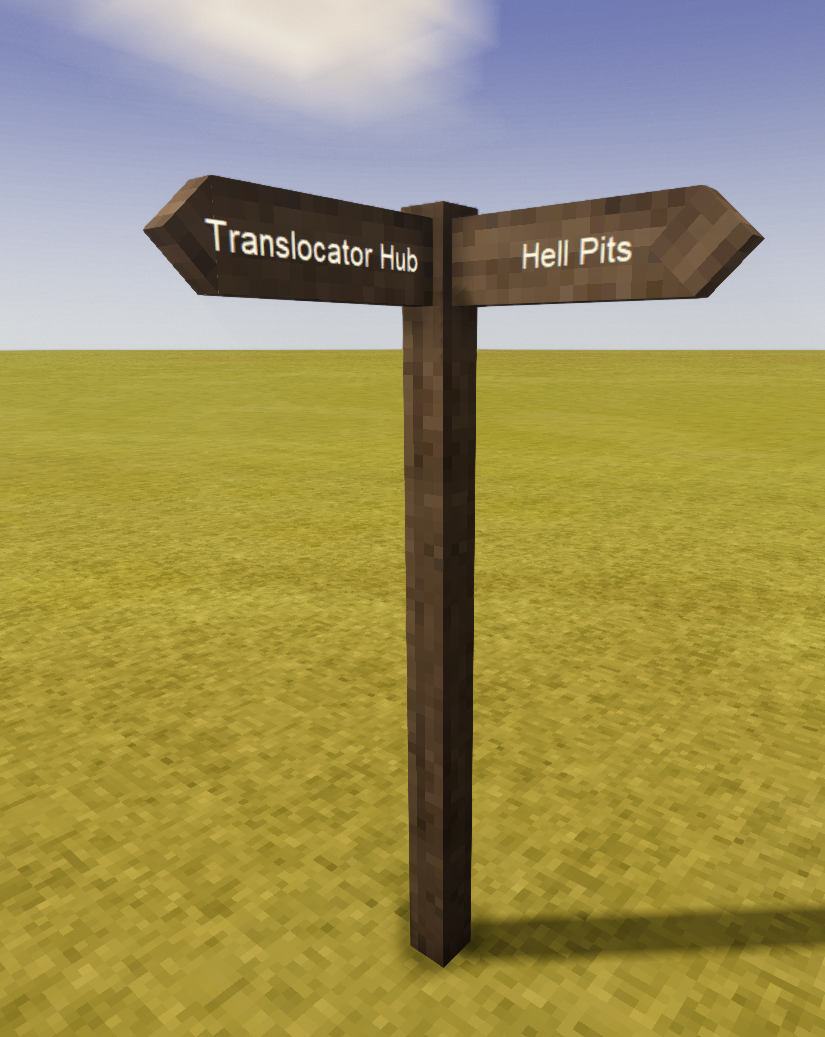
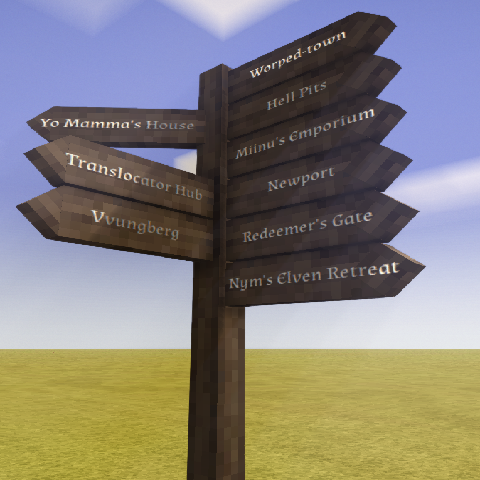
Adds signposts that can have multiple arrows pointing in the same direction.
Description
<h3><strong data-start="88" data-end="105">Changelog:</strong></h3> <ul> <li><strong data-start="88" data-end="105">V0.4.0 -</strong> Add configurable font selection dropdown. Game ships with 4 fonts, so those are the only options.</li> <li><strong>V0.3.0</strong> <strong>- </strong>Add configurable scale slider to adjust sign size.</li> <li><strong>V0.2.0 & V0.1.0 - </strong>Initial release</li> </ul> <h2><strong data-start="88" data-end="105">Multi Signpost<br /></strong></h2> <p> </p> <p data-start="88" data-end="309"><strong data-start="88" data-end="105"><br />MultiSignpost</strong> expands on the basic Sign Post that is in the game, by adding a new block - Multi Sign Post. It can display multiple directional arrows in the same direction, making it much easier to build readable road signs, town signs, trail markers, and large navigation posts. The Multi Sign Post comes with its own interface window, to support the hundreds of new possible arrow text fields.</p> <p data-start="311" data-end="521">When a signpost has too many arrows to fit the base pole, the mod automatically extends the height signpost. The height is validated to make sure it does not intersect the maximum world height or other blocks. Destroying any section of the Multi Sign Post will break the entire thing.<br /><br />Multi Sign Post can replicate the behavior of default sign posts.</p> <h3 data-start="311" data-end="521">Optional scaling</h3> <p> </p> <p>There are server configurable values to allow players to change the scale of signposts. This is mainly to help support small/big races, that have a hard time seeing the default sized signposts. By default, this slider is hidden, editing the mod config to have different min and max scales will un-hide the slider.</p> <h3>Optional fonts</h3> <p> </p> <p>As with the other values, the allowed fonts are server configurable. The game only comes with 4 fonts, and I haven't found an easy way to add custom ones. From what I can see, I would need to implement my own font renderer to do so.</p> <h2 data-start="311" data-end="521">Configuration</h2> <p> </p> <p data-start="311" data-end="521">The maximum number of extensions (sign size in blocks) is configurable for server owners, default value is 5. Maximum hardcoded value is 128. Minimum hardcoded scale is 0.1, maximum is 8 (the value at which the sign post pole becomes 1 block wide). The config is generated at:</p> <pre class="language-markup"><code>ModConfig/multisignpost.json</code></pre> <p>The default config contents:</p> <pre class="language-markup"><code>{ "MaxExtensions": 5, //Maximum height in blocks for a signpost "MinScale": 0.5, //Minimum allowed signpost scale "MaxScale": 3.0, //Maximum allowed signpost scale. If equal to MinScale, the scale slider is hidden "DefaultScale": 1.0, //Default scale for newly placed signposts "AllowedFonts": [ //Allowed signpost font families. If only one font is listed, the font dropdown is hidden. Default is sans-serif. "sans-serif", "Lora", "Almendra", "Montserrat" ] }</code></pre> <p data-section-id="13fueaw" data-start="2784" data-end="2806"> </p> <p data-section-id="13fueaw" data-start="2784" data-end="2806"><strong>ConfigLib</strong> is supported, though it cannot render arrays, so the font list will have to be modified manually.</p> <h2 data-section-id="13fueaw" data-start="2784" data-end="2806">Compatibility notes</h2> <p> </p> <p data-start="2808" data-end="2880">MultiSignpost adds its own block and does not replace vanilla signposts. Existing vanilla signposts are unaffected.</p>
Download
No download link is available for this entry right now.
Ratings & reviews
Sign in to leave a rating or comment.



