
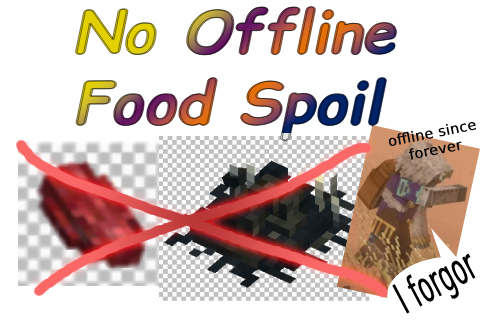
No offline food spoil
Prevent player inventory food from spoiling while the player is offline
Description
When a player is disconnected from a server, all its food stored in its hotbar and backpacks (not the chests nor anything accessible from other players) no longer spoils. It also prevents items to progress any other timed transition, such as drying if it is a spoilable item.
Only works server-side, no need to install on client.
The 'recommended' version is totally safe to add/remove as it does not persist any custom data in the save files.
PLEASE do not use the 'tester' version on big servers, as it still has issues.
If, for some reason the 'recommended' version does not work, you can always try the 'tester' version.
The 'tester' version uses an alternative way to handle food spoiling. But because of the new algorithm, if you ever remove the mod, any offline player holding food in their inventory will have a pseudo infinite spoil duration as a side-effect.
Configuration
The mod can be configured by tweaking a few parameters in the VintagestoryData/ModConfig folder (OfflineFoodNoSpoil.json).
The configuration is Hot-Reloaded, meaning that a change to the configuration file won't require a server restart. It will work out of the box.
<table style="border-collapse: collapse; width: 100%; height: 89px;" border="1"> <tbody> <tr style="height: 18px;"> <td style="width: 50%; height: 18px;">Field</td> <td style="width: 50%; height: 18px;">Description</td> </tr> <tr style="height: 18px;"> <td style="width: 50%; height: 18px;">EnableMod</td> <td style="width: 50%; height: 18px;"> Set to true to enable the mod. If set to false, the mod will do nothing.
Default: true.
UseLogs</td> <td style="width: 50%; height: 17px;"> Enable or disable logging in the terminal. Used for debugging.
Default: false.
FoodSpoilMultiplier</td> <td style="width: 50%; height: 18px;"> A value between 0 and 1. Custom multiplier for the elapsed offline time.
0 means that there will be 0% of the elapsed time used for the spoil rate. Basically, the food spoil rate will be entirely stopped.
A value of 1 means that there will be 100% of the elapsed time used for the spoil time, basically disabling the mod and no spoil rate will be slowed at all.
Default: 0.0.
MaxAllowedSkippedHours</td> <td style="width: 50%; height: 18px;"> (Optional) A final max amount of hours allowed of skipping. If the skipped time is bigger than this value, it will be clamped.
Default: null.
Time computation
The skipped time is computed this way, with a offline duration of <span style="color: #18a085;">48</span> hours :
- First get the elapsed time while offline. Here <span style="color: #18a085;">48</span> hours.
- Apply the multiplier. Here let's say we have a multipler of <span style="color: #8e44ad;">
0.25</span>. That means 25% of the elapsed time will be applied on the food.
<span style="color: #18a085;">48</span> hours * (1 - <span style="color: #8e44ad;">0.25</span>) = <span style="color: #2880b9;">36</span> skipped hours - Then if
MaxAllowedSkippedHoursis defined, we use it to clamp the value. Here the value is <span style="color: #e67e23;">30</span> hours.
Since <span style="color: #2880b9;">36</span> is bigger than <span style="color: #e67e23;">30</span>, we get <span style="color: #e74c3c;">30</span> skipped hours. Otherwise, we would get <span style="color: #2880b9;">36</span> hours.
Each perishable item in the inventory will skip <span style="color: #e74c3c;">30</span> hours before applying the remaining time : <span style="color: #18a085;">48</span> - <span style="color: #e74c3c;">30</span> = 18 actual hours applied on the perishable food.
Ratings & reviews
Sign in to leave a rating or comment.



