
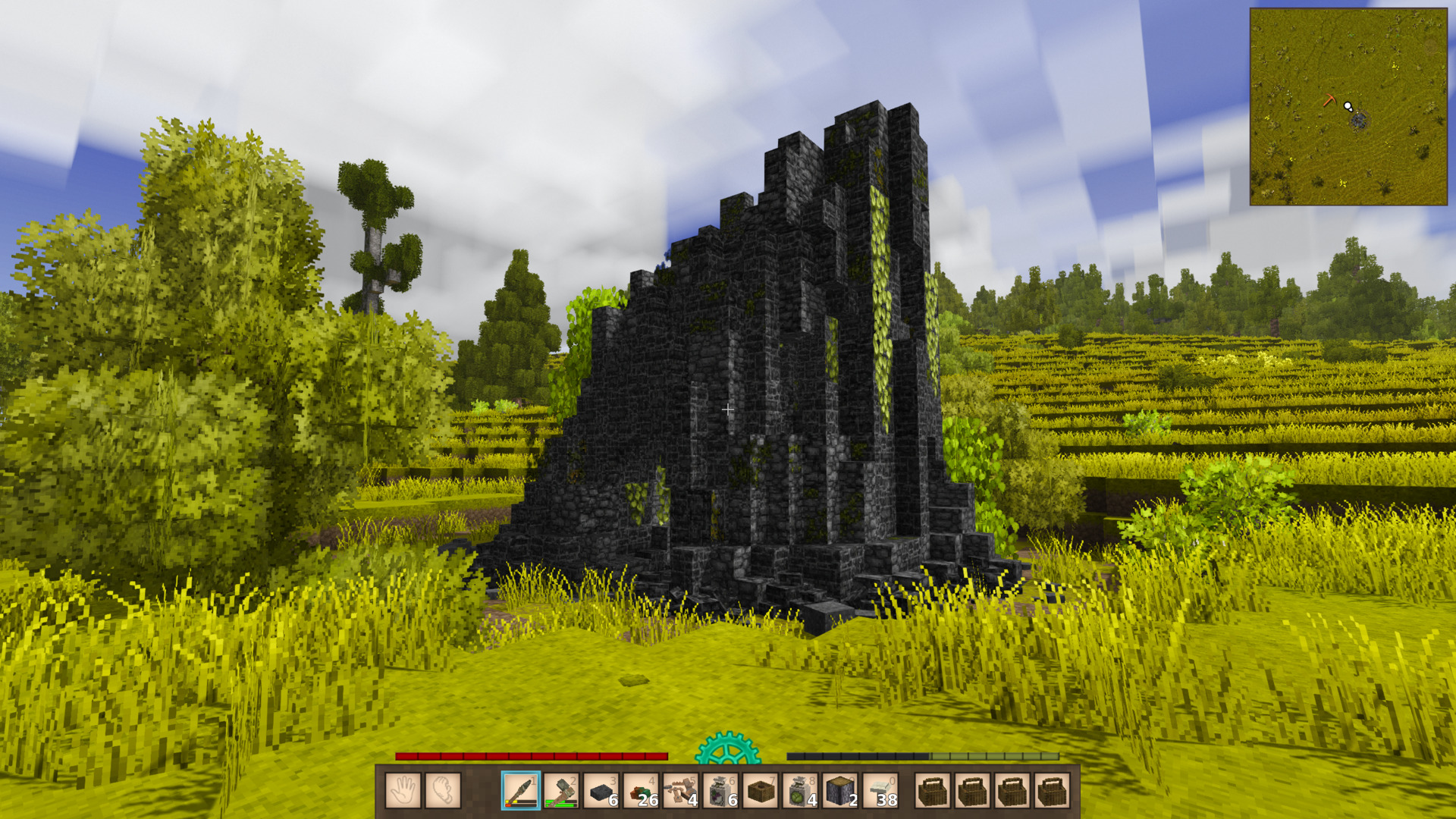
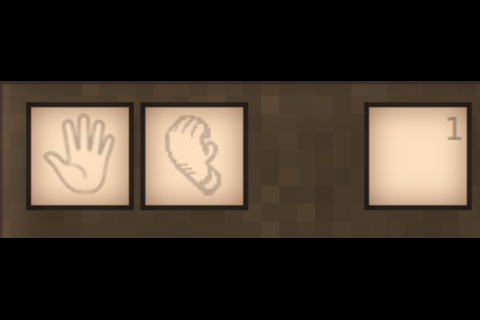
Description
<p><span style="color: #236fa1;"><strong>Open Hand</strong></span> adds configurable always-empty main-hand and offhand selections to Vintage Story. Select the Open Hand cell and the game treats your main hand as empty, allowing you to pick up items and interact with bare hands without needing to shuffle your hotbar. It is not an inventory slot: it cannot be filled, crafted into, or targeted by inventory automation.</p> <p><em>Install on both the client and the server. Requires Vintage Story 1.22.x (built and tested against 1.22.7).</em></p> <hr /> <h3>Features</h3> <ul> <li><strong>Always-empty hand</strong> with vanilla-style wheel entry, hotkey toggle, and slot cycling</li> <li><strong>Open Offhand toggle (off by default):</strong> Shift + tilde substitutes an empty offhand</li> <li><strong>Hotbar centering on by default:</strong> safe, reversible, with automatic fallbacks for unsupported layouts</li> <li><strong>In-game settings menu</strong> <strong>(Ctrl + tilde):</strong> main-hand and offhand switches, indicators, centering, slot key double-tap, anchor position, pixel offsets, and keybinds, saved instantly</li> <li><strong>Hidden-indicator mode:</strong> scrolling skips Open Hand and entry becomes hotkey-only</li> <li><strong>Slot key double-tap (off by default):</strong> pressing the number key of the already-active hotbar slot selects Open Hand, and while Open Hand is selected that same key returns to the slot</li> <li><strong>Multiplayer-safe:</strong> selections validated and synced by the server, and both the selection and the offhand toggle persist across relogs and server restarts</li> <li><strong>Non-destructive:</strong> physical hotbar slots and the real offhand item are never touched</li> <li><strong>Diagnostics built in:</strong> /openhand status reports selection, empty-offhand state, patch, CarryOn, and centering status</li> <li><strong>Modder-friendly:</strong> read-only integration offset for custom HUD renderers</li> </ul> <hr /> <h3>How to use</h3> <ul> <li><strong>Wheel entry:</strong> with the indicator shown, the ring runs 1 through 0, then Open Hand, then back to 1. Scroll down from the 0 slot (or from an occupied skill slot), or scroll up from the 1 slot, to enter</li> <li><strong>Leaving:</strong> select any physical slot, press a number key, or click a hotbar slot, exactly like vanilla slot cycling</li> <li><strong>Hotkey:</strong> the Select Open Hand key (` (tilde) by default, rebindable in Settings -> Controls) toggles between Open Hand and your previous slot</li> <li><strong>Open Offhand:</strong> Shift + tilde (rebindable in the settings menu) substitutes an empty offhand; press it again to hand the offhand back. The ghosted offhand cell shows the toggle's state while it is active, and the state persists across relogs</li> <li><strong>Slot key double-tap: </strong>enable it in the settings menu or with <code>.openhand doubletap on</code> (off by default). Press the number key of the slot you're already on again to enter Open Hand; while Open Hand is selected, that same key returns to the slot</li> <li><strong>Hidden mode:</strong> with the indicator hidden, scrolling skips Open Hand entirely and entry is hotkey-only. You can still scroll out normally, and showing the indicator again restores wheel entry instantly</li> <li><strong>Settings menu:</strong> <strong>Ctrl + tilde</strong> (rebindable as "Open Hand Settings") toggles the hand features and their indicators, switches hotbar centering, picks the anchor position, nudges pixel offsets, and rebinds every keybind. Sections: Main hand, Offhand, Hotbar appearance, and Keybinds. Every change applies and saves immediately</li> <li><strong>Chat commands:</strong> <code>/openhand status</code> for full diagnostics (selection, remembered slot, server revision, empty-offhand state, CarryOn interop, patch status, centering shift, fallback reasons). <code>.openhand indicator on|off|toggle</code>, <code>.openhand center on|off|toggle</code>, <code>.openhand doubletap on|off|toggle</code>, <code>.openhand mainhand on|off|toggle</code>, and <code>.openhand offhand on|off|toggle</code> control the saved settings directly</li> </ul> <hr /> <h3>Hotbar centering (on by default)</h3> <ul> <li><strong>The whole bar centers as one:</strong> slots and their click targets shift together, the skill icon follows, while the temporal gear, its hover target, and item-name text stay screen-centered</li> <li><strong>Safe by design:</strong> centering only applies to recognized vanilla-style layouts. Unsupported layouts, unavailable render hooks, overlapping HUD cells, or conflicting position changes fall back to uncentered placement automatically</li> <li><strong>Fully reversible:</strong> hiding the indicator restores the original hotbar position without clearing your preference</li> <li><strong>Transparent:</strong> <code>/openhand status</code> reports the actual shift and why centering is inactive whenever it falls back</li> </ul> <hr /> <h3>Details</h3> <ul> <li><strong>Non-destructive:</strong> the ten physical hotbar slots and the offhand are never modified. Open Hand only substitutes an empty slot at the moment the engine resolves your main hand — and, with the Open Offhand toggle active, your left hand</li> <li><strong>Multiplayer-safe:</strong> selections are validated and synced by the server</li> <li><strong>Persistent:</strong> all client settings live in openhand.json (ModConfig folder), editable in-game through the settings menu; the selection and offhand toggles are stored per player server-side and restored at join</li> <li><strong>Pixelperfect:</strong> the indicator is drawn in the dialog render pass, aligned with the hotbar at any GUI scale or resolution, its background blended into the hotbar's own panel including the extension</li> <li><strong>For mod authors:</strong> renderers attached to the hotbar's bounds tree inherit the centering shift automatically. Independently drawn, hotbar-attac
Ratings & reviews
Sign in to leave a rating or comment.



