About Player Model lib
From Vintage Story ModDBLibrary for adding new player races
You can support me on Patreon: 
Requires: JSON Patches lib, Overhaul lib
Library implements off thread shape tessellation to eliminate freezes related to it. This can cause issues with mods that add their own code for attaching items to player shape. Please report those issues, they can be solved.
About virus alerts: learn.microsoft.com
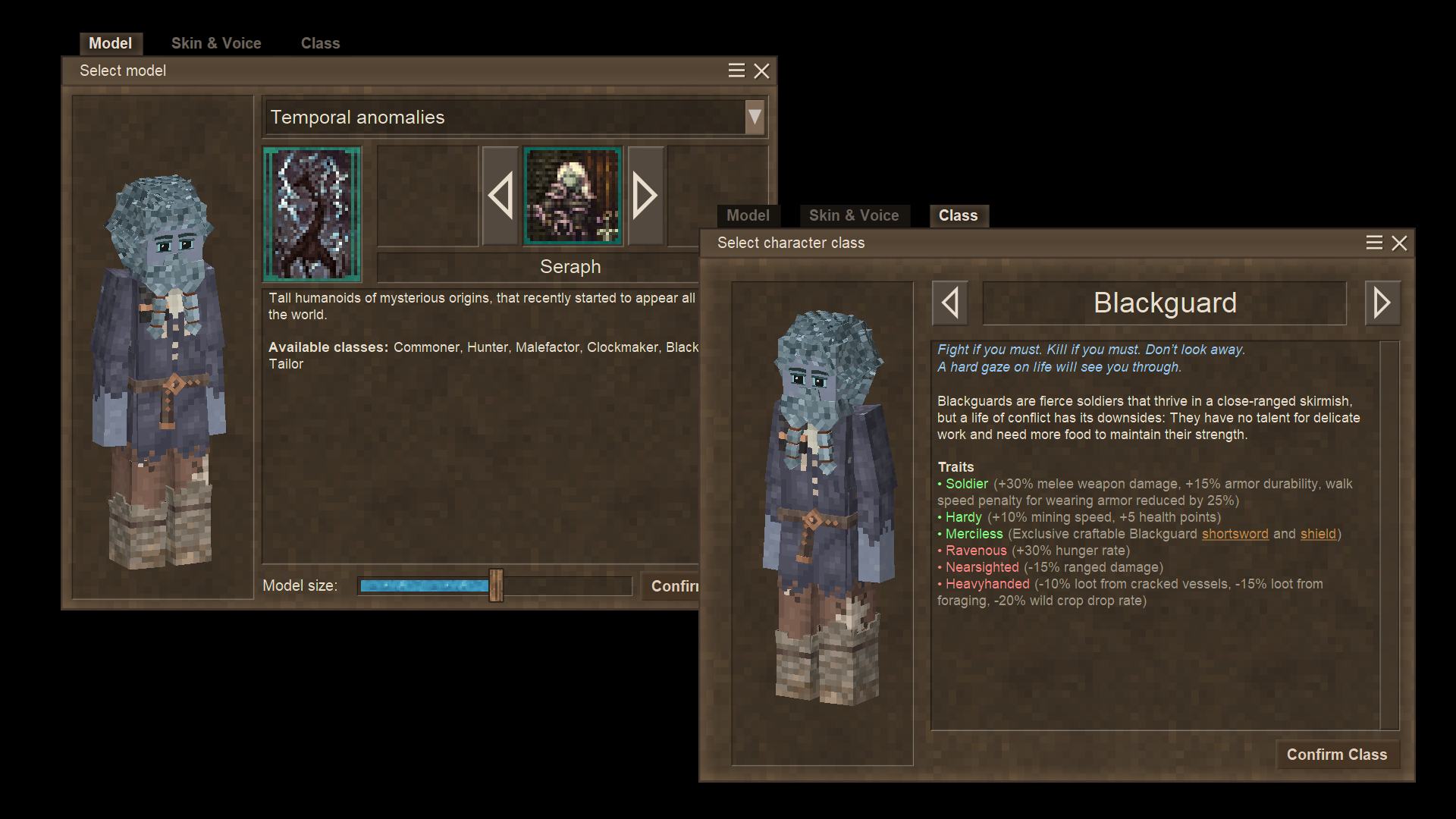
This is a library for adding new player models. It does not add new model on its own. Players can choose a model they want in the character-creation window. All players will see the model they choose. This mod is required both on client and server.
On its own, allows players to choose their model size.
Use Config lib to change default model parameters.
You can turn off custom classes and traits for all models globaly in config. This will turn them purely cosmetic and allow to use all classes added by other mods.
Skin presets are exported to and imported from: VintagestoryData\ModConfig\player-model-skins.
The "Export to CPM Model" button will save a copy of your current skin to VintagestoryData\ModConfig\custom-player-models\<model-name>. This is for making edits with the Custom Player Model mod.
Barber in the lore location does not work, and can lead to crashes, and as of rn there are no plans to fix it, so just dont use it.
Please report bugs via official VS discord server. Comments on moddb have high chance to be ignored.
Replaces character selection dialog. Adds scroll areas to skin parts and class selection tabs.
Replaces armor textures with ones that dont hide face inside helmets.
Adds two commands, that allow for specified players to be able to select specified player model even if it is disabled.
<pre class="language-markup">/player <player_name> enablePlayerModel <domain:code> /player <player_name> disablePlayerModel <domain:code></pre>
Mods that change default seraph model skin parts might be incompatible with this library (but some of them will still work).
Mods that change the default seraph model itself will most probably be incompatible.
Some mods that use this library:
- Female Seraph
- Lizardfolk Playermodel
- Beasts of Men
- Kobold Player Model
- Racial Equality
- Vintage Goat Player Model
- Birdplayer
- Vintage Birbs (Avali Mod)
- Skeletons
- Fluffy Dreg Player Model
- Experimental Kobold Player
- Humans
- Insectoid Player Model
- Skaven/Rat Player Model
- Robo-Seraph Playermodel
- Lupines
- Arachnoids
- Raccoon Player Model
- Animalica
- Bixo
- KCs Dragon Player
A more complete list can be found here, maintained by Dracomancerwill
Known issues:
- Additional hairstyles from lore location dont work
- Using .charsel in multiplayer with two people simultaneously leads to avatar changes not loading for the other player; leaving and re-joining will show the changes to both players.
Thanks to Kathanon for scroll functionality for skin parts, it is integrated into the lib, no need in Scroll in Character Creation mod if you have this library installed.
For modders:
To add your own model to be used with this library, make a content mod that depends on this library. Make the model, skin parts, textures. Then create 'config' folder inside your domain folder, and in it create 'customplayermodels' folder. Add JSON file with configuration of your model to this folder.
Highlights
From source dataGame versions
Built for Vintage Story 1.20.7.
Footprint
Rated a light load on a server.
Player Model lib on Nxeon
From our catalogue- One-click install
- Supported on Nxeon Vintage Story servers. We download it from Vintage Story ModDB, place it, and restart the server.
- Server side
- Required on the server
- Server load
- light
- Smallest plan we suggest
- Vintage Story — 1 GB (1 GB RAM). This follows our own load rating above, not a benchmark.
Run Player Model lib on a Vintage Story server
Pick a server or deploy a new one above; it is installed in one click.
What kind of mod it is
From the catalogLibraries & compatibility
Foundations and fixes other mods build on. Usually installed because something else needs it.
Runs on your server
From source side supportVintage Story ModDB lists Player Model lib as required on the server. Check its Vintage Story ModDB page to see whether players need it too.
Compatibility
- Game
- Vintage Story
- Runs on
- Serverrequired on the server
- Game versions
- 1.20.7
Verified at the source
- ✓Vintage Story ModDBOfficial listing, checked 2026-09-24Open ↗
- ✓AuthorVSCustodian, as published on Vintage Story ModDB
- ✓LicenseNot published by the sourceFree