About PrecisePickedUp
From Vintage Story ModDBAllow right-click to pick up drops and projectile, display drop information and merge drops.
- 允许使用鼠标右键拾取掉落物和投射物,可以设置拾取条件:右手为空,右手或左手为空,无条件。
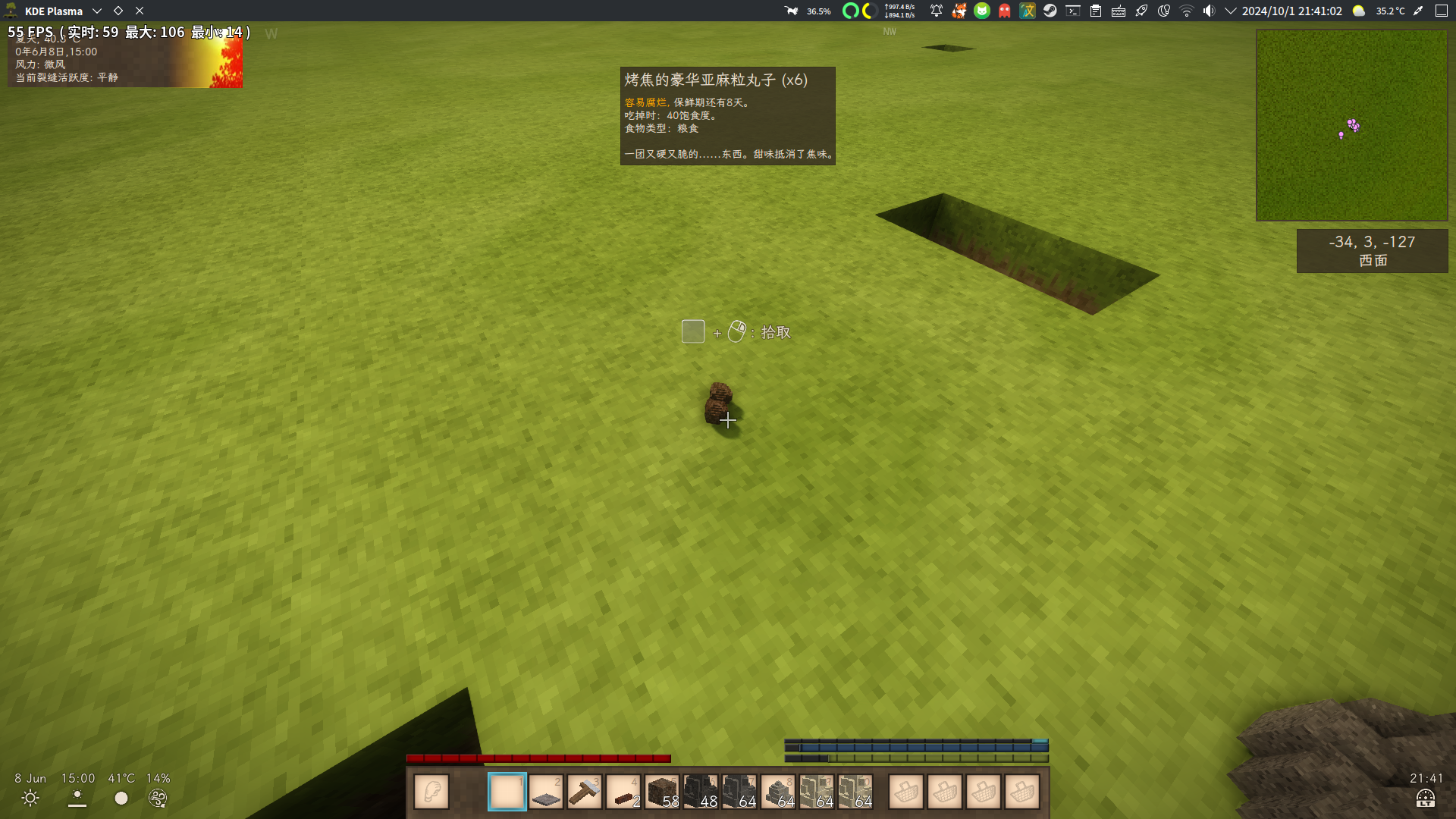
- 会显示准星处的掉落物和投射物的名称与介绍,可以关闭介绍显示。
- 可以开关掉落物合并功能,允许设置掉落物合并的时间间隔与范围。
- 可以关闭掉落物自动拾取,只能使用右键拾取。
- 可以不允许在掉落物的位置放置方块。
- 默认开启范围拾取功能,以交互的掉落物/投射物为中心,将拾取指定范围内的所有同种掉落物/投射物
配置文件:VintagestoryData/ModConfig/PrecisePickedUp.json
{   // 客户端配置:   "ShowItemDescription": true, // 显示物品介绍
// 服务端配置:   "PickupConditions": 1 // 右键拾取条件 0: 右手为空  1: 右手或左手为空  2: 无条件   "CanAutoCollect": true, // 是否允许自动拾取掉落物   "CanPlaceBlock": true, // 是否允许在掉落物处放置方块   "AutoMerge": true, // 掉落物自动合并   "MergeRange": { // 合并范围     "X": 1.5, // 水平范围     "Y": 0.2 // 垂直范围   },   "MergeInterval": 5.0, // 合并间隔   "RangePickup": true, // 范围拾取   "PickupRange": { // 拾取范围     "X": 1.5, // 水平范围     "Y": 0.2 // 垂直范围   } }
</pre> </pre> - Allows using the right mouse button to pick up dropped items and projectiles, with configurable pickup conditions: right hand empty, either hand empty, or no conditions.
- Displays the name and description of the targeted dropped item or projectile. The description display can be toggled off.
- Enables/disables item merging for dropped items, with adjustable merge interval and range.
- Can disable automatic pickup of dropped items, restricting collection to right-click only.
- Option to prevent block placement at the location of dropped items.
- Range pickup is enabled by default, allowing pickup of all same-type dropped items/projectiles within a specified radius around the interacted item/projectile.
Configuration file: VintagestoryData/ModConfig/PrecisePickedUp.json
{   // Client Side Config:    "ShowItemDescription": true, // Show item descriptions
// Server Side Config:    "PickupConditions": 1, // Right-click pickup conditions: 0: Right hand empty, 1: Either hand empty, 2: No conditions     "CanAutoCollect": true, // Enable automatic pickup of dropped items     "CanPlaceBlock": true, // Allow block placement at dropped item locations     "AutoMerge": true, // Enable automatic merging of dropped items     "MergeRange": { // Merge range       "X": 1.5, // Horizontal range       "Y": 0.2 // Vertical range     },     "MergeInterval": 5.0, // Merge interval (seconds)     "RangePickup": true, // Enable range pickup     "PickupRange": { // Pickup range       "X": 1.5, // Horizontal range       "Y": 0.2 // Vertical range     }   }
</pre> Highlights
From source dataGame versions
Built for Vintage Story 1.19.8.
Footprint
Rated a light load on a server.
PrecisePickedUp on Nxeon
From our catalogue- One-click install
- Supported on Nxeon Vintage Story servers. We download it from Vintage Story ModDB, place it, and restart the server.
- Server side
- Required on the server
- Server load
- light
- Smallest plan we suggest
- Vintage Story — 1 GB (1 GB RAM). This follows our own load rating above, not a benchmark.
Run PrecisePickedUp on a Vintage Story server
Pick a server or deploy a new one above; it is installed in one click.
What kind of mod it is
From the catalogTechnology & automation
Machines, power, logistics and automation.
Runs on your server
From source side supportVintage Story ModDB lists PrecisePickedUp as required on the server. Check its Vintage Story ModDB page to see whether players need it too.
Compatibility
- Game
- Vintage Story
- Runs on
- Serverrequired on the server
- Game versions
- 1.19.8
Verified at the source
- ✓Vintage Story ModDBOfficial listing, checked 2026-09-24Open ↗
- ✓AuthorMystiVaid, as published on Vintage Story ModDB
- ✓LicenseNot published by the sourceFree