
About Regenerating Ores
From Vintage Story ModDBConfig'd blocks regenerate over a config'd amount of time. Default config is for ore!
Ever wanted a reason to chisel out a mineshaft? Me too! This mod means that any source of ore you find is now a permanent asset to your survival.
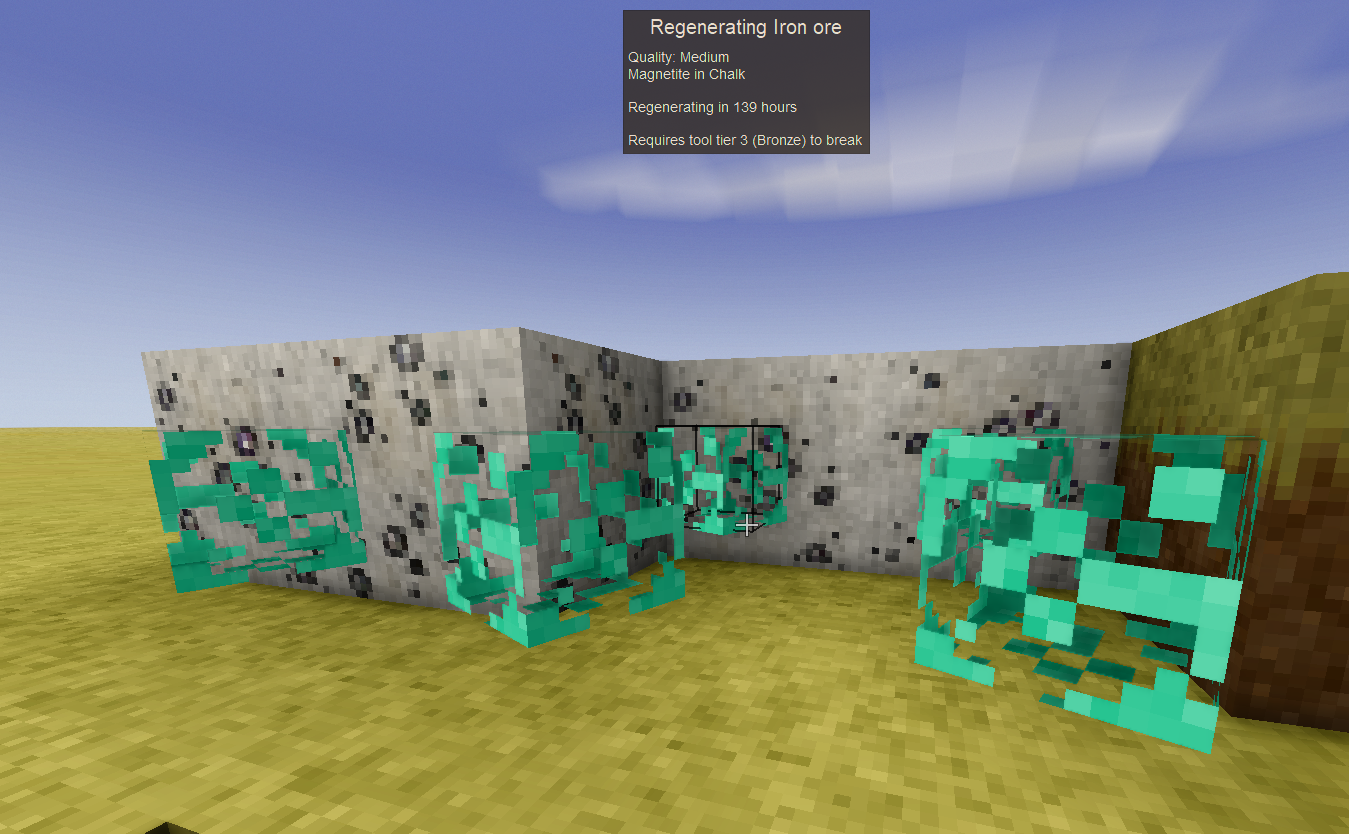
When mined, ore blocks will transform into a Regenerating Ore Block version of themselves, visually represented by a levitating temporal insignia. After a configurable length of time (default is 168 hours, or 7 days), the Regenerating Ore will transform back into regular ore, and can be freely mined again.
If you wish, you may destroy the Regenerating Ore Block, though doing so will prevent any regeneration of the ore in the future. To prevent accidentally doing this, the Regenerating Ore Block is significantly more time consuming to break.
(Or, you can collect them and move them using a config option if you want!)
The config is located in the standard Vintage Story file system location for mod configs. Usually, this is %appdata%\vintagestorydata\modconfig on Windows, but can vary depending on your installation. The file is named RegenOresConfig.json.
This is my first mod, so I'm gonna be trying to support it moving forward as a learning experience. Feedback is welcome.
2.7.0 features a completely overhaul of the mod! Past compatibility is maintained. New features in 2.7.0 include:
- The types of blocks that regenerate are now controlled by the config file exclusively.
- This is controlled by the RegeneratingBlockTypes list, and the DisallowedBlockTypes list. Entries only need to be in the Disallowed list if you want to exclude them from a wildcard in the first list.
- Added RegenChance, this is a per-Blocktype field that controls the chance for a regen block to be created when it's broken. since it's per-blocktype, this could be configured to vary depending on ore type, ore quality, or both as desired.
The default configuration for these values is:
"RegeneratingBlockTypes": [ { "Code": "game:meteorite-iron", "RegenDelayHours": 240.0, "RegenChance": 100.0 }, { "Code": "game:ore-", "RegenDelayHours": 168.0, "RegenChance": 100.0 } ],"DisallowedBlockTypes": [ "game:ore--emerald-", "game:ore--diamond-", "game:ore--olivine_peridot-" ]
Which includes all ores (except the gems) and meteoric iron. Priority for these values is based on primacy, so if you want to include a wildcard for all ore, but have bountiful ore regen faster or with less chance to break, you should include the appropriate wildcard code for Bountiful ores earlier in the BlockTypes list.
2.5.0 adds Toggle Zones! These are config items that can be used to selectively disable or enable ore regeneration in circular areas of your choosing. If you aren't interested in doing so, setting EnableToggleZones to false (this is the default) will completely skip the logic.
Toggles Zones:
RegenerationToggleZones
-> X: World X position to center the zone
-> Z: World Z position to center the zone
-> Radius: Number of blocks radius to consider the zone
RegenerationEnabledInsideToggleZone
if TRUE: Ore only regens when inside of a toggle zone
if FALSE: Ore only regens if it's outside of all toggle zones
TODO:
Add support for Ore Bombs.
Add a 'Low Client Performance' mode for clients that changed the rendering to something simpler.
* Add a 'Low Server Performance' mode for servers/hosts that changes the tickrate for regeneration.
As of 2.1.0, this add-on is deprecated due to the new config option available.
This mod has an optional add-on for those interested: https://mods.vintagestory.at/show/mod/35685 which lets you break and move the regenerating ores to wherever you wish.
The 2.0.0 update will break any existing Regenerating Ore blocks, so be careful upgrading if you do not need/want mod compatibility with modded ores!
Highlights
From source dataGame versions
Supports 11 Vintage Story versions, the newest being 1.21.5.
Footprint
Rated a light load on a server.
Regenerating Ores on Nxeon
From our catalogue- One-click install
- Supported on Nxeon Vintage Story servers. We download it from Vintage Story ModDB, place it, and restart the server.
- Server side
- Required on the server
- Server load
- light
- Smallest plan we suggest
- Vintage Story — 1 GB (1 GB RAM). This follows our own load rating above, not a benchmark.
Run Regenerating Ores on a Vintage Story server
Pick a server or deploy a new one above; it is installed in one click.
What kind of mod it is
From the catalogQuality of life & UI
Small conveniences, tweaks and interface improvements players notice straight away.
Runs on your server
From source side supportVintage Story ModDB lists Regenerating Ores as required on the server. Check its Vintage Story ModDB page to see whether players need it too.
Compatibility
- Game
- Vintage Story
- Runs on
- Serverrequired on the server
- Game versions
- 1.21.5 and 10 earlier
Verified at the source
- ✓Vintage Story ModDBOfficial listing, checked 2026-09-24Open ↗
- ✓AuthorZetal, as published on Vintage Story ModDB
- ✓LicenseNot published by the sourceFree