
Resonator Overhaul
Per-resonator volume, falloff and looping — saved to the world and audible with Music off.
Description
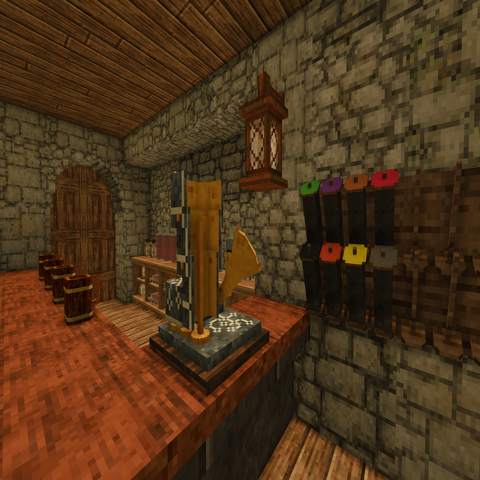
<p><strong>Resonator Overhaul</strong> turns the resonator from a one-shot music box into a proper ambience tool you can tune block-by-block.</p> <p>Ever wanted to set up a tavern with its own looping music at just the right volume, without blasting the whole town? Or a quiet music corner that only players standing nearby can hear? Now you can — and every player hears exactly the same thing.</p> <p> </p> <p data-start="287" data-end="310"><strong data-start="287" data-end="310">Early Release</strong></p> <p data-start="287" data-end="310"><strong data-start="287" data-end="310">Still In Testing - Possible Bugs</strong></p> <h3>Features</h3> <ul> <li><strong>Per-resonator settings.</strong> Every resonator remembers its own <strong>volume</strong>, <strong>falloff radius</strong>, and <strong>loop</strong> on/off.</li> <li><strong>In-game editing.</strong> Look at a resonator and press <strong>F</strong> to open a small settings panel — two sliders and a toggle. No commands, no config-file hunting. <em>(The key is rebindable under Controls → "Edit resonator settings".)</em></li> <li><strong>Saved and synced.</strong> Settings are stored on the block itself, so they survive world reloads, travel with the block, and are automatically shared with every player on the server.</li> <li><strong>Works with Music turned off.</strong> Discs play through the <strong>Sound effects</strong> volume instead of the Music slider, so your tavern keeps playing even for players who run with game music down.</li> <li><strong>Looping.</strong> Turn a disc into continuous background music instead of a single play-through.</li> <li><strong>Adjustable falloff.</strong> Set how far the music carries, from an intimate few blocks to a whole town square.</li> </ul> <h3>How to use</h3> <ol> <li>Place a resonator and insert a music disc as normal.</li> <li>Look at the resonator and press <strong>F</strong>.</li> <li>Drag the <strong>Volume</strong> and <strong>Falloff radius</strong> sliders and flip <strong>Loop</strong> to taste — changes preview instantly.</li> <li>Close the panel. Your settings are saved to the world and pushed to everyone.</li> </ol> <h3>Configuration</h3> <p>A <span class="inline-block rounded-[4px] outline-none hide-focus-ring ring-focus" tabindex="0" role="button"><code data-epitaxy-inline-code="" data-epitaxy-file-ref="">ModConfig/resonatoroverhaul.json</code></span> file holds the <strong>defaults</strong> for resonators nobody has customized yet, plus the maximum allowed falloff radius:</p> <ul> <li><code data-epitaxy-inline-code="">PlayWithMusicOff</code> — route audio through the Sound effects channel (default <code data-epitaxy-inline-code="">true</code>)</li> <li><code data-epitaxy-inline-code="">DefaultVolume</code>, <code data-epitaxy-inline-code="">DefaultMaxDistanceBlocks</code>, <code data-epitaxy-inline-code="">DefaultLoop</code> — starting values for new resonators</li> <li><code data-epitaxy-inline-code="">GlitchPitch</code> — let temporal storms bend the playback pitch (vanilla flavour)</li> <li><code data-epitaxy-inline-code="">MaxAllowedDistanceBlocks</code> — upper limit for the falloff slider</li> </ul> <h3>Multiplayer</h3> <p>Required on both client and server. It changes how the audio is played, not just how it's stored, so everyone in the tavern needs the mod for a consistent experience.</p> <p> </p> <h3>Now with ConfigLib Support.</h3> <p>The mod's global settings now have an in-game window (pause menu → Mods → Resonator Overhaul): the common ones — the Music-off routing, ambient-music ducking, storm pitch-bending, and the default volume and radius for unconfigured resonators — at the top, with the remaining defaults, room-audio tuning and the radius limit in collapsible sections below. Changes apply live: the playback loop reads the config every tick, so flipping a toggle is audible immediately, no world reload.</p> <h3>Compatibility</h3> <p>Supersedes <strong>Resonator Tweaks</strong> — if both are installed, Resonator Tweaks automatically detects this mod and stands down, so they're safe to keep side by side. Patches the resonator's playback at runtime and touches no world assets.</p> <p><strong data-start="318" data-end="349">Created with AI assistance.</strong></p> <p> </p> <p>Copyright (c) 2026 High Tech Games. All rights reserved.This mod is made available under the Creative Commons Attribution-NonCommercial-NoDerivatives 4.0 International License (CC BY-NC-ND 4.0). You may download, play, and share this mod for personal use. You may not alter, transform, build upon, or commercially exploit this work without explicit permission.Modifications & Collaborative Use:If you would like to modify this code, use assets from this mod, or continue updating it for newer versions of Vintage Story, please contact me directly. I am open to granting Creative Commons Attribution-NonCommercial-ShareAlike (CC BY-NC-SA) permissions on a case-by-case basis.</p>
Download
No download link is available for this entry right now.
Ratings & reviews
Sign in to leave a rating or comment.



