
Description
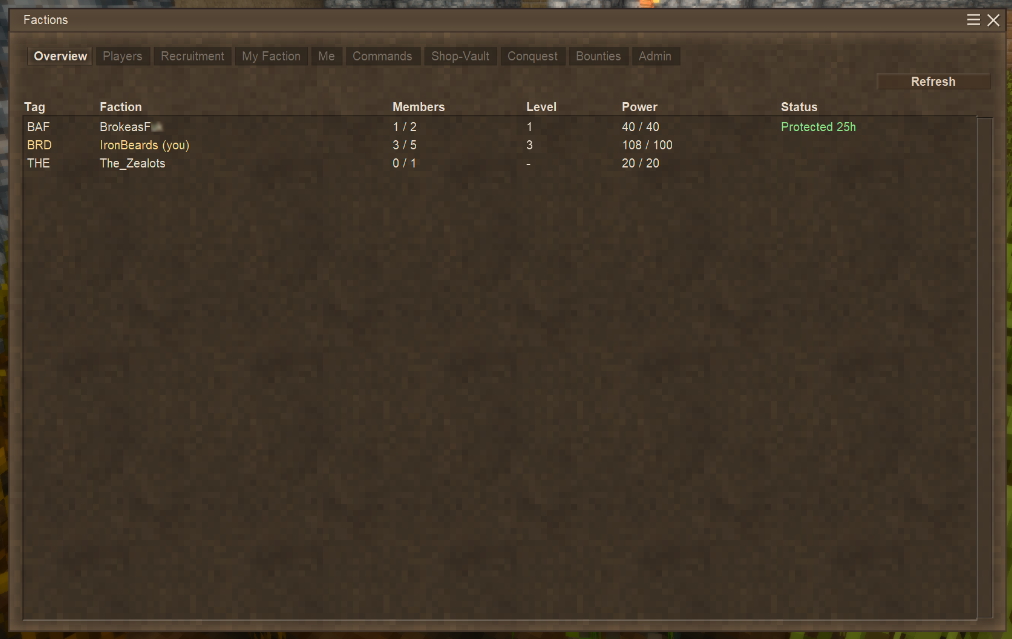
<pre>Tass Factions features</pre> <p><strong>Factions and ranks</strong></p> <ul> <li>Players create and join factions. Four ranks: Owner, Officer, Member, Initiate. Rank controls who can build on faction land, manage members, claim and contest, and change settings.</li> <li>Each faction has a map color, a login message (MOTD), and a description.</li> <li>Faction-only chat channel.</li> </ul> <p><strong>Territory</strong></p> <ul> <li>Non-members cannot build, break, or use blocks on your land.</li> </ul> <p><strong>Power</strong></p> <ul> <li>Each member adds to your max power (default 20 each).</li> <li>Each claimed chunk costs power to hold (default 10). If your land costs more than your current power, you are overclaimed and your border chunks can be taken.</li> <li>Current power drops when a member dies (default 10) and regenerates over real time (default 10 per hour) up to your max.</li> <li>Changing these numbers while a world is running is safe. Existing factions are rescaled so they keep the same percentage of their max.</li> </ul> <p><strong>PvP</strong></p> <ul> <li>Safezones are admin-marked chunks. Players cannot damage each other inside them. Mobs, falls, and the environment still deal damage.</li> <li>Friendly fire between faction members is off</li> </ul> <p><strong>Inactivity</strong></p> <ul> <li>After a set number of days with no member online (default 5), a faction's power decays. Once it sits at zero power for a few more days, it disbands and its land becomes unclaimed.</li> </ul> <p><strong>Home and teleport</strong></p> <ul> <li>A faction can set a home and teleport to it. Members can request teleports to each other. Both have a warmup that cancels if you move or take damage, and both have cooldowns.</li> </ul> <p><strong>Map</strong></p> <ul> <li>Claimed chunks show as colored squares on the world map. Hovering shows the faction name.</li> </ul> <p><strong>Admin</strong></p> <ul> <li>Admins can create, disband, and modify any faction, add or remove any player, mark safezones, and free chunks.</li> </ul> <p><strong>Saving</strong></p> <ul> <li>Faction, member, territory, and contest data is saved and kept across version updates. It is never wiped.<br><br><br></li> </ul> <p><strong>Tass Factions 0.6.67 — the trading and money update</strong></p> <p><strong>Trading</strong></p> <ul> <li>Trade players directly: sneak + right-click with an empty hand, or <code>/f trade</code>. </li> <li>LMB: 1, Ctrl+LMB: 10, Shift+LMB: 100.</li> </ul> <p><strong>Shops</strong></p> <ul> <li>Find a Trade district chunk area near spawn, and /f shop </li> <li>Add items to the chest normally; then set prices with sneak + right-click on your shop chest.</li> <li>Shop Rent: By default 1 gear per real life day (per chunk claim area)</li> <li>Faction Tax: By default 1 gear per real life day (per chunk claim area)</li> </ul> <p><strong>Faction money</strong></p> <ul> <li>Faction bank at your capitol: anyone can deposit, officers withdraw.</li> <li>New Factions UI menu for Vaults. Both Faction Vault and Shop Vault are separate virtual currencies of gears that can be deposited or withdrawn (requires you to be at the phsyical location of either)</li> <li>No remote transfers — gears travel by hand, and couriers can be ambushed.</li> <li>A conquered faction drops all of its virtual stored gears as currency at the faction home capitol</li> </ul> <p> </p> <p><strong>Tass Factions 0.6.85 — the conquest land claim update</strong></p> <ul> <li>Faction Power Total: Sum of all members power</li> <li>Faction Power Individual: 20 power and +10 power per hour by default (regens while offline) (helps slightly against offline attacks)</li> <li>Faction Presence: Online only, local to the event, Raid\Siege power regen that affects how long it takes to defend/attack targets</li> <li>Power Overloading: Individual power can be -20 or +20 (and also +20 power regen/hour) if you manage to kill an enemy without dying</li> <li> </li> </ul> <p> </p> <p><strong>Faction Levels:</strong></p> <ul> <li>Faction Level 1: (1x1 grid) + buffer ring [the Capitol]</li> </ul> <ul> <li>Faction Level 2: (3x3 grid) (1st "ring") + buffer ring</li> <li>Faction Level 3: (5x5 grid) (2nd "ring") + buffer ring</li> <li>Faction Level 4: (7x7 grid) (3rd "ring") + buffer ring</li> <li>Faction Level 5: (9x9 grid) (4th "ring") + buffer ring</li> <li>Buffer Ring: Your faction can build here, enemy can not. </li> </ul> <p><br><br>Faction Power based Raids and Sieges:</p> <p><strong>Raids: </strong>Offline raids of your territory<br> - Ring by ring temporary capture of your territory (no build or block break rights)<br> - Can only break blocks with bombs<br> - If undefended and they claim the last ring, they get 30 seconds of looting before the area is locked down for 48 hours.<br> - Capitol and its walls are 100% always protected from raids</p> <p><strong>Sieges: </strong>Online raids of your territory<br> - Similar to Raid starting at your outer ring but ending with your capitol and longer capture times<br> - x<br> - If defeated you lose 50% of virutal vault gears, and the faction land is unclaimed, the faction and members remain unharmed<br> - x</p> <p> </p> <p>Raids and Sieges require 2+ players and a faction of level 2 or higher</p> <h1>Commands</h1> <h2>Players (<code>/f</code>)</h2> <p>Faction basics:</p> <ul> <li><code>/f create <name></code>: create a faction, you become Owner</li> <li><code>/f disband</code>: dissolve your faction (Owner only)</li> <li><code>/f leave</code>: leave your faction (Owner must transfer or disband first)</li> <li><code>/f list</code>: list all factions</li> <li><code>/f info [name]</code>: show your faction, or a named one</li> </ul> <p>Members and ranks:</p> <ul> <li><code>/f invite <player></code>: invite an online player (Officer or Owner)</li> <li><code>/f accept <faction></code>: accept an
Download
No download link is available for this entry right now.
Ratings & reviews
Sign in to leave a rating or comment.



