Temporal Vessels - A Vessel Teleportation System
Teleport a storage vessel back to your base so you can continue your looting exploration adventure
Description
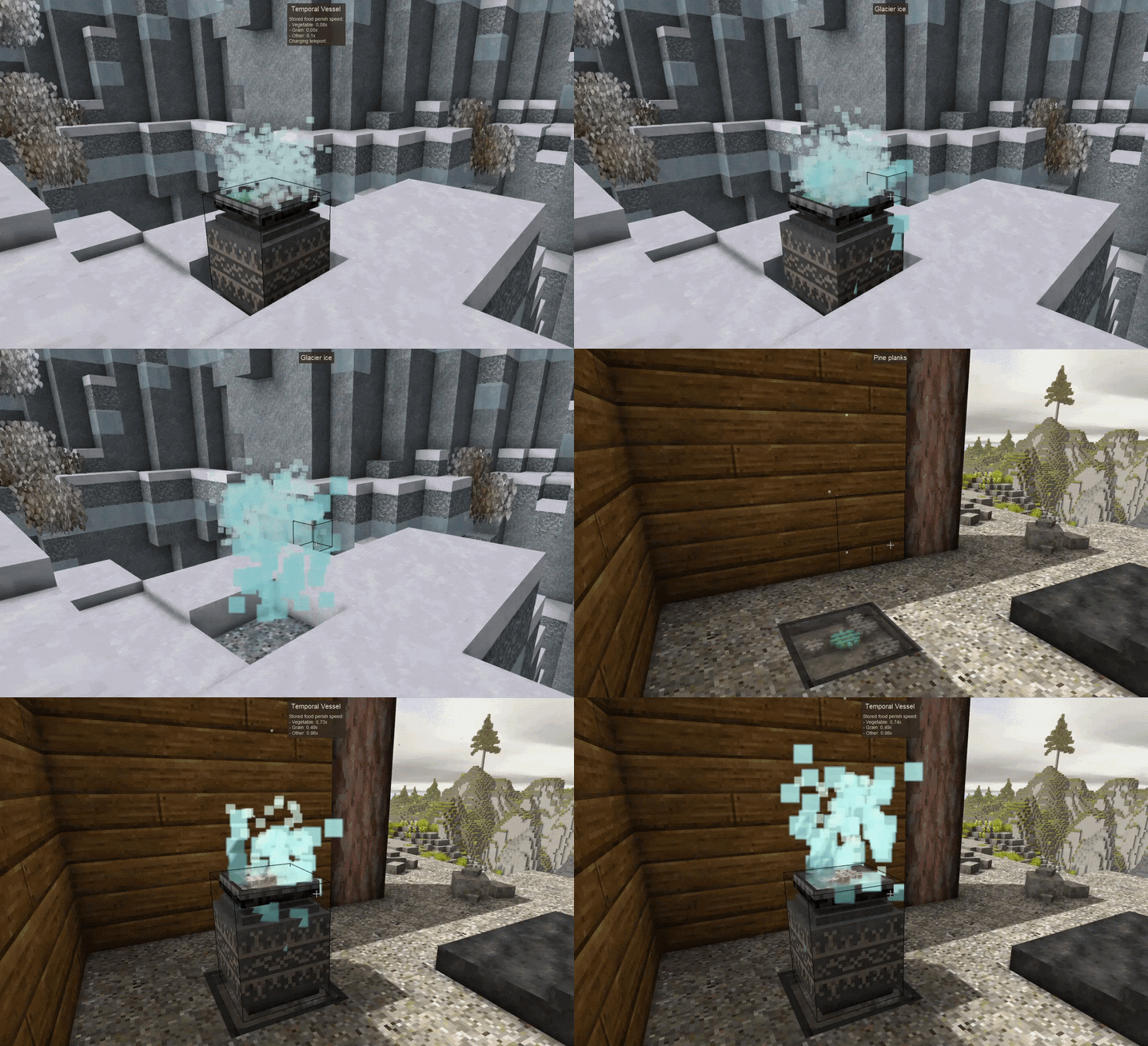
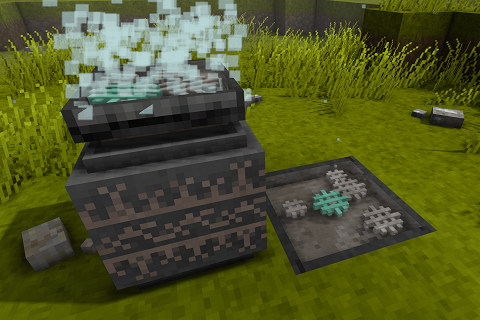
<div style="max-width: 1040px; margin: 0 auto; padding: 24px; background: #eef1ed; color: #2f3937; font-family: Inter, Arial, Helvetica, sans-serif; line-height: 1.68; border: 1px solid #b8c3bf; border-radius: 10px; box-shadow: 0 8px 22px rgba(70,82,77,0.12);"><div style="background: linear-gradient(180deg, #f7faf7 0%, #e2e9e5 100%); border: 1px solid #b8c5c0; border-radius: 9px; padding: 30px 22px 25px; text-align: center;"><div style="font-size: 0.75em; letter-spacing: 2px; text-transform: uppercase; color: #6f8d85; font-weight: bold;">Temporal Storage Transport</div> <div style="font-size: 2.35em; line-height: 1.15; font-weight: 800; color: #263432; margin-top: 4px;">Temporal Vessels</div> <div style="color: #7f9a91; margin: 11px 0 12px; letter-spacing: 2px;">◆────────────◆────────────◆</div> <p style="max-width: 780px; margin: 0 auto; color: #52635f;">Send full storage vessels back to base without ending your exploration trip early.</p> </div> <div style="background: #f7f9f6; border: 1px solid #c6d0cc; border-radius: 8px; padding: 18px; margin: 22px 0;"> <div style="font-size: 0.74em; letter-spacing: 1.5px; text-transform: uppercase; color: #6e8d84; font-weight: bold; text-align: center;">How it works</div> <div style="font-size: 1.4em; font-weight: bold; color: #2f3b38; text-align: center; margin: 2px 0 14px;">Load. Charge. Send.</div> <table style="width: 100%; table-layout: fixed; border-collapse: separate; border-spacing: 7px;"> <tbody> <tr> <td style="width: 50%; vertical-align: top; padding: 0;"> <div style="background: #e8eeeb; border: 1px solid #c3cec9; border-radius: 7px; padding: 14px;"><strong style="color: #2c3b37;">Temporal Vessel</strong><br><span style="font-size: 0.9em; color: #566661;">Stores items like a normal vessel and keeps its inventory after teleporting.</span></div> </td> <td style="width: 50%; vertical-align: top; padding: 0;"> <div style="background: #e8eeeb; border: 1px solid #c3cec9; border-radius: 7px; padding: 14px;"><strong style="color: #2c3b37;">Receiver Station</strong><br><span style="font-size: 0.9em; color: #566661;">The destination for incoming vessels. The vessel arrives directly above the receiver.</span></div> </td> </tr> </tbody> </table> <div style="margin-top: 14px; padding: 12px 14px; background: #e8eeeb; border-left: 4px solid #8aa69c; border-radius: 4px; color: #53645f;">Charge a Receiver Station once with a <strong>Temporal Gear</strong>. Then use <strong>Sneak/Crouch + Right-click</strong> on a placed Temporal Vessel while holding another Temporal Gear to send it away. The gear used for teleporting is consumed.</div> </div> <div style="background: #f7f9f6; border: 1px solid #c6d0cc; border-radius: 8px; padding: 17px 18px; margin: 22px 0;"> <div style="font-size: 0.74em; letter-spacing: 1.5px; text-transform: uppercase; color: #6e8d84; font-weight: bold; text-align: center;">Receiver Binding</div> <div style="margin-top: 9px; color: #566661; text-align: center;"><strong>Right-click a Receiver Station with any Wrench to bind it to yourself.</strong> Vessels prefer the nearest free receiver bound to you. If none is available, they fall back to the nearest unbound receiver.</div> <div style="margin-top: 13px; padding: 11px 13px; background: #e8eeeb; border: 1px solid #c3cec9; border-radius: 6px; color: #53645f; text-align: center;">If no valid receiver is found, the teleport is canceled and the Temporal Gear is dropped instead.</div> </div> <div style="background: #f7f9f6; border: 1px solid #c6d0cc; border-radius: 8px; padding: 17px 18px; margin: 22px 0; text-align: center;"> <div style="font-size: 0.74em; letter-spacing: 1.5px; text-transform: uppercase; color: #6e8d84; font-weight: bold;">Good to Know</div> <div style="margin-top: 9px; color: #566661;">Works in <strong>singleplayer and multiplayer</strong>, supports <strong>Carry On</strong>, and requires no Config Lib or other dependencies. Recipes are intentionally expensive because long-distance item teleportation is meant to be valuable, not cheap.</div> </div> <div style="margin: 24px 0; background: #ebe3d7; border: 1px solid #c6b59a; border-radius: 9px; overflow: hidden;"> <div style="padding: 13px 18px; background: #36332e; color: #f4eee4; border-bottom: 3px solid #b98d50; text-align: center;"> <div style="font-size: 0.75em; letter-spacing: 1.8px; text-transform: uppercase; color: #d2b17b; font-weight: bold;">Thank you for keeping the projects moving</div> <div style="margin-top: 2px; font-size: 1.62em; font-weight: bold; color: #ffffff;">Patreon Supporter</div> </div> <div style="padding: 20px 20px 18px; text-align: center;"> <p style="max-width: 770px; margin: 0 auto 16px; color: #665a4c;">My mods are built and maintained in my free time. Patreon support helps with continued development, bug fixes, compatibility work and new ideas across my Vintage Story projects.</p> <div style="max-width: 520px; margin: 0 auto; padding: 16px 18px; background: #f7f1e8; border: 1px solid #cdbda6; border-radius: 7px;"> <div style="font-size: 0.72em; color: #99784f; font-weight: bold; letter-spacing: 1.8px; text-transform: uppercase;">Founding Supporter</div> <div style="margin-top: 4px; color: #3e352d; font-size: 1.38em; font-weight: bold;">EnglishBob</div> </div> <p style="margin: 16px auto 0; color: #665a4c; font-size: 0.95em;">Want to see your name here too? Join on Patreon and help support ongoing mod development.</p> </div> </div> <div style="background: #dde6e2; border: 1px solid #bcc9c4; border-radius: 8px; padding: 17px; text-align: center; color: #2f3b38;"><strong>Loot more. Walk back less.</strong></div></div>
Ratings & reviews
Sign in to leave a rating or comment.