Description
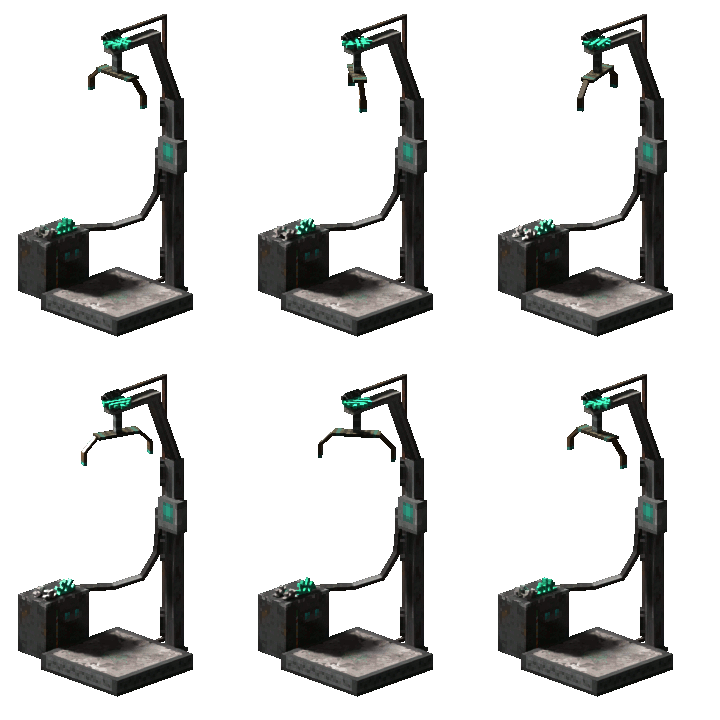
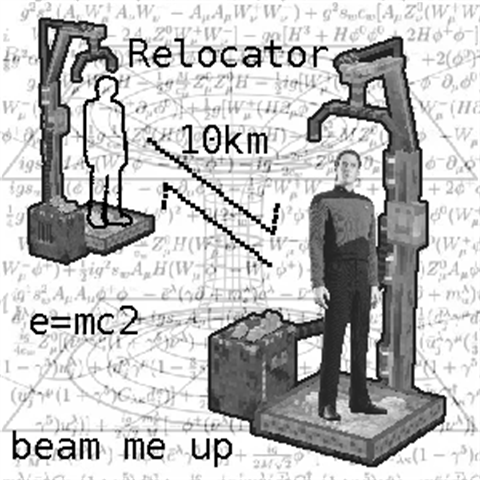
<p>Translocator Relocator was originally created by <strong>Windows98</strong> — see the <a href="https://mods.vintagestory.at/show/mod/22557">original mod page</a>. Updated here for <strong>Vintage Story 1.22</strong>.</p> <h2>Summary</h2> <p>Vintage Story's static translocators (the dimensional gateways you find in old ruins) normally drop you somewhere random when you step into them. This mod lets you <strong>pick them up</strong>, <strong>place them anywhere</strong>, and <strong>link a pair (or more) together with a shared key</strong> — turning them into your own routed network of fast-travel stations.</p> <p>When you step onto a linked translocator, it picks one of the others sharing the same key and sends you there. If only one match exists, you always travel there; if several do, the destination is randomly chosen each time.</p> <p> </p> <p>Official Showcase:</p> <p><iframe src="//www.youtube-nocookie.com/embed/beojh5GL46Q" width="560" height="314" allowfullscreen="allowfullscreen" allow="encrypted-media; picture-in-picture; web-share; clipboard-write"></iframe></p> <h2>How to use</h2> <ol> <li>Find a <strong>fully repaired</strong> static translocator in some ruins (the worldgen kind that drops you at a random destination).</li> <li>Mine it. By default this requires a steel pickaxe — see Configuration below to tune that.</li> <li>Place the dropped block (a Relocated Translocator) wherever you want.</li> <li><strong>Sneak + right-click</strong> the placed translocator to open the link-key dialog.</li> <li>Type up to a 16-character key and confirm.</li> <li>Place a second relocated translocator and assign it the same key. They're now a pair.</li> <li>Step onto either one to travel to the other. If you assign three or more translocators the same key, the destination is picked at random from the matching ones.</li> </ol> <p>You can change a translocator's key any time, and you can mine and re-place them freely.</p> <h2>Configuration</h2> <p>A file called <code>TranslocatorRelocator.json</code> is created in your <code>ModConfig</code> folder on first world load:</p> <ul> <li><strong>staticTranslocatorRequiredMiningTier</strong>: Minimum tool tier required to mine a repaired static translocator (default: <code>5</code>, which is steel). Lower this if you want the mechanic earlier in progression.</li> </ul> <h2>Admin commands</h2> <div class="spoiler"> <div class="spoiler-toggle">Server-operator commands (require root privilege)</div> <div class="spoiler-text"> <ul> <li><code>/translocatorRelocator printAllData</code> (alias <code>/tr pad</code>) — prints all stored translocator data to chat and the log. Read-only, safe to run any time.</li> <li><code>/translocatorRelocator wipeAllData</code> — <strong>destructive.</strong> Permanently clears every relocated translocator's link data in the current world. There is no undo. Only use this if the link database has gotten corrupted and you've already tried other recovery steps. See "Known issues" below for the one common scenario where it's the right tool.</li> </ul> </div> </div> <h2>Known issues</h2> <div class="spoiler"> <div class="spoiler-toggle">Stale link data after uninstall + reinstall</div> <div class="spoiler-text"> <p>If you uninstall the mod, mine or otherwise destroy relocated translocators while the mod isn't installed, and then reinstall it, the link database can end up holding entries for blocks that no longer exist.</p> <p><strong>Workaround:</strong> run <code>/tr wipeAllData</code> — but be aware this clears every relocated translocator's link data in the world, not just the stale entries. After running it, you'll need to re-assign keys to all your existing translocators. Don't run it unless you've confirmed the link database is actually corrupted.</p> </div> </div> <h2>Migrating from Windows98's 1.0.3</h2> <p>This fork uses a different mod ID (<code>translocatorrelocatorfork</code>) so it can sit alongside the original on the mod database. Migration is automatic:</p> <ol> <li>Remove the original <code>TranslocatorRelocator</code> zip from your Mods folder.</li> <li>Drop this fork's zip in.</li> <li>Load your world.</li> </ol> <p>On first load, an automatic block remap renames every existing relocated translocator to the new mod ID prefix. Your placements, link keys, and pairings are all preserved. The remap runs once per save and is then marked as applied — no repeat, no drift.</p> <h2>Changes from the original 1.0.3</h2> <div class="spoiler"> <div class="spoiler-toggle">Technical changelog</div> <div class="spoiler-text"> <ul> <li>Compatibility with Vintage Story 1.22.2 (.NET 10 retarget; <code>EvolvingNatFloat</code> particle field became a non-nullable struct in the 1.22 API)</li> <li>modinfo dependency string parses cleanly (no startup warning)</li> <li>Arrivals land one block in front of the destination instead of dead-center on its collision pad — prevents the auto-respool that would teleport players back a few seconds after arriving</li> <li><code>Harmony.UnpatchAll</code> is scoped to this mod's ID so disposing the mod doesn't strip patches from unrelated mods</li> <li>One-time block remap migration for users coming from the original 1.0.3</li> </ul> </div> </div> <h2>Credits</h2> <ul> <li>Original mod: <strong>Windows98</strong> — <a href="https://mods.vintagestory.at/show/mod/22557">mod page</a> · <a href="https://github.com/Wondiws98/TranslocatorRelocator">GitHub</a></li> <li>1.22 fork: <strong>Tirello</strong> — <a href="https://github.com/Tirello-Nardell/TranslocatorRelocator">GitHub</a></li> </ul> <h2>License</h2> <p>MIT (per the original mod).</p>
Download
No download link is available for this entry right now.
Ratings & reviews
Sign in to leave a rating or comment.