About Vanilla More Molds 2.2.0
From Vintage Story ModDBAdds new molds while staying true to the spirit and mechanics of the base game!
Do you want more diverse molds while staying true to the spirit and mechanics of the game? This mod is for you!
The VanillaMoreMolds project aims to add new varieties of molds to expand the arsenal of your forge, while staying true to the base game mechanics, smelting logic, and crafting style.
The mod also introduces a brand-new mechanic for certain molds, designed to stay as close as possible to what the base game could naturally offer.
What’s new in 2.2.0?
THANK YOU FOR 17,000 DOWNLOADS ! <3
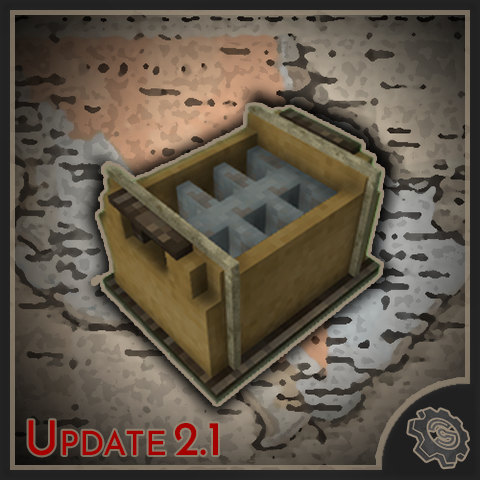
The Quality of Life (QoL) update is finally here!
This update includes several bug fixes, but most importantly, you can now empty Heavy Molds by simply breaking them!
I've also improved sand filling:
-
No more accidentally placing sand blocks on top of the mold.
-
Just right-click while holding sand to fill it.
As always, I'd love to hear your feedback! If you run into any bugs or have suggestions, feel free to contact me on Discord: zack.a.riz :3
FEATURE :
- QOL : Heavy molds will now empty their contents when broken if they contain sand or an existing imprint, allowing you to change the contents afterward.
UPDATE :
-
Updated the supported game versions in modinfo to properly support Vintage Story 1.22.6.
- QOL : Removed the requirement to hold Shift when placing sand into heavy molds. (Shift is still required to create ingot, rod, and plate imprints.)
FIX :
- Fix the "Heavy Mold Handbook Info" once again....I still can't find a wording that I'm happy with. (While fixing spelling mistakes in fr.json.)
KNOW ISSUE :
- Nothing at the moment ! If you encounter any bugs, feel free to contact me on Discord to make communication easier: zack.a.riz !
Feature: Tool molds
<table style="border-collapse: collapse; width: 75.6267%; height: 124px; background-color: #95a5a6; border-color: #000000; border-style: solid;" border="3"> <tbody> <tr style="height: 21px;"> <td style="width: 11.1055%; text-align: left; height: 21px;">Mold name:</td> <td style="width: 11.1055%; text-align: center; height: 21px;">Sawblade Mold</td> <td style="width: 11.1055%; text-align: center; height: 21px;">Nail and Strips Mold</td> <td style="width: 11.1055%; text-align: center; height: 21px;">Arrowhead Mold</td> <td style="width: 11.1055%; text-align: center; height: 21px;">Hoop Mold</td> <td style="width: 11.1055%; text-align: center; height: 21px;">Plate Mold</td> <td style="width: 11.1055%; text-align: center; height: 21px;">Spearhead Mold</td> <td style="width: 11.1055%; text-align: center; height: 21px;">Knifeblade Mold</td> <td style="width: 11.1055%; text-align: center; height: 21px;">Scythehead Mold</td> </tr> <tr style="height: 20px;"> <td style="text-align: left; height: 20px; width: 11.1055%;">Molten metal required:</td> <td style="text-align: center; height: 20px; width: 11.1055%;">100</td> <td style="text-align: center; height: 20px; width: 11.1055%;">75</td> <td style="text-align: center; height: 20px; width: 11.1055%;">100</td> <td style="text-align: center; height: 20px; width: 11.1055%;">100</td> <td style="text-align: center; height: 20px; width: 11.1055%;">200</td> <td style="text-align: center; height: 20px; width: 11.1055%;">100</td> <td style="text-align: center; height: 20px; width: 11.1055%;">100</td> <td style="text-align: center; height: 20px; width: 11.1055%;">100</td> </tr> <tr style="height: 20px;"> <td style="text-align: left; height: 20px; width: 11.1055%;">Drop:</td> <td style="text-align: center; height: 20px; width: 11.1055%;">x1 sawblade</td> <td style="text-align: center; height: 20px; width: 11.1055%;">x3 metal nails and strips</td> <td style="text-align: center; height: 20px; width: 11.1055%;">x8 arrowheads</td> <td style="text-align: center; height: 20px; width: 11.1055%;">x1 hoop</td> <td style="text-align: center; height: 20px; width: 11.1055%;">x1 metal plate</td> <td style="text-align: center; height: 20px; width: 11.1055%;">x1 spearhead</td> <td style="text-align: center; height: 20px; width: 11.1055%;">x1 knifeblade</td> <td style="text-align: center; height: 20px; width: 11.1055%;">x1 scythehead</td> </tr> <tr style="height: 21px;"> <td style="text-align: left; height: 21px; width: 11.1055%;">Type of clay:</td> <td style="text-align: center; height: 21px; width: 11.1055%;">Blue, Fire, Red</td> <td style="text-align: center; height: 21px; width: 11.1055%;">Blue, Fire, Red</td> <td style="text-align: center; height: 21px; width: 11.1055%;">Blue, Fire, Red</td> <td style="text-align: center; height: 21px; width: 11.1055%;">Blue, Fire, Red</td> <td style="text-align: center; height: 21px; width: 11.1055%;">Blue, Fire, Red</td> <td style="text-align: center; height: 21px; width: 11.1055%;">Blue, Fire, Red</td> <td style="text-align: center; height: 21px; width: 11.1055%;">Blue, Fire, Red</td> <td style="text-align: center; height: 21px; width: 11.1055%;">Blue, Fire, Red</td> </tr> <tr style="height: 21px;">Highlights
From source dataGame versions
Supports 9 Vintage Story versions, the newest being 1.20.0-rc.8.
Footprint
Rated a light load on a server.
Vanilla More Molds 2.2.0 on Nxeon
From our catalogue- One-click install
- Supported on Nxeon Vintage Story servers. We download it from Vintage Story ModDB, place it, and restart the server.
- Server side
- Required on the server
- Server load
- light
- Smallest plan we suggest
- Vintage Story — 1 GB (1 GB RAM). This follows our own load rating above, not a benchmark.
Run Vanilla More Molds 2.2.0 on a Vintage Story server
Pick a server or deploy a new one above; it is installed in one click.
What kind of mod it is
From the catalogTechnology & automation
Machines, power, logistics and automation.
Runs on your server
From source side supportVintage Story ModDB lists Vanilla More Molds 2.2.0 as required on the server. Check its Vintage Story ModDB page to see whether players need it too.
Compatibility
- Game
- Vintage Story
- Runs on
- Serverrequired on the server
- Game versions
- 1.20.0-rc.8 and 8 earlier
Verified at the source
- ✓Vintage Story ModDBOfficial listing, checked 2026-09-24Open ↗
- ✓AuthorZack_a_Riz, as published on Vintage Story ModDB
- ✓LicenseNot published by the sourceFree