






About Spawn In Bed
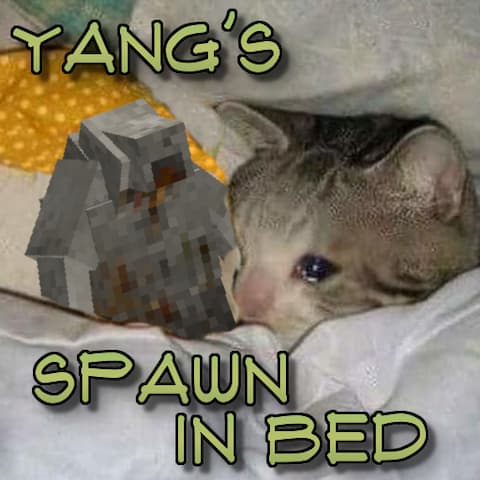
From Vintage Story ModDBRe-spawn in any bed you've slept in. Emotional support drifter plushy not included.
Sleeping in a bed sets your spawn point to it. Just that. Works with modded beds!
Made because the usual mods for this aren't working on the latest version, so I took it upon myself to make my own implementation.
using System; using System.Collections.Generic; using Vintagestory.API.Common; using Vintagestory.API.Common.Entities; using Vintagestory.API.Datastructures; using Vintagestory.API.Server;
namespace YangBed { 	public sealed class YangBedModSystem : ModSystem 	{ 		private ICoreServerAPI sapi; 		private readonly Dictionary<string, Action> mountListenersByPlayerUid = new Dictionary<string, Action>();
public override bool ShouldLoad(EnumAppSide forSide) { return forSide == EnumAppSide.Server; }
public override void StartServerSide(ICoreServerAPI api) 		{ 			sapi = api;
sapi.Event.PlayerNowPlaying += OnPlayerNowPlaying; 			sapi.Event.PlayerDisconnect += OnPlayerDisconnect; 		}
private void OnPlayerNowPlaying(IServerPlayer player) 		{ 			if (player == null || player.Entity == null) return;
UnregisterPlayer(player); 			string playerUid = player.PlayerUID;
// Beds set tiredness.isSleeping via an enqueued task during mount, one-shot callback. No need to check anything each tick or something stupid like that. 			Action listener = () =>  { sapi.Event.RegisterCallback(_ => TrySetSpawnFromSleep(playerUid), 50); };
mountListenersByPlayerUid[playerUid] = listener; 			player.Entity.WatchedAttributes.RegisterModifiedListener("mountedOn", listener); 		}
private void OnPlayerDisconnect(IServerPlayer player) { if (player == null) return; UnregisterPlayer(player); }
private void UnregisterPlayer(IServerPlayer player) 		{ 			if (!mountListenersByPlayerUid.TryGetValue(player.PlayerUID, out Action listener)) return;
player.Entity?.WatchedAttributes.UnregisterListener(listener); 			mountListenersByPlayerUid.Remove(player.PlayerUID); 		}
private void TrySetSpawnFromSleep(string playerUid) 		{ 			IServerPlayer player = sapi.World.PlayerByUid(playerUid) as IServerPlayer; 			if (player == null || player.Entity == null) return;
EntityPlayer entity = player.Entity; 			if (entity.MountedOn == null || !IsSleeping(entity)) return;
EntityPos seatPos = entity.MountedOn.SeatPosition ?? entity.Pos; 			player.SetSpawnPosition(new PlayerSpawnPos 			{ 				x = (int)Math.Floor(seatPos.X), 				y = (int)Math.Ceiling(seatPos.InternalY), 				z = (int)Math.Floor(seatPos.Z), 				yaw = seatPos.Yaw, 				pitch = 0f, 				roll = 0f, 				RemainingUses = -1 			});
player.SendIngameError("yangbed-confirm", "Re-spawn Point Set..."); 		}
private static bool IsSleeping(EntityPlayer entity) 		{ 			ITreeAttribute tiredness = entity.WatchedAttributes.GetTreeAttribute("tiredness"); 			return tiredness != null && tiredness.GetInt("isSleeping") > 0; 		}
public override void Dispose() 		{ 			if (sapi != null) 			{ 				sapi.Event.PlayerNowPlaying -= OnPlayerNowPlaying; 				sapi.Event.PlayerDisconnect -= OnPlayerDisconnect; 				foreach (IPlayer player in sapi.World.AllOnlinePlayers) { if (player is IServerPlayer serverPlayer) { UnregisterPlayer(serverPlayer); } } 			}
mountListenersByPlayerUid.Clear(); 			base.Dispose(); 		} 	} }
</pre>

Highlights
From source dataGame versions
Supports 3 Vintage Story versions, the newest being 1.22.2.
Footprint
Rated a light load on a server.
Spawn In Bed on Nxeon
From our catalogue- One-click install
- Supported on Nxeon Vintage Story servers. We download it from Vintage Story ModDB, place it, and restart the server.
- Server side
- Required on the server
- Server load
- light
- Smallest plan we suggest
- Vintage Story — 1 GB (1 GB RAM). This follows our own load rating above, not a benchmark.
Run Spawn In Bed on a Vintage Story server
Pick a server or deploy a new one above; it is installed in one click.
What kind of mod it is
From the catalogQuality of life & UI
Small conveniences, tweaks and interface improvements players notice straight away.
Runs on your server
From source side supportVintage Story ModDB lists Spawn In Bed as required on the server. Check its Vintage Story ModDB page to see whether players need it too.
Compatibility
- Game
- Vintage Story
- Runs on
- Serverrequired on the server
- Game versions
- 1.22.2 and 2 earlier
Verified at the source
- ✓Vintage Story ModDBOfficial listing, checked 2026-09-24Open ↗
- ✓AuthorYangWenLi, as published on Vintage Story ModDB
- ✓LicenseNot published by the sourceFree















