






About Animal cages
From Vintage Story ModDBAdds cages to the game for capturing animals.
Note: v5.0.0 is out, and intended for 1.22!!!
Summary
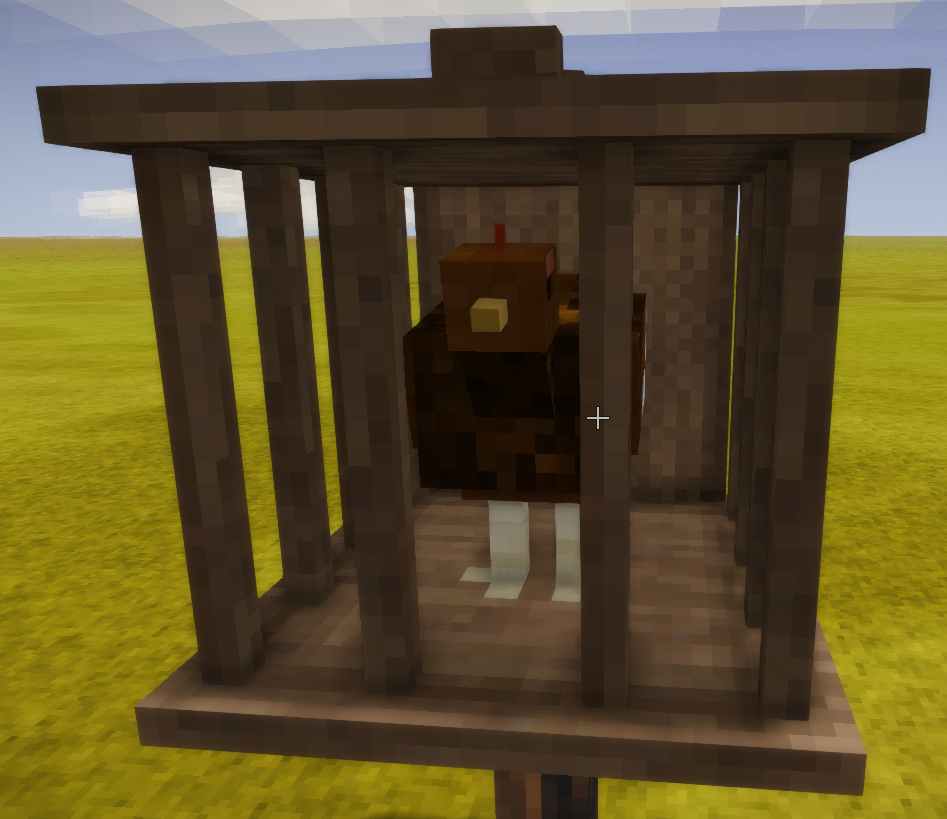
Small utility mod that adds two sizes of cage cages for capturing, transporting and releasing animals. Cages show the generation of the animal within.
Features
Adds two new Blocks to the game:
- Small animal cage:
- Attack a small animal with the cage equipped to catch it
- Place the cage and break it to release the animal. Right click to pick it back up
- Medium animal cage:
- Attack an animal with the cage equipped to catch it
- Animal can only be caught, if it is either a small animal, a domesticated animal, or has less 50% HP
FAQ
- Is this mod compatible with mod X?
- Most likely yes. There is a variety of animals both vanilla and modded that is supported out of the box by this.
- If the animal you would like to catch is not catchable by this, take a look at the config and mod compatibility section of this page to see how you can make it catchable.
- Is this mod compatible with game version X?
- Most likely yes. If only the last number in the vanilla version (1.20.X) differs from whats listed here, there is a 95% chance that the mod will still work.
- I don't like having to bash animals until they are badly hurt, before I can catch them.
- All animals that are generation 1 or above can be caught without hurting them.
- If you want to be able to catch them from generation 0 on, you can change the value mustBeBelowHpInPercent to something higher (for example 1 to catch them first hit).
- Where is the config file?
- The file path to the configuration file should look like "Roaming->VintagestoryData->Modconfig", editing files in other places will cause weirdness
- The name of the configuration file is "animalcagesconfig.json", it must have this name for the game to read it
- My config file reverts to the unchanged version when I load up!
- There is now a line in the config called "alwaysUseDefaultConfig" - if the value here is set to "true" (the default setting), the config file will revert to the default version - deleting your changes. Change this value to "false" to keep your changes!!
- I need help figuring out editing the config file, or help in general please!
- unHallowed checks the comments a couple times a week, but that is the slow way to get their aide with troubleshooting. You can join their fan discord group HERE for more direct/immediate help. Reporting issues via Github ("Source" tab above) need crashlogs or error logs included to be of any use to Gerste, so far as code-related things go - and that is the best way to get those issues addressed.
Config
You can configure which entities are catchable by modifying the configuration file.
For example, if you want to make the buildingmaterials trader catchable, you have to do the following things:
- Open the animalcagesconfig.json file, located in your ModConfig folder (the folder path is Roaming->VintagestoryData->ModConfig)
- Add the new entity:
- ...{
"name": "humanoid-trader-buildmaterials", // entity code of the new "animal"
"scale": 0.4 // display scale (as the trader is to big for the small cage, we scale him down to 40% size)
},...
- ...{
- Change the "alwaysUseDefaultConfig" value to false
- Restart the game and capture the new entity
Mod Compatibility
As of v4.0.2 there is confirmed out-of-the-box compatibility with at least 45 mods!! So far, the confirmed list is;
- Fauna of the Stone Age (all 20 existing mods)
- Legacy of the Phanerozoic (all 14 existing mods)
- More Animals
- Gerste's Wolftaming and Cats
- Draconis, Equus, and Pegasus
- Mythic Legends
- Monoceros: Ancient Unicorns
- Untamed Wilds: Ursidae
- Truth and Beauty: Detailed Animals
- Silt Striders
- Haz's Monitor Lizards and Jackalopes
Below are mods that are not automatically included in the existing configuration file.
Just add them to either small-catchable-entities or medium-catchable-entities list AND change the "alwaysUseDefaultConfig" value to false. If you do not change the "alwaysUseDefaultConfig" value to false, the config file will revert to default.
FOR 1.22 - Other Creatures:
<table style="border-collapse: collapse; width: 97.6129%;" border="1"> <tbody> <tr> <td style="width: 50%;">Traders</td> <td style="width: 47.6131%;">{
"name": "trader-",
"scale": 0.4
},</td> </tr> <tr> <td style="width: 50%;">Large Grey Hogs</td> <td style="width: 47.6131%;">{
"name": "-elder*",
"scale": 0.7
},</td> </tr> </tbody> </table>
Modded Creatures:
<table style="border-collapse: collapse; width: 97.9233%; height: 308.889px;" border="1"> <tbody> <tr style="height: 231.222px;"> <td style="width: 50%; height: 231.222px;">Underwater Horrors</td> <td style="width: 47.9235%; height: 231.222px;">{"name": "seaserpent",
"scale": 0.7
},
{
"name": "seaserpent2",
"scale": 0.7
},
{
"name": "seaserpent3",
"scale": 0.7
},</td> </tr>
Highlights
From source dataGame versions
Built for Vintage Story 1.15.1.
Footprint
Rated a light load on a server.
Animal cages on Nxeon
From our catalogue- One-click install
- Supported on Nxeon Vintage Story servers. We download it from Vintage Story ModDB, place it, and restart the server.
- Server side
- Required on the server
- Server load
- light
- Smallest plan we suggest
- Vintage Story — 1 GB (1 GB RAM). This follows our own load rating above, not a benchmark.
Run Animal cages on a Vintage Story server
Pick a server or deploy a new one above; it is installed in one click.
What kind of mod it is
From the catalogQuality of life & UI
Small conveniences, tweaks and interface improvements players notice straight away.
Runs on your server
From source side supportVintage Story ModDB lists Animal cages as required on the server. Check its Vintage Story ModDB page to see whether players need it too.
Compatibility
- Game
- Vintage Story
- Runs on
- Serverrequired on the server
- Game versions
- 1.15.1
Verified at the source
- ✓Vintage Story ModDBOfficial listing, checked 2026-09-24Open ↗
- ✓AuthorGerste, as published on Vintage Story ModDB
- ✓LicenseNot published by the sourceFree
More like Animal cages
Other Vintage Story mods, same category first, ranked by real downloads.


QP's Chisel Tools
Quality of life & UI · Vintage Story ModDB
Unleash your creativity while chiseling! Invaluable, survival friendly tool set for chiselers!


Expanded Foods: Core 2.0.0-dev.14
Quality of life & UI · Vintage Story ModDB
Adds a variety of new uses for existing foods.
Player Corpse
Quality of life & UI · Vintage Story ModDB
Creates a corpse with the player's inventory after death
Stone Quarry
Quality of life & UI · Vintage Story ModDB
Allows you to dig a lot of stone and process into rock, bricks, polished rock, sand, gravel, etc


BetterRuins
World generation · Vintage Story ModDB
Adds many new ruins over and underground to your survival game world.


Carry On
Building & decoration · Vintage Story ModDB
Adds the capability to carry various things. Replaces CarryCapacity.


Primitive Survival
Cosmetics, visuals & audio · Vintage Story ModDB
Fishing, trapping, irrigation, smoker, nightcrawlers, snakes, and much more!

Overhaul lib
Libraries & compatibility · Vintage Story ModDB
Library for Combat Overhaul, Firearms and other mods
Animal cages, answered
Generated from the mod’s own source data.
Do my players need to install Animal cages?
Vintage Story ModDB lists Animal cages as required on the server. Check its Vintage Story ModDB page to see whether players need it too.
Is it free?
Yes. Animal cages is free to download from Vintage Story ModDB.
How do I add it to my Nxeon server?
Use “Add to a server” on this page, or open NxLabs from your dashboard. We install it, restart your server and switch it on.

Run Animal cages on a Vintage Story server.
Deploy in about a minute from $4.00 a month, then add Animal cages in one click.