Description
Dedicated key mode is now the default!
Due to many, many bugs resulting from using the vanilla shift/ctrl buttons, I decided to make the dedicated button mode the default. Existing installations will still use the old mode and require changing the config(you can still use the old mode, but it won't be maintained). With the new mode, use B to place items. Shift/Ctrl remain vanilla.
Description
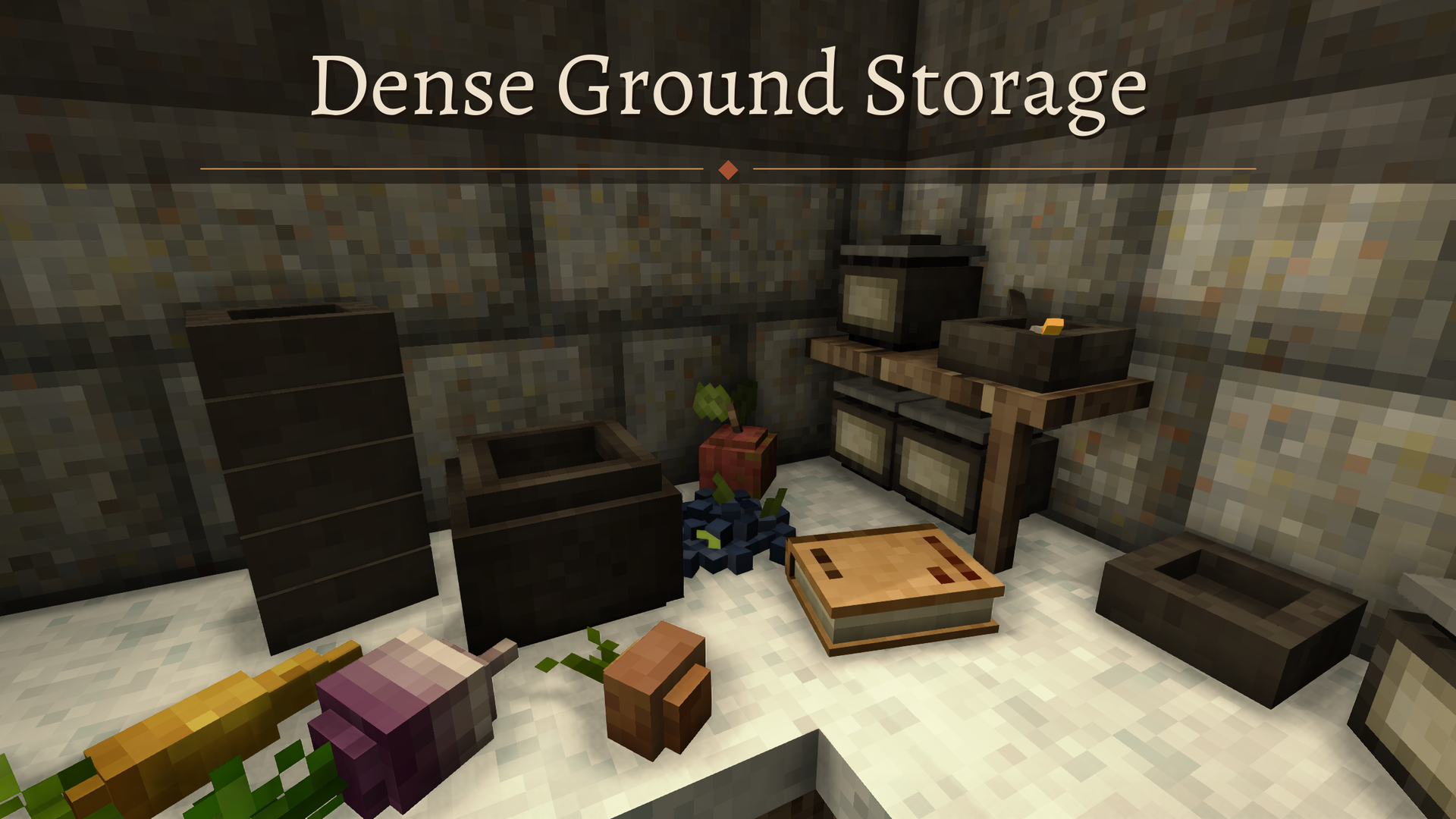
Why can I put only 4 items down on a block? So much wasted space! This mod replaces the 2x2 item grid with a 16x16 placement grid so you can put as many items on the floor as there's space on it. The space taken by an item is determined by its size. For example, crocks are 3x3, bowls are 2x2, and cooking pots are 5x5. Extra features: items can be rotated, and you can put items on flat surfaces of chiseled blocks. You heard that right, truly custom shelves! Put down your stuff anywhere!
How to use
This mod replaces the vanilla 2x2 ground placement grid, so you just place items as usual. If added to ongoing saves, existing stored items will still have the vanilla grid, so you'll need to pick them up and place them again.
- Hold shift with a ground-placeable item and look at a surface to see the outline of where it will be stored. An arrow will indicate where it will be facing.
- While holding shift, use the scroll wheel to rotate it in 15° steps. Bear in mind that angled items will take up more space; they will occupy any grid cell they touch.
- Items can also be stored on flat surfaces of chiseled blocks. A minimum 3x3 space is necessary to create the surface area(size of a crock, for reference)
- On chiseled blocks, height is also taken into account. You can't put a tall item if there's no clearance
- To prevent problems, items must be removed from a chiseled block before it can be chiseled again
- Books can be placed lying flat or upright. Press the middle mouse button to toggle
- Pit kilns are still limited to 4 items to preserve game balance
- Sometimes the vanilla placement works better for convenience, so you can press K to toggle between dense placement and vanilla placement. That key can be changed in the configs
- There's also a dedicated key mode, enabled via the useDedicatedKey config. With it, shift/ctrl will not trigger dense placement, keeping vanilla behaviour intact. Dense placement will instead be triggered only via a dedicated key, by default B
Safe to add to ongoing saves?
Yes, but you'll need to pick up all placed items on a block and put them back for the new storage surface to appear.
It's also possible to remove, but you need to pick up all ground-stored items first, or you'll lose them.
Mod compatibility
Probably conflicts with other mods that change ground storage (only the 2x2 grid one, other single-item ground storage is unaffected).
Mods that add items that can be stored will work too. I used the item size metadata used for cabinets, so it should be information that other mods should provide.
You may also like my other chiseling mods!
Chiseled ground placement: Similar to this one, but for items that take an entire block, like firepits, chests, beds, etc
Chiseled Wall Mounting: Place wall-mounted things on chiseled blocks
Better insulation: Makes the logic for determining if a chiseled block is insulating, so chiseled windows become possible
Ratings & reviews
Sign in to leave a rating or comment.