








About Immersive Fibercraft
From Vintage Story ModDBAdds new immersive spinning and weaving crafting mechanics to VintageStory! Try the new loom!
💬 Have ideas for the loom? Stop by the official Vintage Story Discord post to share your feedback!
About This Mod
Transform fiber processing in Vintage Story with a progression system that takes you from the humble Drop Spindle to the efficient Spinning Wheel, and now to the Flying Shuttle Loom for cloth production!
Check the in-game guides in your handbook for extra info!
⚠️ Note: Twine grid recipes are disabled by default as of v1.0.6+. Craft a Drop Spindle to begin spinning!
Features & Mechanics
🆕 Flying Shuttle Loom
Weave flax twine into linen cloth! The final step in your textile production chain. Right click the seat and then right click anywhere else on the Spinning Wheel to open the crafting menu!
🧵 Drop Spindle
Early-game spinning at a 4:1 ratio (4 fiber → 1 twine). Requires two spins, taking 4 seconds total. Right click with the drop spinle in one hand and fibers in your offhand!
⚙️ Spinning Wheel
Efficient spinning at a 2:1 ratio (2 fiber → 1 twine). Right click the seat and then right click anywhere else on the Spinning Wheel to open the crafting menu!
Crafting Recipes
Check your in-game handbook for full details!
Spinning Wheel Components:
- Chair
- Mother of All
- Drive Wheel
- Spinning Wheel Frame
"Take her for a spin around the block!" 🎡
Mod Compatibility
<table style="width: 100%; border-collapse: collapse; margin-top: 10px;"> <tbody> <tr style="background: #f8f9fa;"> <th style="text-align: left; padding: 10px; border-bottom: 2px solid #dee2e6;">Mod</th> <th style="text-align: left; padding: 10px; border-bottom: 2px solid #dee2e6;">Added Support</th> </tr> <tr> <td style="padding: 10px; border-bottom: 1px solid #dee2e6;">Wool & More / Tailor's Delight</td> <td style="padding: 10px; border-bottom: 1px solid #dee2e6;">Wool Fiber 2:1 Wool Twine → Wool Twine 2:2 Thread</td> </tr> <tr style="background: #f8f9fa;"> <td style="padding: 10px; border-bottom: 1px solid #dee2e6;">Floral Zones of the Caribbean</td> <td style="padding: 10px; border-bottom: 1px solid #dee2e6;">Cotton fiber support</td> </tr> <tr> <td style="padding: 10px; border-bottom: 1px solid #dee2e6;">Long Term Food Storage</td> <td style="padding: 10px; border-bottom: 1px solid #dee2e6;">Papyrus and Algae fiber support</td> </tr> <tr style="background: #f8f9fa;"> <td style="padding: 10px;">Wildcraft Trees & Shrubs</td> <td style="padding: 10px;">Compatible via existing storage flags</td> </tr> <tr> <td style="padding: 10px;">Rustbound Magic</td> <td style="padding: 10px;">Shifting fibers spin into twine which can be woven into mageweave</td> </tr> <tr> <td style="padding: 10px;">Ruderalis</td> <td style="padding: 10px;">Stalks can be spun into hemp fibers which can be woven into hemp canvas.</td> </tr> </tbody> </table>For Modders
Want to add compatibility for your own fibers? Here are patch examples:
Spinning Wheel / Drop Spindle Patch
Add spinningProps to make an item spinnable. If using storageFlags, add 256 to your value (unless item already works in off-hand).
Flying Shuttle Loom Patch
Add weavingProps to make an item weavable on the loom.
Highlights
From source dataGame versions
Built for Vintage Story 1.21.5.
Footprint
Rated a light load on a server.
Immersive Fibercraft on Nxeon
From our catalogue- One-click install
- Supported on Nxeon Vintage Story servers. We download it from Vintage Story ModDB, place it, and restart the server.
- Server side
- Required on the server
- Server load
- light
- Smallest plan we suggest
- Vintage Story — 1 GB (1 GB RAM). This follows our own load rating above, not a benchmark.
Run Immersive Fibercraft on a Vintage Story server
Pick a server or deploy a new one above; it is installed in one click.
What kind of mod it is
From the catalogWeapons, items & crafting
New weapons, gear, items and the recipes to make them.
Runs on your server
From source side supportVintage Story ModDB lists Immersive Fibercraft as required on the server. Check its Vintage Story ModDB page to see whether players need it too.
Compatibility
- Game
- Vintage Story
- Runs on
- Serverrequired on the server
- Game versions
- 1.21.5
Verified at the source
- ✓Vintage Story ModDBOfficial listing, checked 2026-09-24
- ✓AuthorHeadPilgrim, as published on Vintage Story ModDB
- ✓LicenseNot published by the sourceFree
More like Immersive Fibercraft
Other Vintage Story mods, same category first, ranked by real downloads.

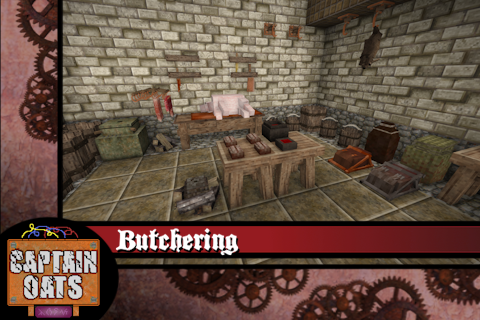
Butchering
Weapons, items & crafting · Vintage Story ModDB
A more immersive butchery system for processing animals


BetterRuins
World generation · Vintage Story ModDB
Adds many new ruins over and underground to your survival game world.


Carry On
Building & decoration · Vintage Story ModDB
Adds the capability to carry various things. Replaces CarryCapacity.


Primitive Survival
Cosmetics, visuals & audio · Vintage Story ModDB
Fishing, trapping, irrigation, smoker, nightcrawlers, snakes, and much more!


Overhaul lib
Libraries & compatibility · Vintage Story ModDB
Library for Combat Overhaul, Firearms and other mods


QP's Chisel Tools
Quality of life & UI · Vintage Story ModDB
Unleash your creativity while chiseling! Invaluable, survival friendly tool set for chiselers!


A Culinary Artillery 2.0.0-dev.24
Technology & automation · Vintage Story ModDB
Adds an arsenal of tools to enhance the culinary experience.


Expanded Foods: Core 2.0.0-dev.14
Quality of life & UI · Vintage Story ModDB
Adds a variety of new uses for existing foods.
Immersive Fibercraft, answered
Generated from the mod’s own source data.
Do my players need to install Immersive Fibercraft?
Vintage Story ModDB lists Immersive Fibercraft as required on the server. Check its Vintage Story ModDB page to see whether players need it too.
Is it free?
Yes. Immersive Fibercraft is free to download from Vintage Story ModDB.
How do I add it to my Nxeon server?
Use “Add to a server” on this page, or open NxLabs from your dashboard. We install it, restart your server and switch it on.

Run Immersive Fibercraft on a Vintage Story server.
Deploy in about a minute from $4.00 a month, then add Immersive Fibercraft in one click.