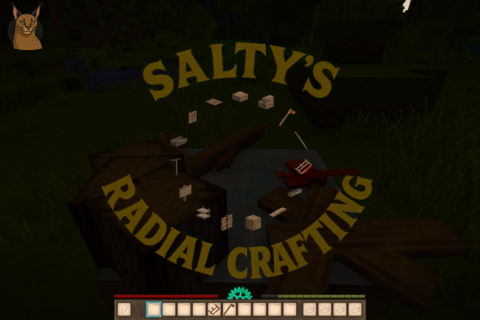
Salty´s Radial Crafting
Drop. Choose. Craft. A crafting grid alternative!
Description
<p><a href="https://ko-fi.com/saltywateroriginal"><img src="https://iili.io/KbBmgHb.png" alt="image" width="125" height="125" /></a></p> <p>Pet the floppa to buy me a coffee!</p> <p style="text-align: center;">This mod adds a radial menu for crafting!<br />It does NOT remove the crafting grid. (yet)</p> <h3 style="text-align: center;"> </h3> <div class="spoiler"> <div class="spoiler-toggle"> <h1 style="text-align: center;">Crafting</h1> </div> <div class="spoiler-text"> <p style="text-align: center;">Press CAPS LOCK (Key by default) to switch between item collect mode from auto to sneak. (optional)</p> <p style="text-align: center;">Drop the necessary ingredients for a crafting recipe.</p> <p style="text-align: center;">Hold B ( Radial Menu key by default).</p> <p style="text-align: center;">Choose the recipe.</p> <p style="text-align: center;"><img src="https://iili.io/Kbz1GPn.gif" alt="image" /></p> <p style="text-align: center;"><strong>Press CAPS LOCK (by default) to switch between item collect mode from auto to sneak. So you can work with dropped items without auto collecting.</strong></p> <p style="text-align: center;"><strong>Or if you don't feel like doing it all the time you can set the dropped item scan radius inside the config json to set the max distance (in blocks) between you and the dropped items.</strong></p> <p style="text-align: center;"> </p> <p style="text-align: center;">For recipes that requires tools, said tools needs to be in either the player hands or hotbar (backpack inventory does not count).</p> <p style="text-align: center;"><img src="https://iili.io/Kbz1cwN.gif" alt="image" /></p> <p style="text-align: center;"><em>The tool takes damage as normal. If you have more than one, the one on the left takes damage.</em></p> <p style="text-align: center;"> </p> <p style="text-align: center;">For recipes that requires liquid countainers, said containers need to be on the player hands or toolbar too. (backpack inventory does not count).</p> <p style="text-align: center;"><img src="https://iili.io/Kbz1EMX.gif" alt="image" /></p> </div> </div> <div class="spoiler"> <div class="spoiler-toggle"> <h1 style="text-align: center;">Multi-Crafting & Cooldowns</h1> </div> <div class="spoiler-text"> <p style="text-align: center;">Both the Bulk crafting and cooldown system works togheter:</p> <p style="text-align: center;">To Multi-Craft:</p> <p style="text-align: center;">Hold ctrl and left click to add +1 itemstack for the final craft.<br />Hold ctrl and right click to remove -1 itemstack from the final craft.<br />Hold shift and left click to add the maximum items you can craft with the available resources.<br />Hold shift and right click to go back to 1 itemstack.</p> <p style="text-align: center;"><img src="https://iili.io/Kbz1F3b.gif" alt="image" /></p> <p style="text-align: center;"><em>watch the center tooltip</em></p> <p style="text-align: center;"> </p> <p style="text-align: center;">Then to confirm just left click the recipe:</p> <p style="text-align: center;"><img src="https://iili.io/Kbz1RcJ.gif" alt="image" /></p> <p style="text-align: center;"><em>Please read this carefully:</em></p> <p style="text-align: center;">This will start the crafting and cooldown system.</p> <p style="text-align: center;">Inside the cooldown you can't walk, open the radial menu or toggle collect mode. So watch out!</p> <p style="text-align: center;">If the the crafting requires a tool and you're holding it in your main hand, a unique animation plays out!</p> <p style="text-align: center;"><strong>Be careful</strong>, make sure every resource is available until it finishes crafting, or else you <em><strong>will</strong></em> be penalized with no recipe result, wasting resources.</p> <p style="text-align: center;">Every recipe will take 1 second or more to craft.</p> <p style="text-align: center;">Cooldown is calculated by ingredient quantity and 3 types of items:</p> <p style="text-align: center;">[normal items] - 0.1 sec</p> <p style="text-align: center;">[tools] - 0.3 sec</p> <p style="text-align: center;">[liquid containers] - 0.5 sec</p> <p style="text-align: center;"><em>(All those values are configurable in the mod configs, but the default 1 second recipe cooldown is hardcoded and can't be changed.)</em></p> <p style="text-align: center;"> </p> <p style="text-align: center;">Example: You have a recipe that requires no tools or liquid containers but the amount of resources required is 12,</p> <p style="text-align: center;">then it will take 1,2 seconds ([normal items] - 0.1 secs x 12) to craft every single batch of that recipe.</p> <p style="text-align: center;"> </p> <p style="text-align: center;">Example 2: If the recipe requires 8 resources instead it would take 0.8 seconds, <strong>but the cooldown defaults it to 1 second.</strong></p> <p style="text-align: center;"> </p> <p style="text-align: center;">Example 3: But if a recipe requires a hammer, an axe and a chisel, and 6 more resources then its 0.9 sec + 0.6 secs, 1.5 seconds for each batch produced.</p> <p style="text-align: center;">(You can disable the cooldown system in the mod configs setting the variable instant to true)</p> <p style="text-align: center;"> </p> <p style="text-align: center;">If you're feeling lost check the help tooltip:</p> <p style="text-align: center;"><img src="https://iili.io/Kbz1IMF.gif" alt="image" /></p> <p style="text-align: center;"> </p> <h3 style="text-align: left;"> </h3> </div> </div> <div class="spoiler"> <div class="spoiler-toggle"> <h1 style="text-align: center;">Info</h1> </div> <div class="spoiler-text"> <h2 style="text-align: left;"><em>Do you need a table to use the radial menu?</em></h2> <p style="text-align: left;">No it was only for showing off.</p> <h2 style="text-align: left;"><em>Do you need the handbook open?</em></h2> <p style="text-align: left;">No, it’s only to demonstrate the mod implications. It feels more natural to
Ratings & reviews
Sign in to leave a rating or comment.