
Description
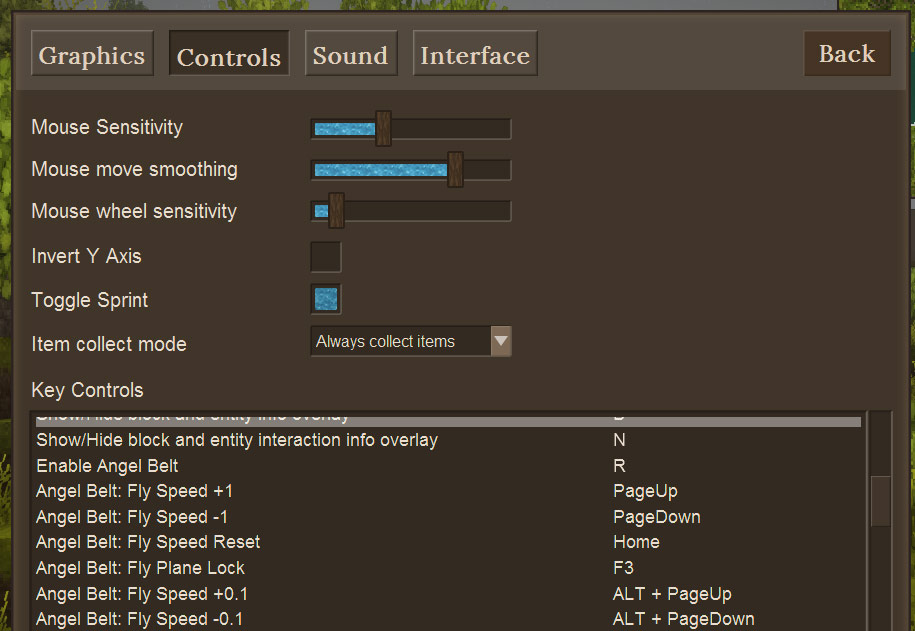
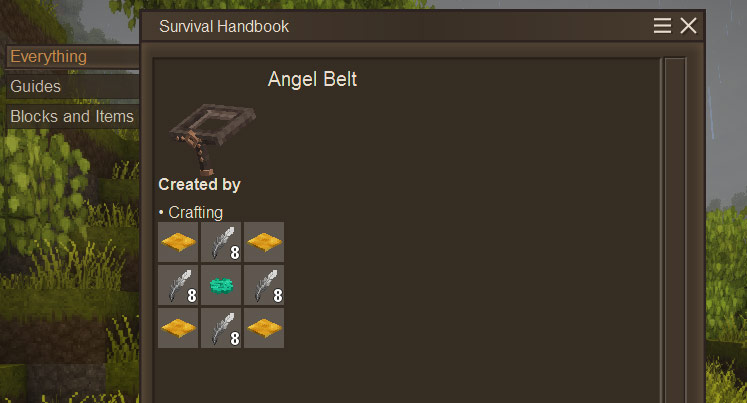
<p>Behold the Angel Belt.</p> <p><strong>Version 1.6.0 - Game v1.20 Chargable Overhaul</strong></p> <p>So the Chargable functionality is no longer defined by the Item it is now defined by a config file on the server.<br />Find the angelbelt_config.json file in your ModConfigs directory after loading a world with the mod enabled once. In there you will see a variable to enable the Chargable feature (RequiresCharge) as well as a variable to control how much cost per second of charge is used when flight it enabled.</p> <p>Keep in mind, the cost goes up as the square of the speed multiplier. Speeding across the landscape will be VERY costly.</p> <p>This feature is disabled by default (as I don't have Vintage Engineering updated yet, for one) so server owners will have to edit the config once it's generated.</p> <p>I'm open to ideas on how to have durablity used without powered charging. Perhaps an expensive recipe to reset the durability?</p> <p>Belt will not operate if out of charge. Flexible Games is not responsible for misuse of Angel Belt or anyone falling out of the sky due to mismanagement of Angel Belt charge. Angel Belt is provided "as is" and any alterations, abuse, or wear is strictly the responsibility of the user.</p> <p> </p> <p>Do you like building but not the scaffolding work that goes along with it? Did you rely on the Angel Ring from the game-not-to-be-mentioned? </p> <p>Then you're in for a treat! Craft the Angel Belt, place it in the belt-slot in your character window and hit "R". You'll hear a sound and be able to fly around like a bird. Careful on hitting R again, if you are too high, you will fall and hurt yourself. <strong>Flexible Games can't be held liable for injuries while using the Angel Belt.</strong></p> <p>While the Angel belt is enabled (i.e. you can fly) here are the other controls to better make building and exploring a snap!</p> <ul> <li>PgUp = +1 Move Speed</li> <li>PgDown = -1 Move Speed</li> <li>F3 = Cycle Axis Lock (Y axis is up and down...)</li> <li>Home = Reset all modifiers</li> <li>Alt+PgUp = +0.1 Move Speed</li> <li>Alt+PgDown = -0.1 Move Speed</li> </ul> <p>Careful with that move speed, too fast and who knows what could happen! You will get a chat-window notification when you change these values so you can find those that work best with you.</p> <p>And don't worry, if you set them, disable the Belt then re-enable the belt your previous settings will be restored.</p> <p>I love making mods, please consider some sort of support for me if you enjoy them. At the very least, check out my channel:</p> <p>Flexible Games<br /><a href="https://www.youtube.com/c/FlexibleGames">https://www.youtube.com/c/FlexibleGames</a></p> <p>Thank you!</p>
Ratings & reviews
Sign in to leave a rating or comment.



