






About Level UP
From Vintage Story ModDBAdd new levels systems to your character
Level UP
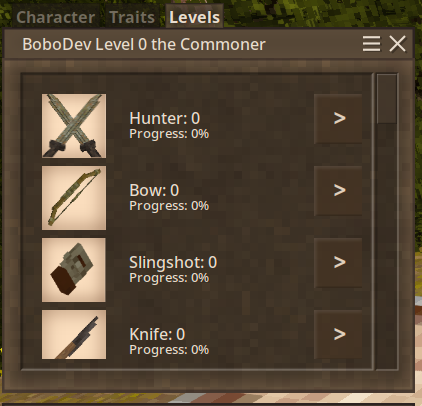
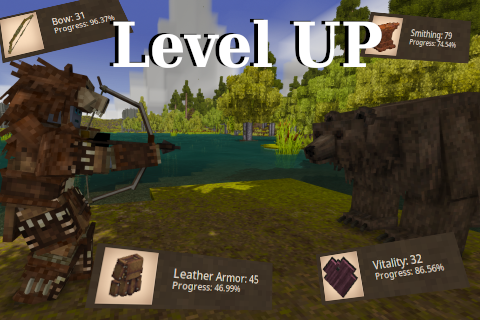
Brand new levels for your character in Vintage Story, earn levels by doing actions, become stronger and efficient during the gameplay. Makes you feels progress through the gameplay.
- Consider always making backup for your world ESPECIALLY IF YOU ARE UPDATING THE MOD, level up is a mod that changes a lot of stats and mechanics that might crash your world/player.
- Is not safe to remove levelup after installation, full player wipe is required
- Strongly recommended to backup your world on level up major updates
- If you don't change the configurations manually consider deleting it in every update sometimes the updates comes with balance changes you can find the configuration in
C:\Users\username\AppData\Roaming\VintagestoryData\ModConfig\LevelUPor linux:/home/user/.config/VintagestoryData/ModConfig/LevelUP
Features:
- Fully configurable
- GUI Level in character view
- Hardcore mode
- Commands for administration manipulation
- Class experience manipulation
- Custom classes and items from other mods (in ModConfig)
- Survival Guide, for undestanding what each level will do
- Multi Language support
- API for modders <a href="https://github.com/LeandroTheDev/level_up/wiki/Integration-&-Compatibility">wiki
Not all item codes is added to the json configurations files, some armors/items/meats/entities/blocks can be missing, if you think something is missing from vanilla you can contact me or make a pull request in the github.
Resume
The mods simple increase your status, use a lot of shovel? then your dig speed will be increased, you love bows and only use them? become a ranged killing machine increasing accuracy/damage and increasing chance to keep arrow after hit, you prefer to be a smithing and only smiths items? well other players will love you because your craftings now will have increased damage/durability and stats.
You can view what each level will do ingame docs H
Observations
Configurations will be located in the folder ModConfig/LevelUP, if you want more informations you can see the wiki to know what each configuration does, if any update from levelup add new configuration you will need to manually added them to fix logs errors, otherwises will have the default value.
Level UP Stores datas with the player UID, changing the player name will persist all levels.
This mod changes a lot of native codes and usage of transpilers and can break easily throught updates.
Level UP is a mod that adds several types of events to player actions, don't expect the mod to be lightweight (for big servers).
The experience data is saved everytime the world is saved or the player disconnect from the server, if the server dies unexpectedly, experiences may be lost for a few minutes since the last save.
LevelUP was built to work on large dedicated servers, experiences will be saved in the "ModData" folder separately for each user within the game, you can manually edit it or do whatever you want. (Edit while server is running will be overwrited by LevelUP, close server first)
English is not my main language, if you encounter any translation problems, please let me know.
<table> <thead> <tr> <th>Mod</th> <th>Compatibility</th> </tr> </thead> <tbody> <tr> <td>Item Rarity</td> <td>Not compatible with Smithing Level</td> </tr> <tr> <td>XSkills</td> <td>Not compatible with Cooking Level</td> </tr> <tr> <td>CombatOverhaul</td> <td>Not compatible with Bow Level and some custom weapons</td> </tr> </tbody> </table>
"My custom weapon from my mod does not work with level up!!", check your weapon json, find the "tool" section:
If the weapon doesn't have "tool", add it to fix the problem, levelup support only: shovel,axe,spear,sword,pickaxe,hammer,knife, "but my weapon uses a custom type that levelup does not support what i need to do?" in that case is more complicated, you need to edit your mod and use the <a href="https://github.com/LeandroTheDev/level_up/wiki/Integration-&-Compatibility#levelupserveroverwritedamageinteractionevents">mod api to listen for levelup event (OnPlayerMeleeDoDamageStart and OnPlayerRangedDoDamageStart). full example can be found in Sword Level Source Code
Highlights
From source dataGame versions
Supports 7 Vintage Story versions, the newest being 1.19.7.
Footprint
Rated a light load on a server.
Level UP on Nxeon
From our catalogue- One-click install
- Supported on Nxeon Vintage Story servers. We download it from Vintage Story ModDB, place it, and restart the server.
- Server side
- Required on the server
- Server load
- light
- Smallest plan we suggest
- Vintage Story — 1 GB (1 GB RAM). This follows our own load rating above, not a benchmark.
Run Level UP on a Vintage Story server
Pick a server or deploy a new one above; it is installed in one click.
What kind of mod it is
From the catalogQuality of life & UI
Small conveniences, tweaks and interface improvements players notice straight away.
Runs on your server
From source side supportVintage Story ModDB lists Level UP as required on the server. Check its Vintage Story ModDB page to see whether players need it too.
Compatibility
- Game
- Vintage Story
- Runs on
- Serverrequired on the server
- Game versions
- 1.19.7 and 6 earlier
Verified at the source
- ✓Vintage Story ModDBOfficial listing, checked 2026-09-24Open ↗
- ✓AuthorBoboDev, as published on Vintage Story ModDB
- ✓LicenseNot published by the sourceFree
More like Level UP
Other Vintage Story mods, same category first, ranked by real downloads.


QP's Chisel Tools
Quality of life & UI · Vintage Story ModDB
Unleash your creativity while chiseling! Invaluable, survival friendly tool set for chiselers!


Expanded Foods: Core 2.0.0-dev.14
Quality of life & UI · Vintage Story ModDB
Adds a variety of new uses for existing foods.
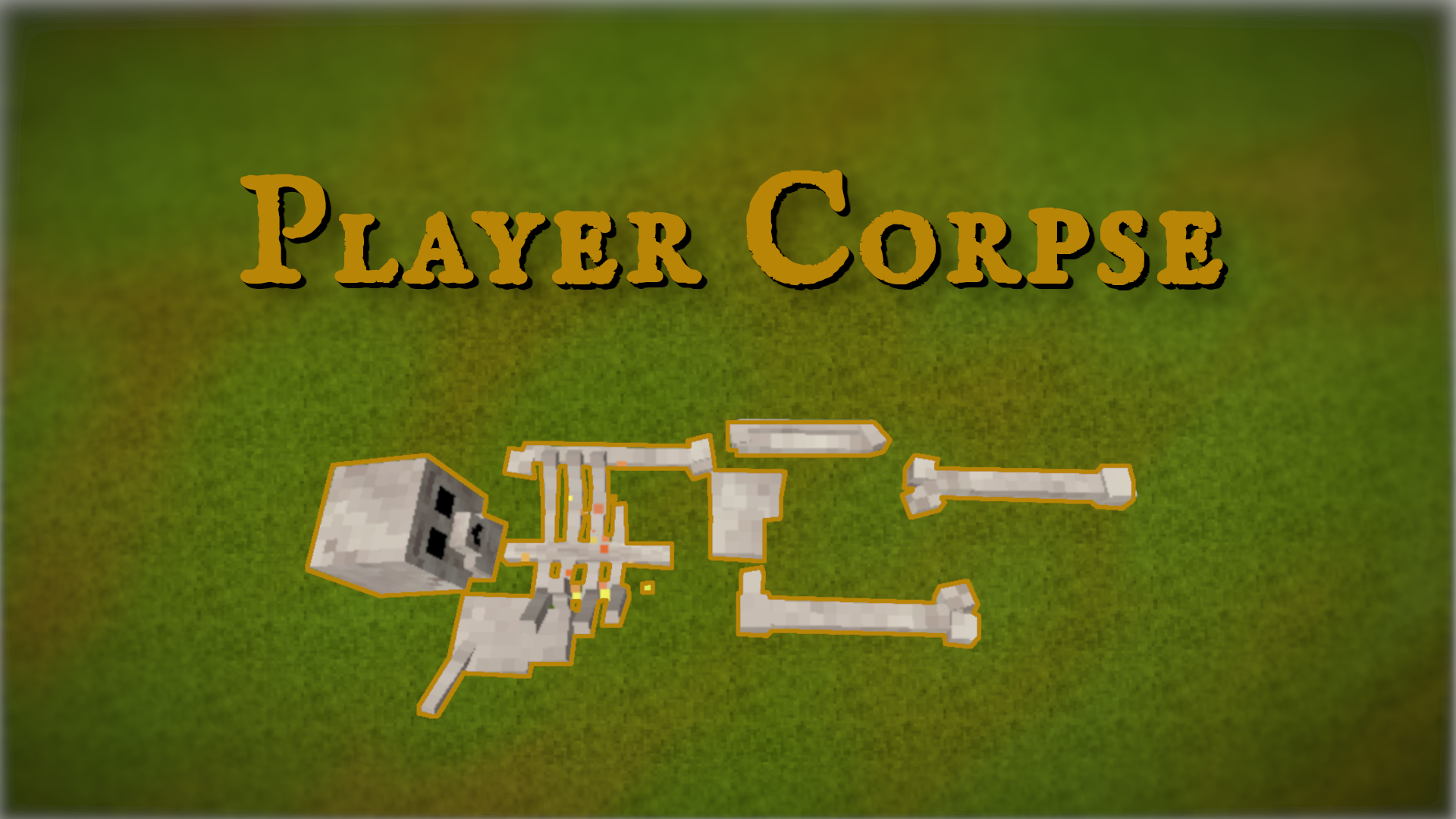
Player Corpse
Quality of life & UI · Vintage Story ModDB
Creates a corpse with the player's inventory after death


Animal cages
Quality of life & UI · Vintage Story ModDB
Adds cages to the game for capturing animals.


Stone Quarry
Quality of life & UI · Vintage Story ModDB
Allows you to dig a lot of stone and process into rock, bricks, polished rock, sand, gravel, etc


BetterRuins
World generation · Vintage Story ModDB
Adds many new ruins over and underground to your survival game world.


Carry On
Building & decoration · Vintage Story ModDB
Adds the capability to carry various things. Replaces CarryCapacity.


Primitive Survival
Cosmetics, visuals & audio · Vintage Story ModDB
Fishing, trapping, irrigation, smoker, nightcrawlers, snakes, and much more!
Level UP, answered
Generated from the mod’s own source data.
Do my players need to install Level UP?
Vintage Story ModDB lists Level UP as required on the server. Check its Vintage Story ModDB page to see whether players need it too.
Is it free?
Yes. Level UP is free to download from Vintage Story ModDB.
How do I add it to my Nxeon server?
Use “Add to a server” on this page, or open NxLabs from your dashboard. We install it, restart your server and switch it on.

Run Level UP on a Vintage Story server.
Deploy in about a minute from $4.00 a month, then add Level UP in one click.