
About Mod Updater
From Vintage Story ModDBSimple program to update your mods for Windows, Linux and macOS.
Simple program to update your mods for Windows and Linux written in Go.
The macOS version is untested.
Installation
The program is distributed as a zip file containing three executable files:
- VSModUp.exe (for Windows)
- VSModUpdater (for Linux)
- VSModUpdater_macOS (macOS Universal Binary)
Simply download the zip file, extract the appropriate executable for your operating system.
Usage
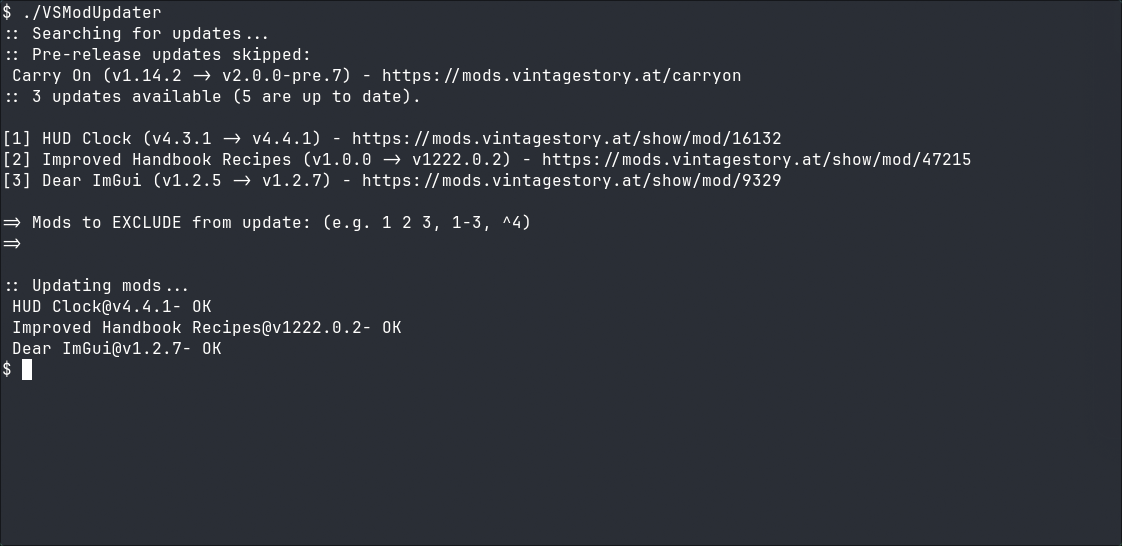
Simply run the program. By default it searches for mods in ~/.config/VintagestoryData/Mods (on Linux) or %APPDATA%\VintagestoryData\Mods (on Windows).
To change that run program with -m <your_mod_path> argument.
Other arguments can be found on Github - Flag Reference
More Info:
Highlights
From source dataGame versions
Built for Vintage Story 0.0.0.
Footprint
Rated a light load on a server.
Mod Updater on Nxeon
From our catalogue- One-click install
- Supported on Nxeon Vintage Story servers. We download it from Vintage Story ModDB, place it, and restart the server.
- Server side
- Required on the server
- Server load
- light
- Smallest plan we suggest
- Vintage Story — 1 GB (1 GB RAM). This follows our own load rating above, not a benchmark.
Run Mod Updater on a Vintage Story server
Pick a server or deploy a new one above; it is installed in one click.
What kind of mod it is
From the catalogQuality of life & UI
Small conveniences, tweaks and interface improvements players notice straight away.
Runs on your server
From source side supportVintage Story ModDB lists Mod Updater as required on the server. Check its Vintage Story ModDB page to see whether players need it too.
Compatibility
- Game
- Vintage Story
- Runs on
- Serverrequired on the server
- Game versions
- 0.0.0
Verified at the source
- ✓Vintage Story ModDBOfficial listing, checked 2026-09-24Open ↗
- ✓Author0x1D3A, as published on Vintage Story ModDB
- ✓LicenseNot published by the sourceFree