
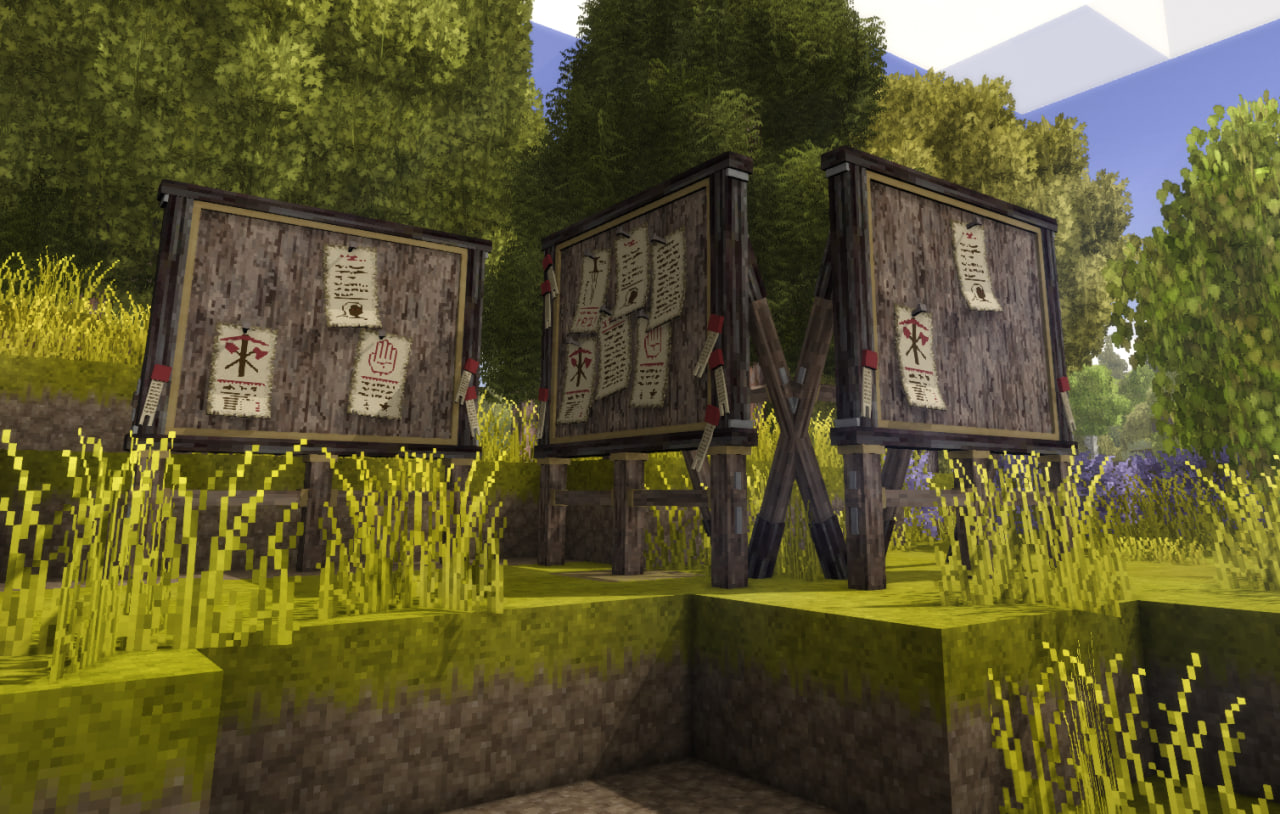
Notice Board [v3.0]!
Notice board where you can post and read player notices. Focused on RP aspect.
Description
Required: install Attribute Rendering Library 3.2.0 on client and server.
☕ Feel free to donate me a cup of coffee if you can~ ☕
Show me your boards
I would be glad to see screenshots of how and where you use Notice Board: town squares, taverns, RP halls, shop walls. Post them in the comments on this page. If you are happy for me to share yours, I may add a gallery here later, with credit.
What's new in 3.0.0
Breaking: 3.0.0 needs Attribute Rendering Library 3.2.0. Recraft placed boards from 2.x. To make sure everything is working. All the boards that were placed previously will be broken.
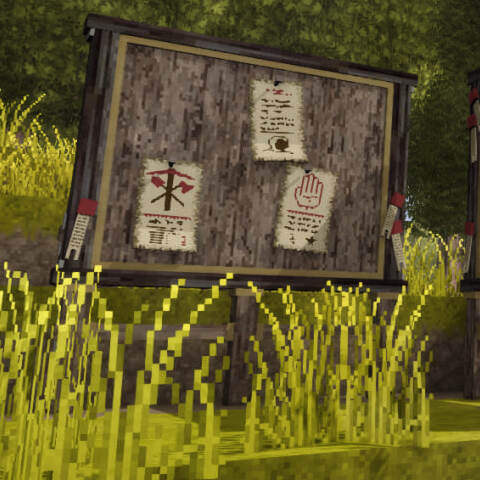
- Hanging papers: notices show on the board in-world (text + seals), not only in the GUI. Up to 50 sheets (default 20).
- Sway: papers and lanterns move; 0 is still. Culled at distance.
- Sharpness: 1-4× raster for in-world text.
- Wood + metal as stack attributes (ARL), eight orientation block IDs.
- Legacy Board: optional old baked 0-6 paper shapes (no dynamic sheets).
- Lanterns: hang up to two small lanterns (left post, then right). Ctrl + right-click to attach; empty hand + Ctrl + right-click to take one off. Lights the post area at night.
- Manual Pin: on (default): new ones use a look-at-cork ghost of the same sheet that will hang (light green tint when the tack is valid, light red when it is not). Right-click pins. Left/Right arrows tilt. Up/Down arrows layer 0-3. Left-click or Esc cancels. Off: auto-places and may reshuffle. Legacy Board always auto-places.
- Holders: Nail (default), Knife, Arrow, Stick, Bone, Spear, Chisel, Nails, or Cleaver. Visual only. Composer also has a per-notice Paper look (board default, or a fixed parchment theme).
- Edit pin: on a Manual Pin board, saving an edit closes the GUI and uses that same ghost to move the notice. Esc keeps the new text at the old pin. A move button on the list starts that ghost without editing.
- Preview: hold R (rebindable) while looking at a hanging notice, or click the paper or body on the Messages list. Same full-sheet overlay either way.
- Paper Aging: optional. Sheets yellow, tear, and fade over in-game days, then peel off as parchment.
- Attach location: optional X/Z waypoint on a compose. Any reader can click the map ink button to pin it. Pin Parchment cannot attach a location.
- Discord ping: optional per-board webhook. A new pin posts two sentences (board name, who, in-game date). Body and HUD coords are not sent. Who is the TheBasics nick when that mod is loaded.
- Scribe: optional. When Scribe is loaded, a tablet ink button on each notice copies it into the reader's writeable Scribe item (last opened, else first). First line is a checkbox task; the rest is a nested note. Not a hard dependency.
- Settings split into Board / Appearance / Proximity. Max Papers, Sway, Sharpness, Legacy Board, Discord, and Paper Aging are per-board.
- ModConfig removed:
DivisionForPapersOnBoarddid nothing useful; Max Papers is the control. Delete leftoverModConfig/noticeboard.jsonif you want. - Locales:
en,es-es,pl,ru,uk, fr share the same keys.
2.1.x features (parchment, WYSIWYG, themes, particles, permission modes, proximity) are unchanged.
Place a board, pin notices, read them in the GUI or on the hanging papers. RP boards, town ads, to-do lists, newsletters; same block. Each placed board keeps its own messages. Wood and metal variants. Wall or ground.

Get one
Survival Handbook recipe Notice Board, or spawn it in creative.
Use
- Right-click the board (needs land-claim Use, or Traverse if the claim allows it).
- Messages: read the list. Compose notice writes a new one. Pin Parchment takes a signed parchment (right slot).
Ratings & reviews
Sign in to leave a rating or comment.



