
Quartermaster
Run your whole base from one desk. New Optin or Optout capability.
Description
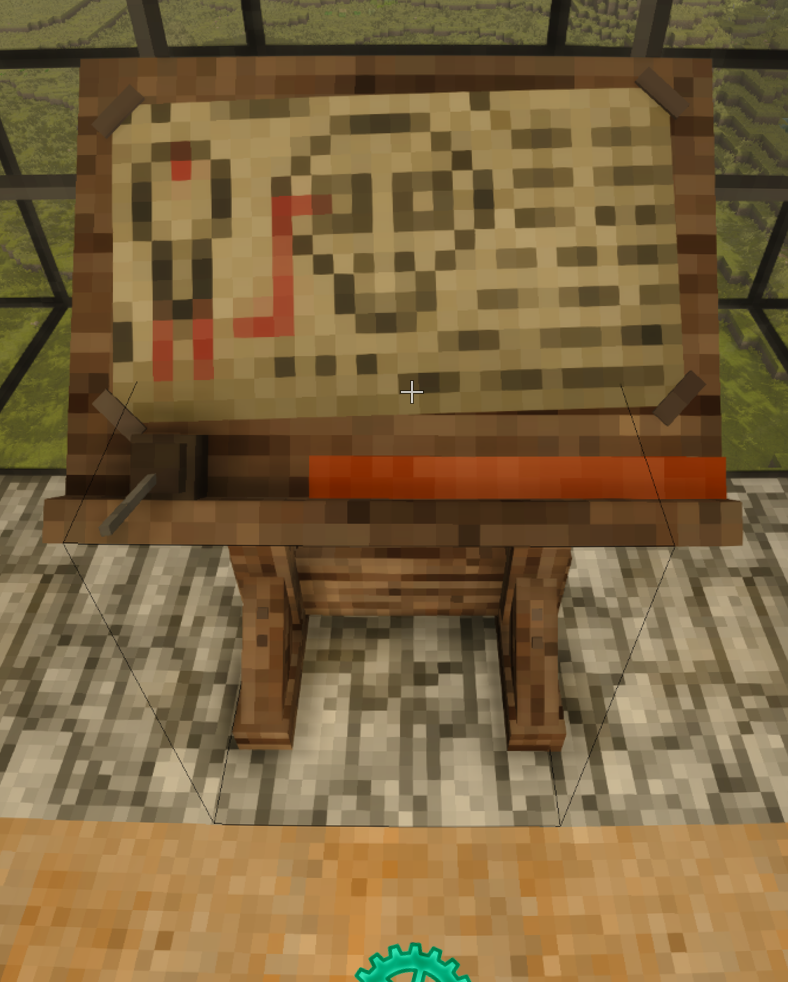
<h2><strong>Quartermaster</strong></h2> <p>Run your whole base from one desk.</p> <p>Quartermaster adds a single craftable block — the Quartermaster's Desk — that acts as a remote terminal for every container around it. Place it anywhere, interact, and a ledger opens showing everything stored nearby: chests, trunks, vessels, crates, tool racks, display cases, shelves, even loose stacks of goods on the floor — all combined into one searchable list. No more running down rows of chests trying to remember where you put the copper nuggets.</p> <p> </p> <p><span style="color: #ba372a; background-color: #fbeeb8;">▎ Heads-up for players on a server: your ledger can go empty on purpose.</span><br /><span style="color: #ba372a; background-color: #fbeeb8;">▎</span><br /><span style="color: #ba372a; background-color: #fbeeb8;">▎ Quartermaster has two tag modes, and v1.0.25 lets a server op switch between them in game with /qm tagmode.</span><br /><span style="color: #ba372a; background-color: #fbeeb8;">▎</span><br /><span style="color: #ba372a; background-color: #fbeeb8;">▎ In the default opt-out mode, the desk sees every container in range and a Quartermaster's Tag hides one. In opt-in mode this inverts: the desk sees nothing until you tag a container in.</span><br /><span style="color: #ba372a; background-color: #fbeeb8;">▎</span><br /><span style="color: #ba372a; background-color: #fbeeb8;">▎ So if your ledger suddenly reads as empty, or containers you expect are missing from it, the most likely explanation is that an op switched the server to opt-in mode — not that anything happened to your storage. Nothing has been moved, hidden, or deleted. Your chests are exactly as you left them and still open by hand as normal. Tag the ones you want on the ledger and they'll come back.</span><br /><span style="color: #ba372a; background-color: #fbeeb8;">▎</span><br /><span style="color: #ba372a; background-color: #fbeeb8;">▎ Switching modes is non-destructive in both directions. Each mode keeps its own separate tag list, so flipping to opt-in leaves your hide-list untouched and dormant, and flipping back restores it intact. You never have to re-tag anything you tagged before.</span><br /><span style="color: #ba372a; background-color: #fbeeb8;">▎</span><br /><span style="color: #ba372a; background-color: #fbeeb8;">▎ Single-player: none of this happens unless you run the command yourself.</span></p> <p> </p> <p><strong>---</strong></p> <p><br />What it does</p> <p>- One ledger for everything. All nearby storage is scanned and aggregated into a single grid with live item counts.<br />- Search & filter. Type to filter by name, or toggle category tabs — Food, Tools, Fuel, Wood, Wearables, Ores & Metals, Building, Plants, Decor, Powders.<br />- Withdraw straight to your inventory.<br />- Left-click — one stack<br />- Right-click — a single item<br />- Shift+click — all of that item, gathered from every container at once<br />- Deposit just as fast. Drop a held item on the Deposit cell (right-click stores one), or hit Deposit All to empty your backpack bags into storage. Your worn bags and hotbar are never touched.<br />- Locate anything. Middle-click an item to highlight every container holding it — blue block markers, floating labels you can read through walls, and temporary map waypoints.<br />- Respects land claims. On a claimed server the desk only reaches containers you're actually allowed to use — other players' claimed chests stay private.<br />-Keep private storage private. Craft a Quartermaster's Tag and sneak + right-click any storage — chests, vessels, crates, shelves, display cases, tool racks, even floor stacks — to exclude it from the desk entirely: no listing, locating, withdrawing, or depositing. Sneak + right-click again to bring it back. While holding the tag, excluded containers show a floating "Excluded" label through walls so you can always see what's hidden (claims are honored here too). Exclusions are shared by all players, saved with the world, and clear automatically when the container is broken.<br />- Place it anywhere. No foundation requirement.</p> <p>Withdrawals and deposits are written to be loss-free: items only leave a place once the destination actually accepts them, and anything that won't fit stays exactly where it was (with a chat note telling you why). Active work-stations — firepits, ovens, bloomeries, forges, querns, anvils, stone coffins — are deliberately never indexed, so you can't accidentally pull an item out of something mid-process. Barrels are left alone too: they hold liquids and sealed curing/fermenting recipes, so remote pulls would be destructive.</p> <p>** <span style="text-decoration: underline;">Back up your world before relying on any storage-moving feature. Good practice for any mod that writes to containers</span>.</p> <p> </p> <p>The UI now includes a free / total available slots within the range of this mod.</p> <p> </p> <p><strong>How opt-in / opt-out works</strong></p> <p>One tag, two meanings. The Quartermaster's Tag never changes — it's the same reusable item, and it never wears out. What changes is how the desk reads a tagged container.</p> <p>Opt-out (the default). The desk scans everything within range and lists it all. A tag is a veto: tag a container and the desk stops seeing it. This is the right mode when you want the ledger to manage nearly everything and only need to carve out a few exceptions — a personal chest, a sorting staging area, the crate you keep half-finished projects in.</p> <p>Opt-in. The desk scans nothing and the ledger starts empty. A tag is now an invitation: tag a container and it joins the ledger. This is the right mode for a curated setup — a warehouse where only the bulk-storage wall should be reachable from the desk, or a shared base where most storage is private by default.</p> <p>"Invisible"
Download
No download link is available for this entry right now.
Ratings & reviews
Sign in to leave a rating or comment.



