
Room Tools
Allows any player with chat privileges to toggle visual room debug overlays
Description

Room Tools lets any player with chat privileges inspect Vintage Story's room system visually - color-coded overlays for cellars, greenhouses, open rooms, and the exact blocks you need to seal to close one up.
The vanilla /debug rooms command requires debug privileges that most server admins won't (and shouldn't) hand out. RoomTools gives builders the same information through ordinary chat commands: highlight the room you're standing in, list every room in the chunk, diagnose farmland cooling, and optionally auto-refresh the overlay as you work. No debug mode, no special permissions - just /rooms show.
Dual-side mod. Requires chat privilege only. Vintage Story 1.22+.
What it does
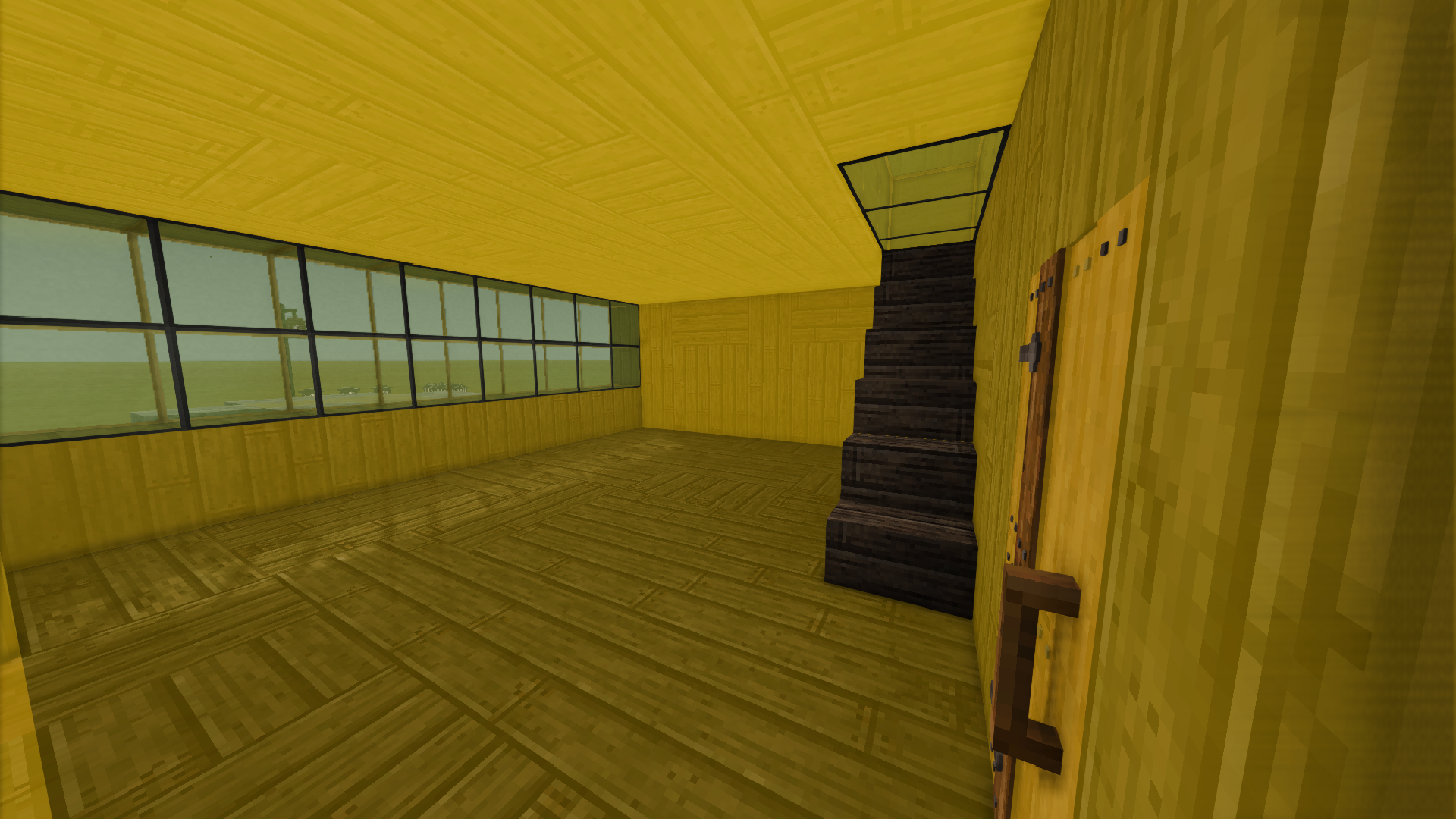
/rooms show highlights the room at your feet. Enclosed cellars appear in <span style="color: #00b4ff; font-weight: bold;">blue</span>, enclosed greenhouses in <span style="color: #32ff64; font-weight: bold;">green</span>, and generic enclosed rooms in <span style="color: #ffc800; font-weight: bold;">yellow</span>. For enclosed rooms, any glass or trapdoors in the walls are highlighted in <span style="color: #ffb400; font-weight: bold;">orange</span> - these blocks leak skylight, which affects greenhouse eligibility and cellar cooling. If the room has exits - holes, missing walls, anything that breaks the seal - the overlay switches to gap-detection mode: <span style="color: #ff32dc; font-weight: bold;">magenta</span> marks the exact air blocks where the wall is broken, and <span style="color: #ffb400; font-weight: bold;">orange</span> flags glass or trapdoors that seal the room but affect skylight counts.
/rooms list shows every room VS has registered in your current chunk - type, dimensions, enclosure status, and skylight info at a glance. Pick any room by index with /rooms show [n] to highlight it directly, even if you're not standing inside it.
/rooms info prints the raw stats for the room at your position: dimensions, exit count, cooling wall ratio, skylight tallies, and whether VS considers it a cellar or greenhouse. When skylight counts aren't available (VS doesn't always compute them), the command says so rather than guessing.
/rooms farmland scans nearby farmland tiles and reports each one's internal roomness value - the number VS uses to decide if a crop is getting the greenhouse temperature benefit. If your greenhouse farm isn't working as expected, this is the fastest way to find out whether VS actually sees the farmland as being inside the room.
/rooms auto on keeps the overlay current while you build. Stand still for five seconds and it refreshes automatically - no need to re-run the command after every block you place. Runs silently; no chat spam.

Commands
Server-Side
/rooms show</td> <td>Highlight the room at your current position</td> </tr> <tr> <td style="padding: 4px 16px 4px 0; white-space: nowrap;">/rooms show [index]</td> <td>Highlight a specific room by list index</td> </tr> <tr> <td style="padding: 4px 16px 4px 0; white-space: nowrap;">/rooms hide</td> <td>Clear the current overlay</td> </tr> <tr> <td style="padding: 4px 16px 4px 0; white-space: nowrap;">/rooms list</td> <td>List all rooms in your current chunk</td> </tr> <tr> <td style="padding: 4px 16px 4px 0; white-space: nowrap;">/rooms info</td> <td>Print room stats without highlighting</td> </tr> <tr> <td style="padding: 4px 16px 4px 0; white-space: nowrap;">/rooms farmland</td> <td>Check farmland roomness within 5 blocks</td> </tr> <tr> <td style="padding: 4px 16px 4px 0; white-space: nowrap;">/rooms auto on|off</td> <td>Auto-refresh the overlay every 5 seconds while stationary</td> </tr> </tbody> </table> Permissions: Any player with chat privileges can use it. No debug permissions needed.
Color guide
<table style="border-collapse: collapse; margin: 8px auto;"> <tbody> <tr> <td style="padding: 4px 16px 4px 0;"><span style="background: #00b4ff; color: #fff; padding: 2px 10px; font-weight: bold;">Blue</span></td> <td>Enclosed cellar</td> </tr> <tr> <td style="padding: 4px 16px 4px 0;"><span style="background: #ffc800; color: #2a2520; padding: 2px 10px; font-weight: bold;">Yellow</span></td> <td>Enclosed room</td> </tr> <tr> <td style="padding: 4px 16px 4px 0;"><span style="background: #32ff64; color: #2a2520; padding: 2px 10px; font-weight: bold;">Green</span></td> <td>Enclosed greenhouse (skylight-dominant)</td> </tr> <tr>Ratings & reviews
Sign in to leave a rating or comment.



