







About RP Character Info (and PvP Flags)
From Vintage Story ModDBAdds viewable/modifiable roleplay character information and damage-preventing PvP flags for players.
RPCI should work on 1.22, but please let me know if there's any problems! I'm currently working on a huge overhaul of this mod but I've been a bit busy, stay tuned!
Detailed D&D-style Roleplay Character Profiles and Flexible PvP Flag System
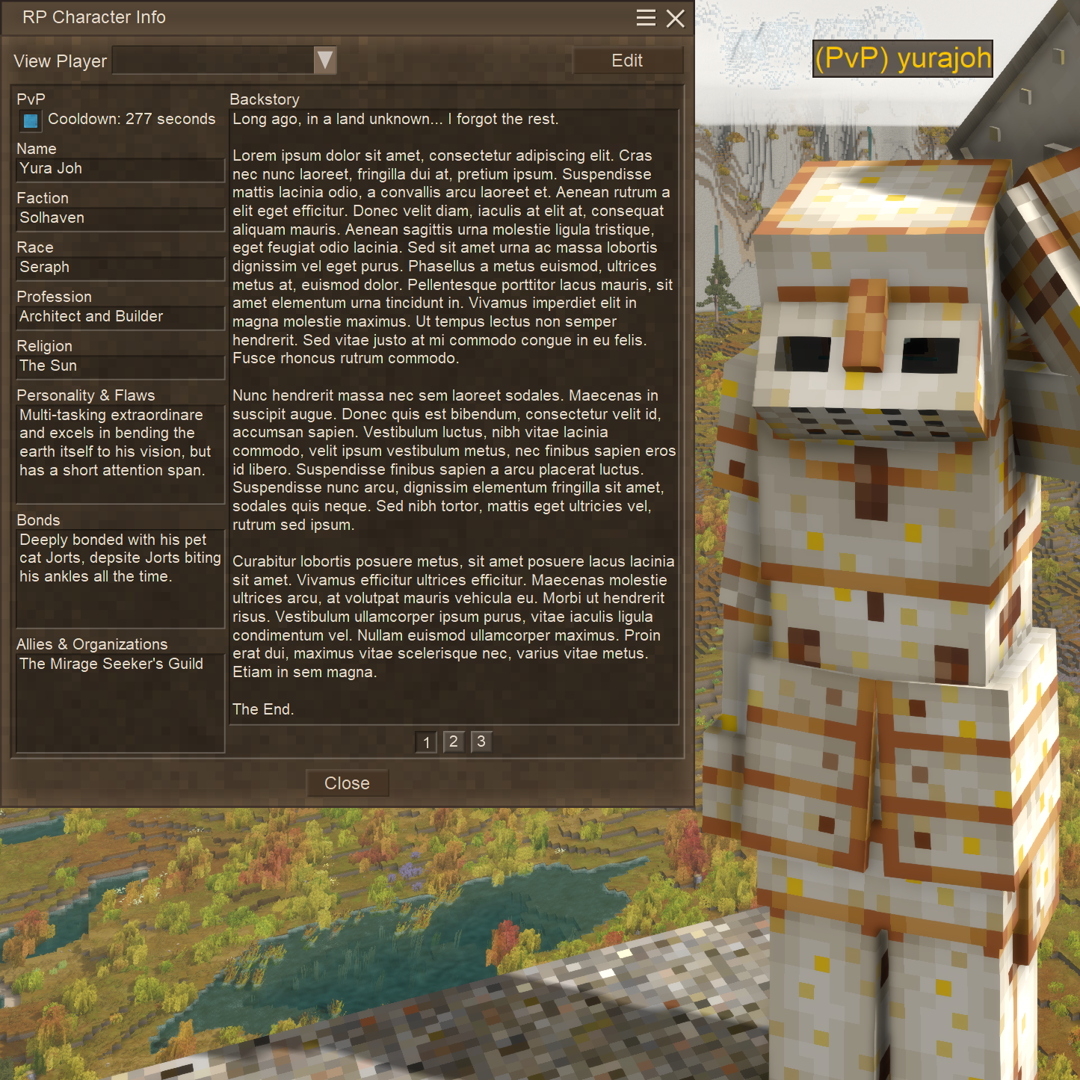
RP Character Info (RPCI) provides the ability to create, modify, and view detailed character profiles for your roleplaying needs. A custom dialog with fields inspired by a typical D&D character sheet enables players to write to their hearts content in an easily accessible place, for all to see.
Toggleable PvP flags are also managed with this mod; these flags will automatically update a player's name tag to include a flag (i.e. (PvP) yurajoh) for easy visibility, can prevent players from being damaged by other players if their own flag is not enabled, and more!
This mod must be installed on both the server and client!
Note: I might eventually break out the PvP Flag system into its own mod and make it a dependency for RPCI, but right now I'm leaving it bundled together. If you only care for the PvP Flag system, the Character Info dialog is completely optional! And if you only care for the Character Info dialog, the PvP Flag system can be disabled!
This mod was made for use in any server, but developed with Vintage Story: New Horizons in mind. Check it out!

Key Feature Summary for RPCI (read below the Changelog for more details!)
-
RP Character Info Dialog
- Dialog opens on first join/character creation (configurable, default ON), open it at any time with CTRL + ALT + C
- View/Edit your own character info with several different fields (field labels are configurable!)
- Default field labels are Name, Faction, Race, Profession, Religion, Personality & Flaws, Bonds, Allies & Organizations, and Backstory
-
View the character info of any online player
-
Information displayed to users is always kept up-to-date, see changes the moment they are saved
-
Community-first text santization (configurable, default ON, see Banned Text Checking sub-section)
- PvP Flag can be viewed and set in dialog along with cooldown timer (dialog does not display cooldown of other players)
-
PvP Flag System
-
Automatic name tag updates, players who have PvP enabled will have "(PvP) " before their existing name tag (compatible with mods that modify player name tags like Simple Roleplay Nametag)
-
Cooldown to disable PvP flag after it is enabled (configurable, default 300 seconds)
- Cooldown starts over on dealing or receiving PvP-related damage
- PvP flag state changes of any kind are logged to the server audit log
- Can automatically disable a players PvP flag on death (configurable, default OFF)
-
Prevention of damage between non-PvP and PvP flagged players (configurable, default ON)
-
Can allow non-PvP players to damage PvP players (configurable, default OFF, requires damage prevention to be on)
- The non-PvP player will have their PvP flag immediately enabled upon dealing PvP damage
-
Can allow players in Creative Mode to damage non-PvP players (configurable, default OFF, requires damage prevention to be on)
-
Non-PvP players will not be flagged after receiving PvP damage from a player in Creative Mode
-
-
-
-
Commands
-
Players can use
/rpci togglepvpto quickly toggle their PvP flag on or off, and/rpci clearcharacterinfoto quickly clear all character info they've saved/entered (does not affect PvP state) -
Admins can use
/rpci adminto clear one/all RPCI fields for an online player, or force an online player's PvP flag on or off
-
- Configuration
- Several server-side configuration options to tailor experience to needs (see Configuration section)
- Several server-side configuration options to tailor experience to needs (see Configuration section)
- Planned Features
- Cool stuff that I will at some point maybe add! (see Planned Features section)
Please use the GitHub Issue Tracker link for bug reports and feature suggestions, it's much easier for me to look through it all that way. I'll try my best to get to those items as well as general feedback as soon as I'm able. I'm pretty busy so it may take me a while, sorry in advance!
- Players joining/leaving the server cause the RPCI dialog to get reset, which may cause data loss if the player was currently entering information. Working on a hotfix now. Fixed in 1.2.1!
Highlights
From source dataGame versions
Supports 23 Vintage Story versions, the newest being 1.21.6.
Footprint
Rated a light load on a server.
RP Character Info (and PvP Flags) on Nxeon
From our catalogue- One-click install
- Supported on Nxeon Vintage Story servers. We download it from Vintage Story ModDB, place it, and restart the server.
- Server side
- Required on the server
- Server load
- light
- Smallest plan we suggest
- Vintage Story — 1 GB (1 GB RAM). This follows our own load rating above, not a benchmark.
Run RP Character Info (and PvP Flags) on a Vintage Story server
Pick a server or deploy a new one above; it is installed in one click.
What kind of mod it is
From the catalogQuality of life & UI
Small conveniences, tweaks and interface improvements players notice straight away.
Runs on your server
From source side supportVintage Story ModDB lists RP Character Info (and PvP Flags) as required on the server. Check its Vintage Story ModDB page to see whether players need it too.
Compatibility
- Game
- Vintage Story
- Runs on
- Serverrequired on the server
- Game versions
- 1.21.6 and 22 earlier
Verified at the source
- ✓Vintage Story ModDBOfficial listing, checked 2026-09-24Open ↗
- ✓Authoryurajoh, as published on Vintage Story ModDB
- ✓LicenseNot published by the sourceFree
More like RP Character Info (and PvP Flags)
Other Vintage Story mods, same category first, ranked by real downloads.


QP's Chisel Tools
Quality of life & UI · Vintage Story ModDB
Unleash your creativity while chiseling! Invaluable, survival friendly tool set for chiselers!


Expanded Foods: Core 2.0.0-dev.14
Quality of life & UI · Vintage Story ModDB
Adds a variety of new uses for existing foods.
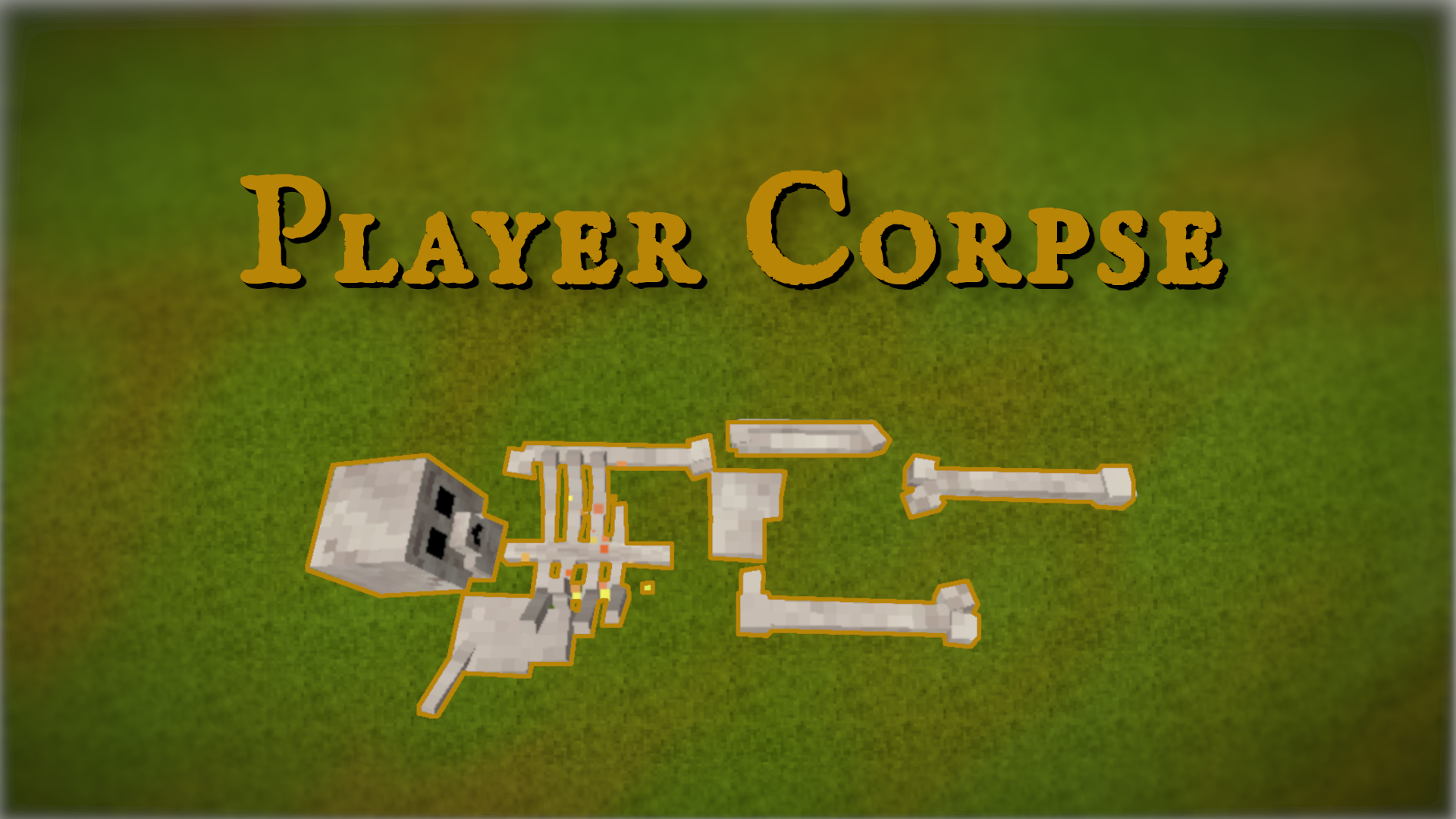
Player Corpse
Quality of life & UI · Vintage Story ModDB
Creates a corpse with the player's inventory after death


Animal cages
Quality of life & UI · Vintage Story ModDB
Adds cages to the game for capturing animals.


Stone Quarry
Quality of life & UI · Vintage Story ModDB
Allows you to dig a lot of stone and process into rock, bricks, polished rock, sand, gravel, etc


BetterRuins
World generation · Vintage Story ModDB
Adds many new ruins over and underground to your survival game world.


Carry On
Building & decoration · Vintage Story ModDB
Adds the capability to carry various things. Replaces CarryCapacity.


Primitive Survival
Cosmetics, visuals & audio · Vintage Story ModDB
Fishing, trapping, irrigation, smoker, nightcrawlers, snakes, and much more!
RP Character Info (and PvP Flags), answered
Generated from the mod’s own source data.
Do my players need to install RP Character Info (and PvP Flags)?
Vintage Story ModDB lists RP Character Info (and PvP Flags) as required on the server. Check its Vintage Story ModDB page to see whether players need it too.
Is it free?
Yes. RP Character Info (and PvP Flags) is free to download from Vintage Story ModDB.
How do I add it to my Nxeon server?
Use “Add to a server” on this page, or open NxLabs from your dashboard. We install it, restart your server and switch it on.

Run RP Character Info (and PvP Flags) on a Vintage Story server.
Deploy in about a minute from $4.00 a month, then add RP Character Info (and PvP Flags) in one click.