

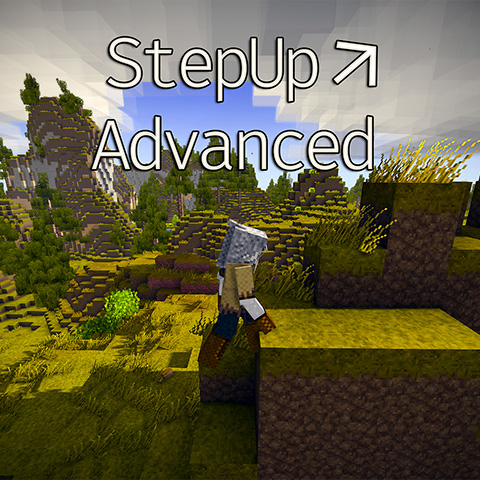
StepUp Advanced
VS1.22.0 Compatible! Automatically step up blocks. Fully configurable and toggleable!
Description

StepUp Advanced lets you walk up ledges instead of jumping up them, with full control over how high and how fast you step, awareness of low ceilings, a per-block blacklist, and optional limits a server can enforce on everyone.
It's inspired from CopyGirl's original StepUp, which simply raised your step height. StepUp Advanced keeps that convenience and adds the things people kept asking for: tunable height and speed on live hotkeys, a way to stop auto-stepping near ladders and traps, ceiling detection so you don't bump up under trees and floors, and a server mode that pushes shared limits to everyone on join. It works client-side on its own; installed on a server, it can enforce bounds so step-up never becomes a cheat.
Client- and server-side. Vintage Story 1.22+. Required on the server only if you want server-enforced limits.
What it does
- Configurable step height (0.2–∞ blocks) and step speed (0.5–∞), adjustable live with hotkeys and reloadable mid-game.
- Ceiling Guard — holds your step height down when there's a low ceiling, so you don't constantly bump up under trees, floors, and overhangs. A Forward Ceiling Probe adds a predictive check for fast movement.
- Sprint-only, sneak, and airborne options — have enhanced step-up apply only while sprinting, suppress it while sneaking for precise edge placement, or keep it from engaging mid-air so a tall step height can't extend your jump reach.
- Block blacklist — list blocks you'd rather not auto-climb (ladders, traps), added or removed by looking at them and running a command. Client and server lists merge.
- Speed-Only Mode — hand step height to another mod (like XSkills' Steeplechaser) while StepUp Advanced manages just the speed.
- Server enforcement — operators set min/max height and speed; clients receive the configuration on join and are clamped to the allowed range.
Everything is configurable from the JSON config and the in-game hotkeys — press Home to reload after an edit.
Controls
<table style="border-collapse: collapse; margin: 8px auto;"> <tbody> <tr> <td style="padding: 4px 24px 4px 0;">Insert</td> <td>Toggle step-up on/off</td> </tr> <tr> <td style="padding: 4px 24px 4px 0;">Home</td> <td>Reload config</td> </tr> <tr> <td style="padding: 4px 24px 4px 0;">PageUp / PageDown</td> <td>Increase / decrease step height</td> </tr> <tr> <td style="padding: 4px 24px 4px 0;">UpArrow / DownArrow</td> <td>Increase / decrease step speed</td> </tr> </tbody> </table>All keybinds are rebindable from the in-game Controls menu.
Commands: .sua (list), .sua add / remove / remove all / list for your client blacklist. Operators use /sua add / remove / remove all / reload for the server-side list and config.
Compatibility
StepUp Advanced targets Vintage Story 1.22 on .NET 10 and runs on both client and server. Used client-side, it just works; used on a server with ServerEnforceSettings enabled, it pushes shared min/max limits to everyone on join and clamps client changes to the allowed range, with out-of-bounds server values corrected automatically.
For mods that manage step height themselves, XSkills' Steeplechaser perk being the common one, turn on Speed-Only Mode and StepUp Advanced steps aside on height while still scaling your step speed. The block blacklist keeps step-up from triggering near things you'd rather climb deliberately, like ladders.
FAQ
Do I need it on the server?
Only for server-enforced limits and a shared server blacklist. For personal use it's fine client-side; without it on the server, your own settings apply locally and nothing is enforced.
Why does step-up sometimes not kick in?
By design, if you've enabled Ceiling Guard (low ceiling overhead), the block blacklist (you're near a listed block), or the sprint-only / sneak / airborne options (the condition isn't met). All of these are configurable.
Does it work with XSkills?
Yes. If you use the Steeplechaser perk to manage step height, enable Speed-Only Mode so StepUp Advanced only scales speed and leaves height to XSkills it should work. Use Reload Config or relog to switch reliably.
Ratings & reviews
Sign in to leave a rating or comment.



