About The Basics - Roleplay (RP) Proximity Chat and more!
From Vintage Story ModDBConfigurable Roleplay (RP) proximity chat system, various QoL features, and more!
As seen on Saltpoint RP, Fair Travels, The Expansion, Echoes of the Ancients, Lunaria, and various other servers!
The Basics
Mod Systems:
- Roleplaying (RP) local proximity chat system, with configurable talking ranges, nicknames, automatic message formatting, and more!
- Server save notification (sends a message when save starts, which can help lower frustration about lag for large worlds)
- Player sleep notification (encourages players to go to sleep when at least 50% of players are in bed)
- Player Stats system (Keeps track of stats about players that can be viewed by anybody. Currently tracks deaths, player kills, and NPC kills)
- TPA System (Allow players to teleport to each other by consuming a temporal gear)
- Repair system (Adds an admin command /setdurability to set the durability of an item held in your hand)
Join my discord for support! https://discord.gg/PYKTaJ5Ett
Roleplay Proximity Chat System
Adds a Proximity chat tab with local chat designed for roleplaying
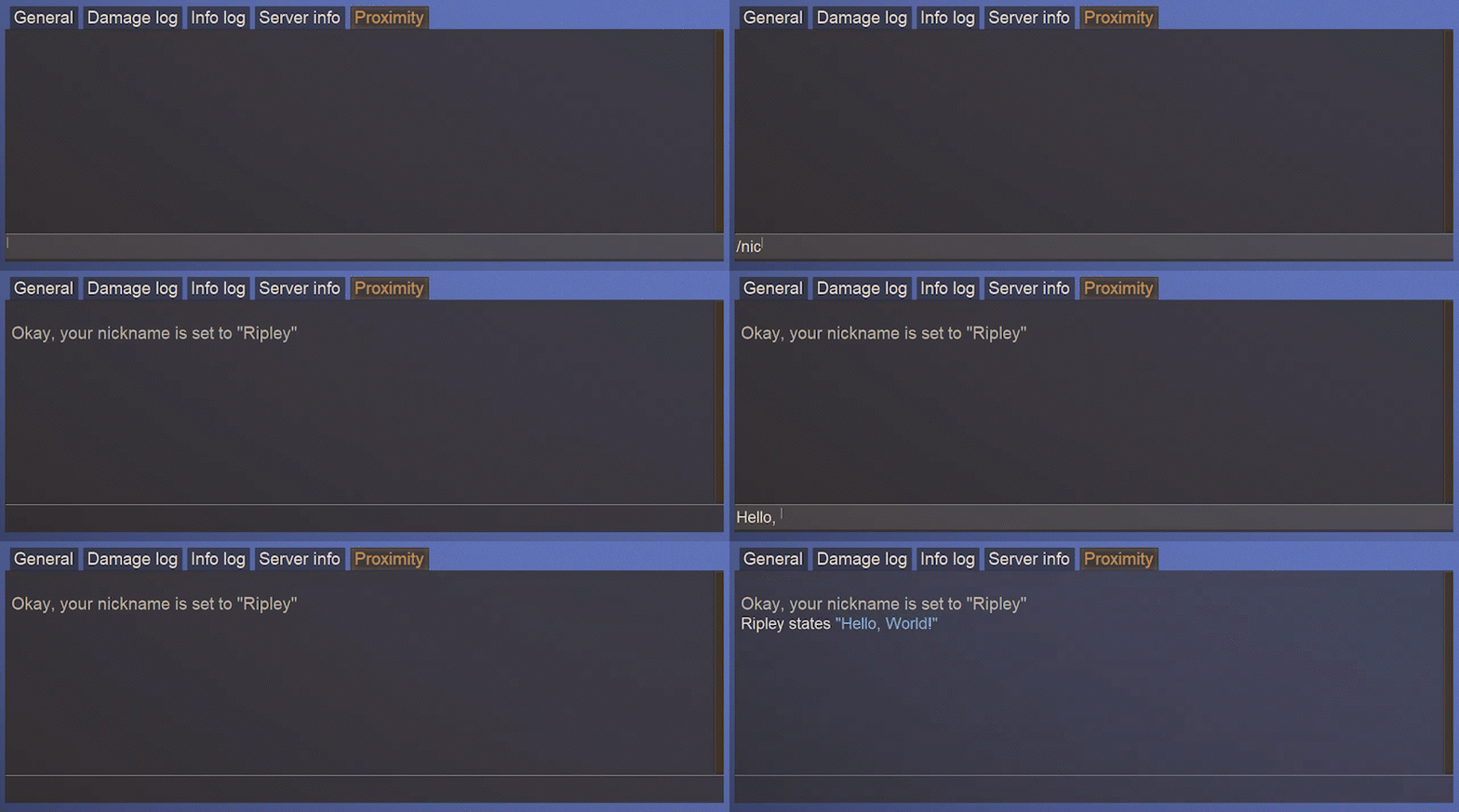
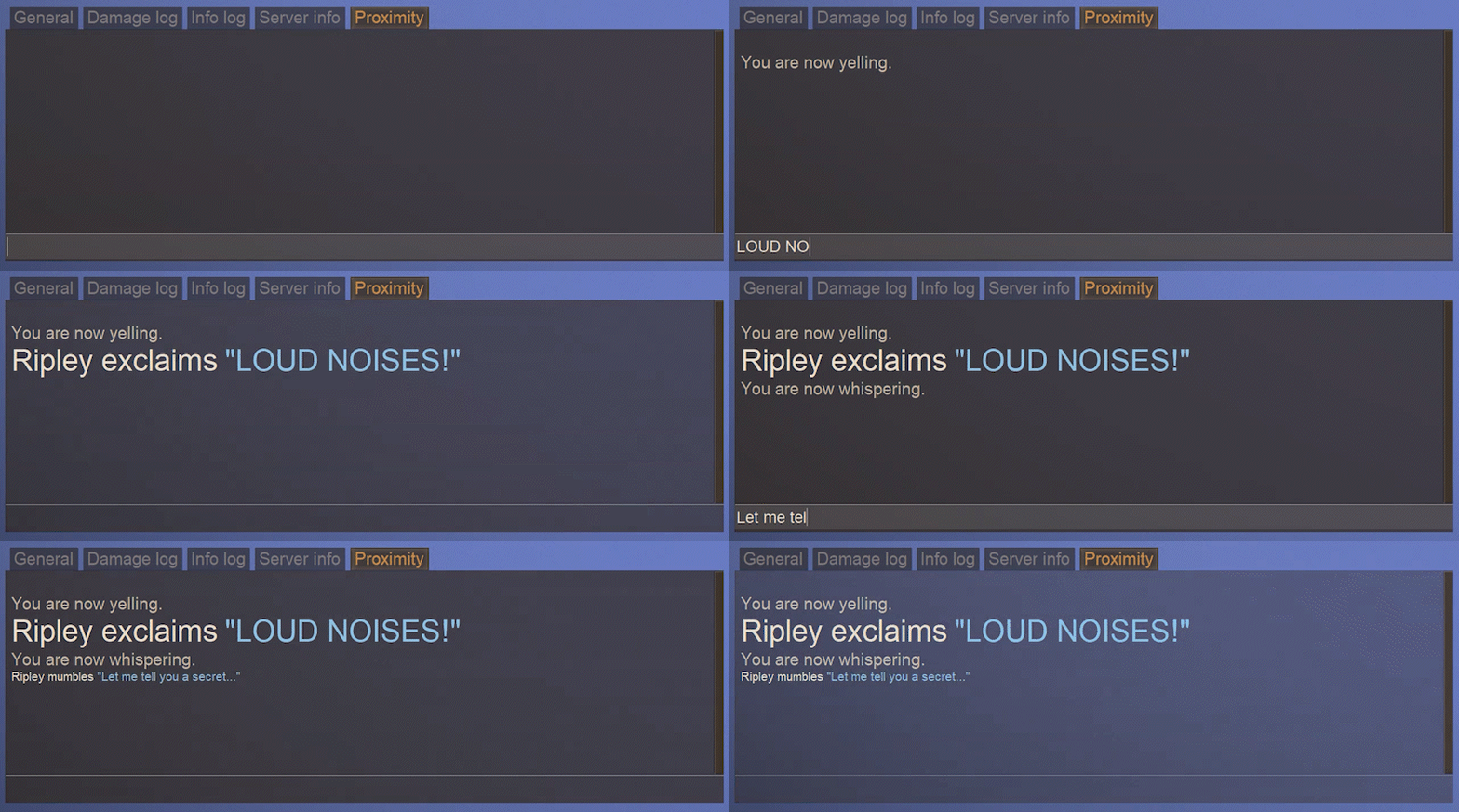
Yell or whisper!
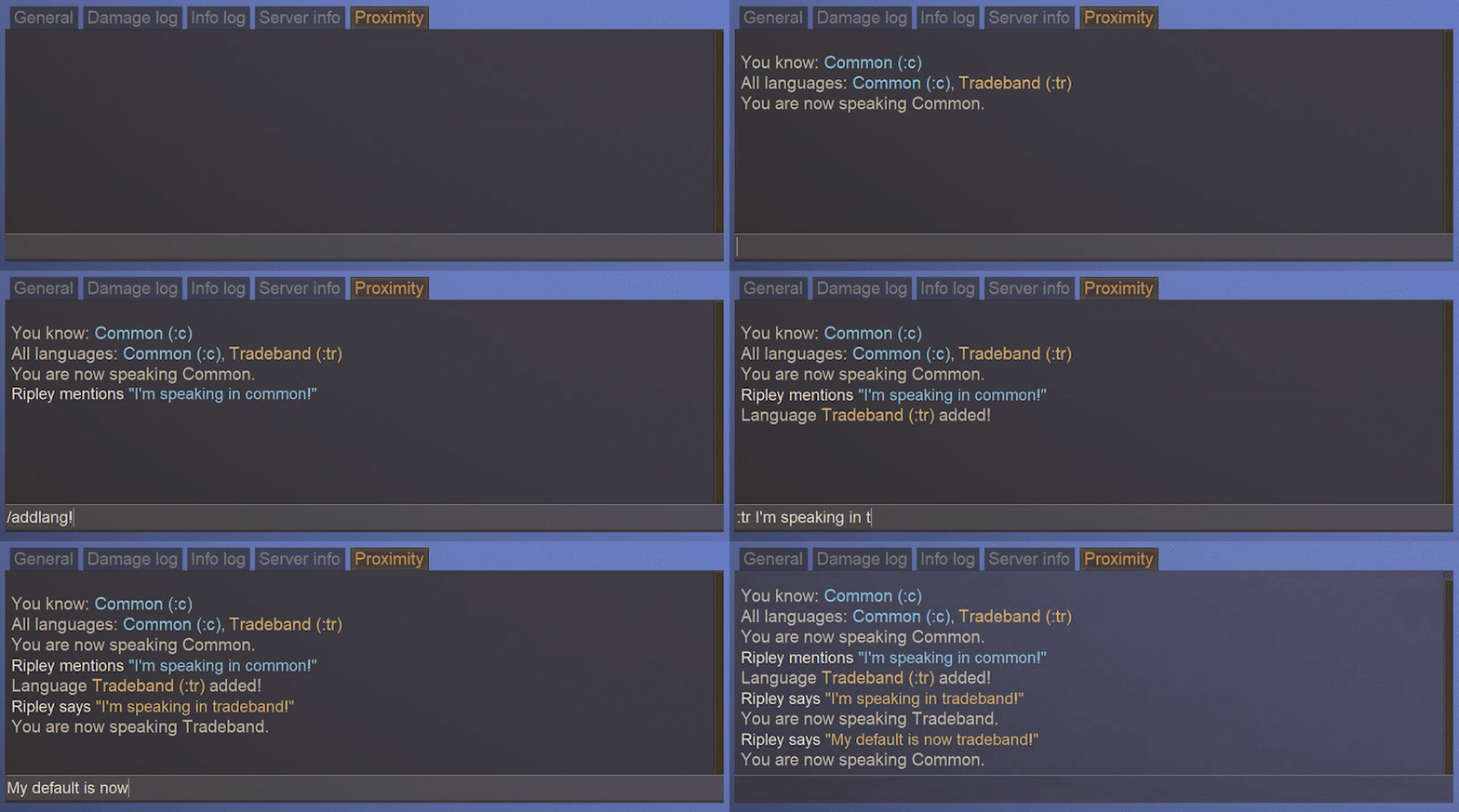
Speak in configurable languages, so that only others that speak it can understand you!
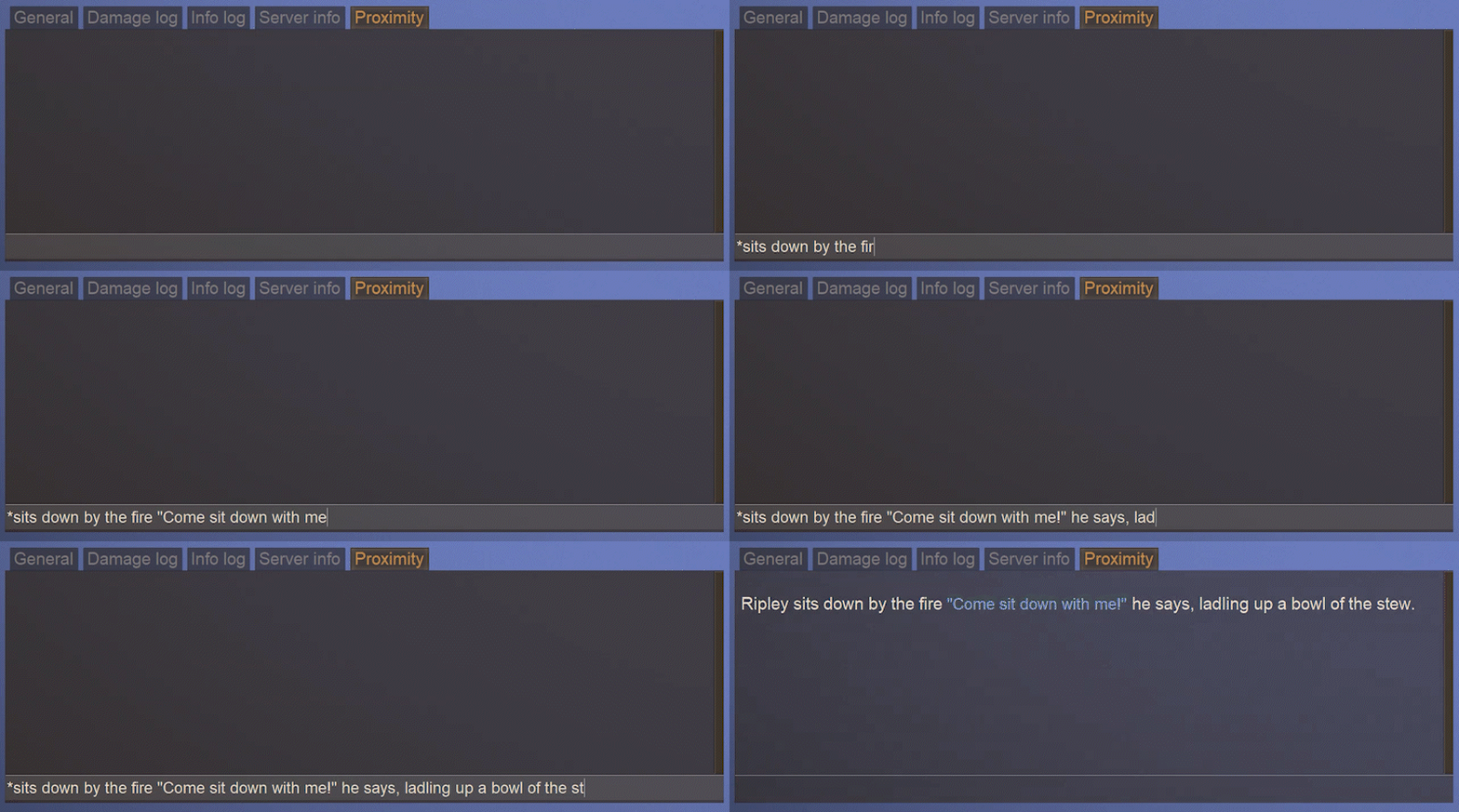
Use emotes and environment messages for additional flavor!
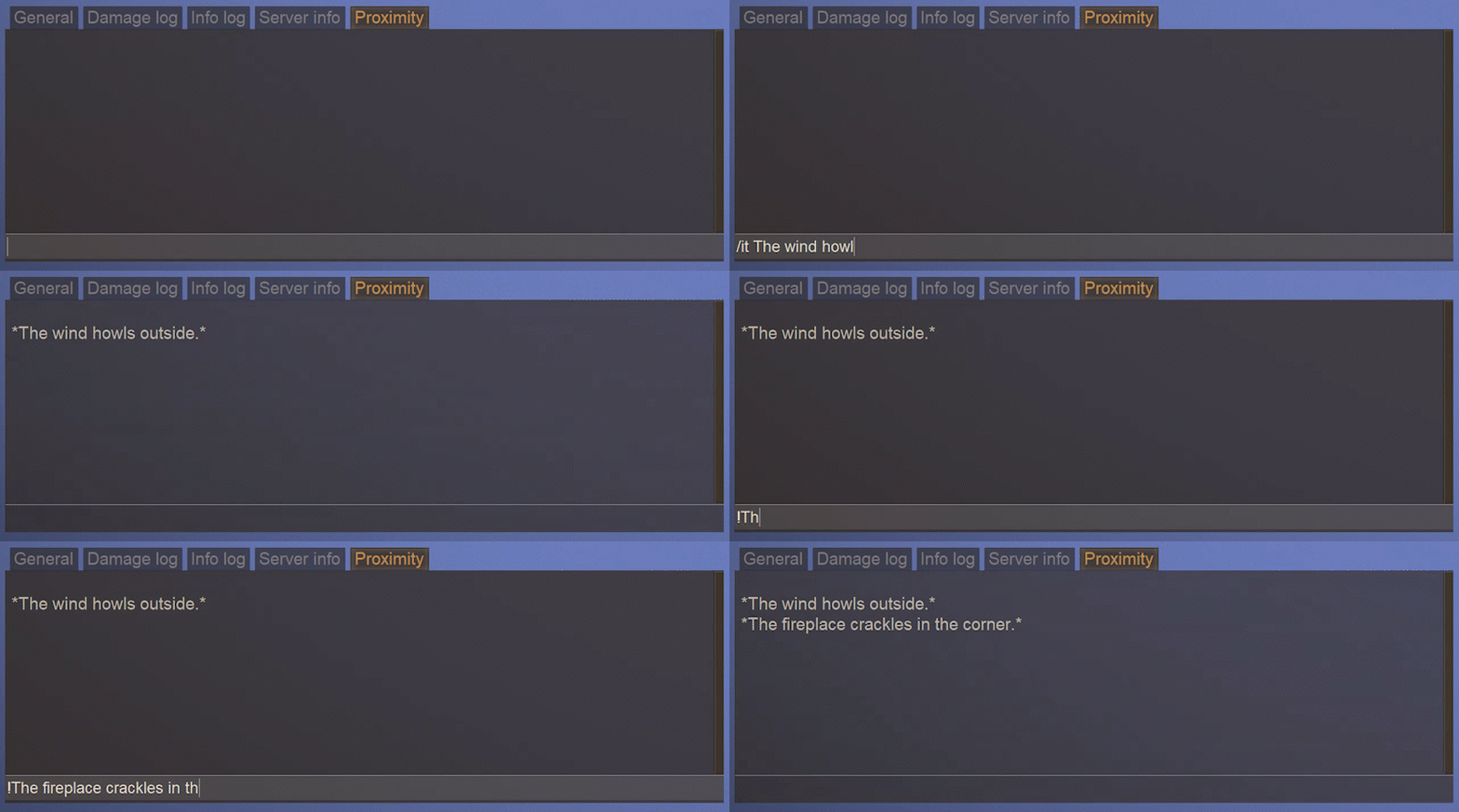
Use Bold and Italics to spice things up!
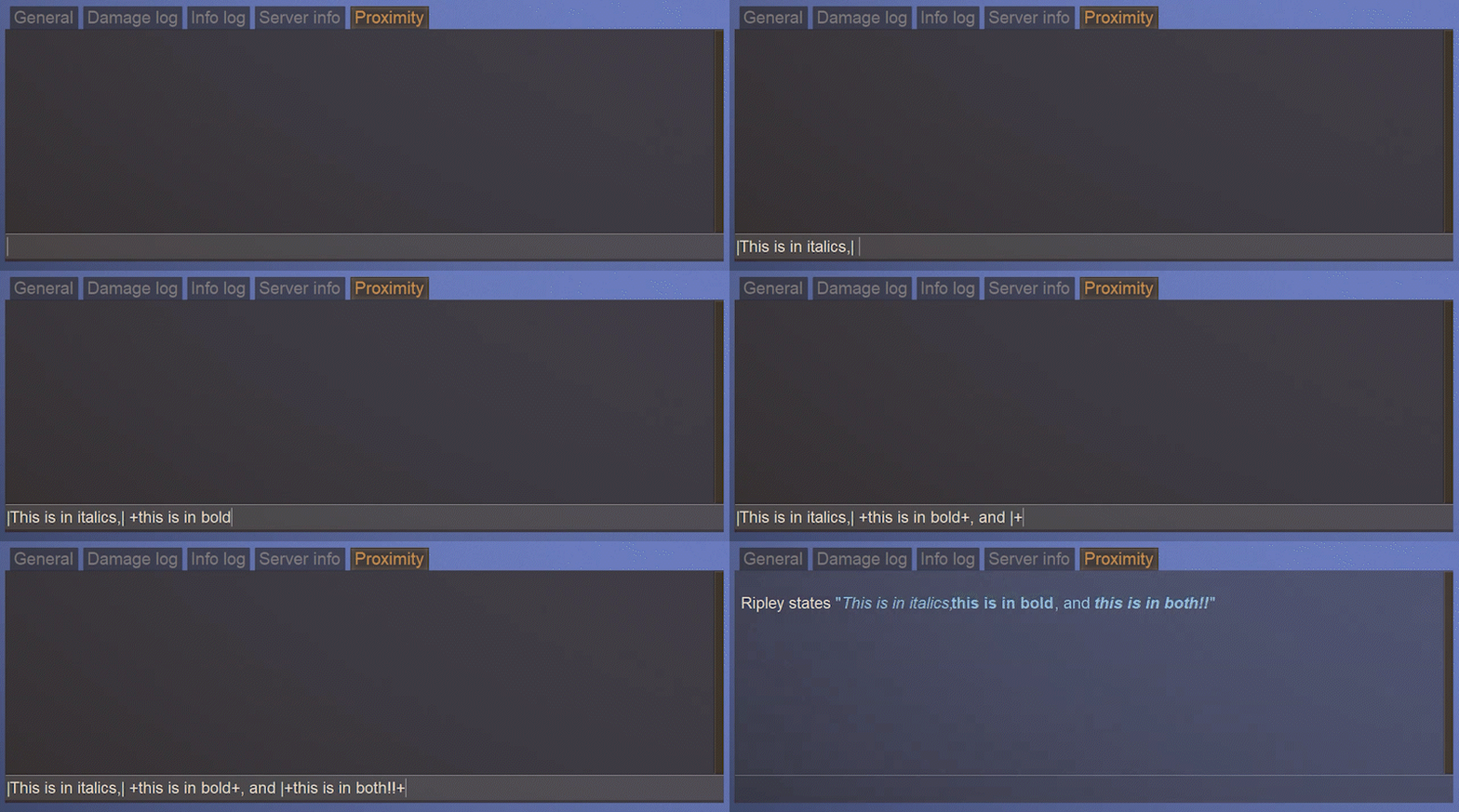
Commands:
Note: [value] denotes a required argument, while (value) denotes an optional one Pipes (|) denote a range of allowable values. Aliases are listed after the first string, but with argument lists omitted.
- Nicknames
- "/nick (nick)", "/setnick", "/nickname" - Get or set your nickname
- "/clearnick" - Clear your nickname
- "/nickcolor (color)" - Get or set your nickname color
- "/clearnickcolor" - Clear your nickname color
- "/adminsetnickname \[player\] (nickname)"
- Chat modes/Chat messages
- "/yell (text)", "/y" - Set your chat mode to Yelling, or yell a single message
- "/whisper (text)", "/w" - Set your chat mode to Whispering, or whisper a single message
- "/say (text)", "/normal", "/s" - Set your chat mode back to normal, or say a single message
- "/ooc (text)" - Send a message in local OOC
- can also be performed by wrapping your message in
(message)(by default, delimiters configurable) instead of using the command
- can also be performed by wrapping your message in
- "/gooc (text)" - Send a message in global OOC
- can also be performed by wrapping your message in
((message))(by default, delimiters configurable) instead of using the command
- can also be performed by wrapping your message in
- Chat Messages
- "/me \[text\]", "/m" - ("\*" prefix) - Send a proximity emote message
- can also be performed by prefixing your message with
*message(by default, delimiters configurable) instead of using the command
- can also be performed by prefixing your message with
- "/it \[text\]" - ("!" prefix) - Send a proximity environment message
- can also be performed by prefixing your message with
!message(by default, delimiters configurable) instead of using the command
- can also be performed by prefixing your message with
- "/me \[text\]", "/m" - ("\*" prefix) - Send a proximity emote message
- Configurable Options
- "/emotemode \[on|off\]" - Turn Emote-only mode on or off
- "/rptext \[on|off\]" - Turn the whole RP system on or off for your messages
- Languages
- Player Commands
- "/addlang \[langCode\]" - Add a known language
- "/remlang \[langCode\]" - Remove a known language
- "/listlang \[langCode\]" - List your known languages, and all available languages
- Admin Commands
- "/adminaddlang \[player\] \[langCode\]" - Add a language to another player
- "/adminremlang \[player\] \[langCode\]" - Remove a language from another player
- "/adminlistlang \[player\]" - List a player's known languages
- Player Commands
- Player Stats
- "/playerstats (player)" - Get your player stats, or another players
- "/clearstats [player] (confirm)" - Clear all of the stats of a player
- "/clearstat [player] [statName] (confirm)" - Clear a specific stat a player
- TPA (Teleport) System
- "/tpa [player]" - Request to teleport to another player
- "/tpahere [player]" - Request to teleport another player to you
- "/tpaccept" - Accept a pending teleport request
Highlights
From source dataGame versions
Built for Vintage Story 1.16.4.
Footprint
Rated a light load on a server.
The Basics - Roleplay (RP) Proximity Chat and more! on Nxeon
From our catalogue- One-click install
- Supported on Nxeon Vintage Story servers. We download it from Vintage Story ModDB, place it, and restart the server.
- Server side
- Required on the server
- Server load
- light
- Smallest plan we suggest
- Vintage Story — 1 GB (1 GB RAM). This follows our own load rating above, not a benchmark.
Run The Basics - Roleplay (RP) Proximity Chat and more! on a Vintage Story server
Pick a server or deploy a new one above; it is installed in one click.
What kind of mod it is
From the catalogQuality of life & UI
Small conveniences, tweaks and interface improvements players notice straight away.
Runs on your server
From source side supportVintage Story ModDB lists The Basics - Roleplay (RP) Proximity Chat and more! as required on the server. Check its Vintage Story ModDB page to see whether players need it too.
Compatibility
- Game
- Vintage Story
- Runs on
- Serverrequired on the server
- Game versions
- 1.16.4
Verified at the source
- ✓Vintage Story ModDBOfficial listing, checked 2026-09-24Open ↗
- ✓AuthorBASIC, as published on Vintage Story ModDB
- ✓LicenseNot published by the sourceFree