
Back to NxLabs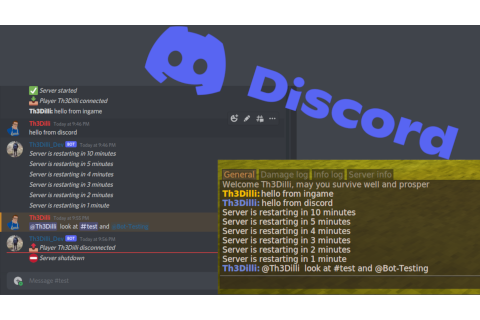
Th3Essentials
TBy Th3Dilli
Integrate your server into discord. Adds managing and info commands/utilities.
Description
You may see this message popping up in your logs, but dont worry this is just the bot reconnecting to the discord api and can happen daily. I may suppress this log in the future.
[Server Warning] [Discord] Gateway Discord.WebSocket.GatewayReconnectException: Server requested a reconnect ў System.Runtime.ExceptionServices.ExceptionDispatchInfo.Throw() ў Discord.ConnectionManager.<>c__DisplayClass29_0.<b__0>d.MoveNext()</pre>
For help, discussion, suggestions, translations and polls on new features join the Discord Server
Features:
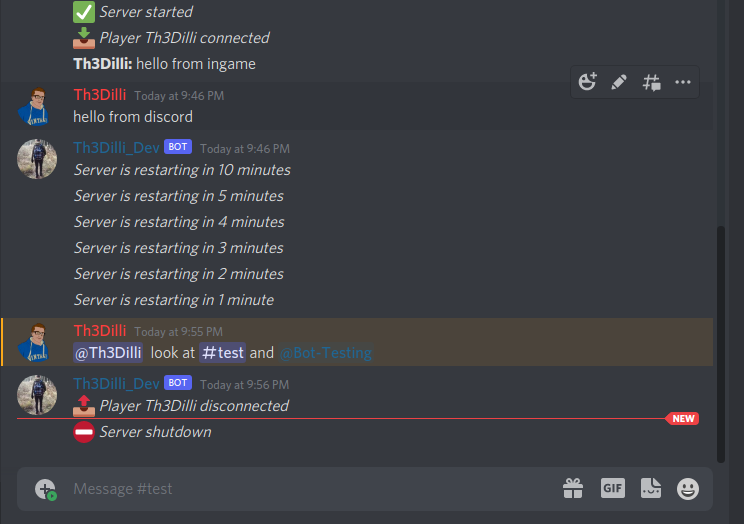
- Discord integration (send messages from game to discord and back, Ingame-GenralChat to one specific Discord-channel, customizable color) [on/off]
- restart / death / join / temporal messages are send to discord
- discord slashcommands for restart-time , ingame time and online players
- display playercount in the activity of the bot
- display discord mentions (user/channel/role) correctly
- Shutdown - Set a time when the server should shutdown (starting of the server needs to be handled externally!!!) [on/off]
- additionally warns the players about the restart x min before restart
- Add homepoints to teleport to, limited by a configurable cooldown [on/off]
- starterkit - add a starterkit to be used only once (can be reset) [on/off]
- starterkit can be set ingame by an admin
- /spawn command to teleport to spawn also respecting cooldown [on/off]
- /back command to teleport back to previous postion (/home or death) [on/off]
- Announcements messages (a list of messages that are send in an configurable interval) [on/off]
- /msg playername - to send private messages ingame (customizable color) [on/off]
- /r message - to send private messages ingame to last messaging player (enabled if /msg is on)
- /requesthelp [message] , pings the help role (HelpRoleID in config) in Discord with the message
- show role names ingame and discord if enabled (admin, moderator) - see config ShowRole
- /admin ingame/discord command , lists all roles specified by "AdminRoles" [on/off]
- reward system that allows you to add a text/icon to ingame chat if that player has a certain role in discord (Patreon)
- announce a message from discord to ingame
- /warp [ add \<warp name\> | remove \<warp name\> | list |\<warp name\> ] to predfined locations (setup by admin, also respecting home cooldown time) [on/off]
- automatic backup - will create a backup when using the shutdown feature [on/off]
- /reloadth3config - reload the th3config.json and the restart timer
Discord Slashcommands:
- /players - Get a list of online players (optional show the ping)
- /date - Get the current ingame date and time
- /restarttime - Show time until next restart
- /setchannel - Set the channel to send to/from ingame chat [Admin]
- /modifypermissions - add/remove/clear additional roles to use moderation commands [Admin]
- /whitelist - Change the whitelist status of a player (also the time duration is customizable, default 50 years as with the ingame command) [Admin or Configured Role]
- /allowcharselonce - Allows the player to re-select their class after doing so already [Admin or Configured Role]
- /shutdown - Will shutdown the server (if configured server will restart ) [Admin or Configured Role]
- /admins - lists all admins speciefied by "AdminRoles" in Th3Condfig.json
- /serverinfo - prints game and mod versions
- /stats Print the output of the ingame /stats command [Admin or Configured Role]
- /auth - start to link discord and ingame account for the reward system
- /announce - announce a message from discord to ingame chat [Admin or Configured Role]
- /reloadconfig - reload the th3config.json and the restart timer [Admin or Configured Role]
- /ban - Change the ban status of a player (also the time duration is customizable, default 50 years as with the ingame command) [Admin or Configured Role]
- /kick - Kick a player from the server [Admin or Configured Role]
Documentation
For install instructions see the readme at the repository
To see every config option explained scroll to the very bottom of the above linked page.
Translations crowdin
Special thanks to Aledark for all his help <3.
Ratings & reviews
No ratings yet
Sign in to leave a rating or comment.



