
VS Roofing Mod
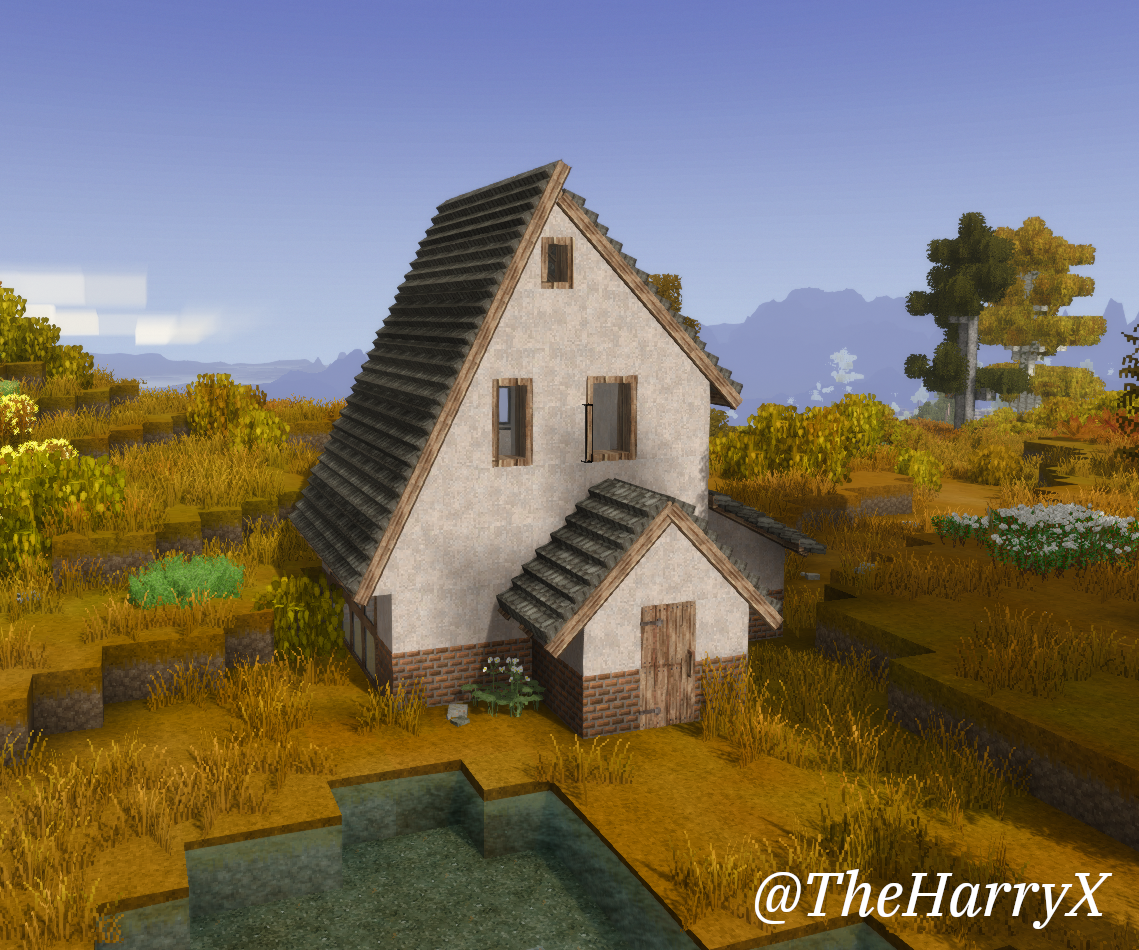
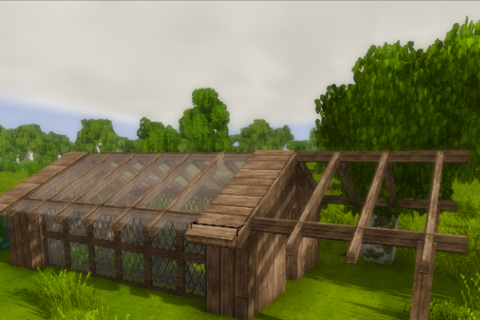
Gridless roof building system with vanilla style roofs, glass houses and more!
Description
<span style="text-decoration: underline;">Vintage Story Roofing Mod</span><span style="text-decoration: underline;"> (Successor to OneRoof)</span>
Gridless crafting and build system. Build roofs with vanilla resources, starting with a frame and adding materials to complete.
See in-game handbook for construction steps (recipes).
Frames
Early game frames are created by placing a sticks, firewood or bamboo while holding a cattails, flax fibers or papyrus in the offhand.
Later you can use boards and a hammer in the offhand to create slightly bigger timber frames, and if you wanna flex you can use metal rods.
Roofs
All vanila roof variants are supported with some small caveats.
-
- Wooden roofs don't have the outer corner diagonal edging.
- Sod only supports 1x1 2x1 and 3x1 slopes.
- Straw only supports 1x2 1x1 2x1 and 3x1 slopes.
There are MANY additional roofing types - see the handbook for all the extra roof variants.
Building
The building follows the same principles as OneRoof with some minor tweaks.
When holding the frame resources in hand accessing 'toolmodes' (F-key) will give you access to standard, eave and ridge blocks.
The default building mode (Auto) should suffice for most situations - however there are some instances where you will need to use the manual mode to achieve the desired results.
- Slopes are inferred by the placement of the frames. Two frames stacked on top in the same direction will become a 1x2 slope, similarly two frames placed in a row will become a 2x1 slope.
- Corners are inferred by the perpendicular orientation either in front or behind the frame, inner or outer respecitvely.
- Note that outer corners can't and won't support different slopes intersecting (inners do).
Roofing materials are added to the roof by interacting with the block (right click) with the required resources in-hand (and inventory where required) while holding the Shift key.
The 'fill' is added by interacting (right click) and holding the Ctrl key. To remove the fill - hold Ctrl key while breaking the block.
The fill block is chiselable. You can use a wrench to rotate the texture(s).
Protip: You can rotate the block - and add the material to it (using ctrl+click) to get multiple block rotations in a single chisel block.
<span style="text-decoration: underline; color: #e67e23;">Wattle and daub can be added as a fill block directly by adding a wattle fence with sufficient daub in your inventory. The colour chosen is simply the first one found. Additional daub can be added up to the full daub block.</span>
You can also "Lock/Unlock" a block using the hammer (held in hotbar slot). This wil prevent any changes from additional roof placements. You shouldn't need to use this - 99% of the time theres a simpler solution.
You can also hide beams using the saw!
Video Guides
<span style="color: #3598db;">Construction Video Guide
Framing Video Guide</span>
Inner corners
When placing inner corners typically you need to run the two intersecting roofs all the way along - avoiding any 'zig-zag' pattern. See first image below.
The second image shows a more complicated example but the general idea is the same.
The colours represent the direction of the roof (sort of). So in the first one the yellow roof pieces are all in the horizontal(ish) plane and the green on the vetical.
<img src="https://cloud.tritscher.app/remote.php/dav/public-files/yhKnKbBmgwTBqvI/simple_1.png?scalingup=0&preview=1&a=1&processor=fit&c=e453869ec8ba6479affbccd2aab865f7&x=1920&y=1920" alt="" width="456" height="342" /> <img src="https://cloud.tritscher.app/remote.php/dav/public-files/HOmFhQIrSrnhQFK/simple_2.png?scalingup=0&preview=1&a=1&processor=fit&c=cd4dfb77ebc0d1eecf917b59d87bcc75&x=1920&y=1920" alt="" width="292" height="345" /> <img src="https://cloud.tritscher.app/remote.php/dav/public-files/sDEsFPsPMWcMbOB/inner.png?scalingup=0&preview=1&a=1&processor=fit&c=3b9dbee94a9bf7bc9501d072c474b82f&x=1920&y=1920" alt="" width="353" height="345" />
Mod Compatibility
These mods have compatibility patches - I'll do my best to keep them updated.
- Wildcraft trees
- Bricklayers
- Vanilla Varnished
- Conquest Texture Pack
- BTRO Fuels
- Floral Zones
- Clayworks
- Tailors Delight
- Stringsense
- Biodiversity Trees
- Primitive Survival (Cordage)
- Wool & More (1.7.1)
- Basic support for QP 'truechisel' (Additional QP features unlikely to work).
Configuration
See VSRoofingConfig.json in ModConfig directory. Any configuration options will be added here.
- FallThroughFrames (Default true) - Setting this to false will make collision boxes large when frame only.
Ratings & reviews
Sign in to leave a rating or comment.



