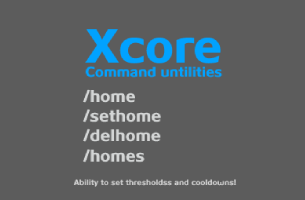
About Xcore
From Vintage Story ModDBCommand and Teleporting utilities
Still work in progress, but basic functionality of homes is there.
Commands:
- /home [name:optional] # Teleports you to specific home, default home selected if none argument is present.
- /sethome [name:optional] # Sets a home to specific name, default home set if non argument is present.
- /delhome [name] # Removes specific home by name, name argument is required.
- /homes # Shows you list of saved homes
- /xcore # Saves the config
- /back # Teleports you back to previous location before teleport or death.
- /spawn # Teleport you to set spawn.
- /setspawn # Sets a spawn location.
- /warp [name] # Warp you to named warp.
- /setwarp [name] # Sets a warp by name.
- /delwarp [name] # Deletes warp by name.
- /warplist # Shows you all warp locations.
In Xcore.json config you can set limits.
Updated to v1.19x
This version rehauld configs so you player home configs will not work, if you really need to have the old locations, you can save one in the new version, open config and just write the location from old config.
I added more commands, enjoy.
Highlights
From source dataGame versions
Built for Vintage Story 1.18.0.
Footprint
Rated a light load on a server.
Xcore on Nxeon
From our catalogue- One-click install
- Supported on Nxeon Vintage Story servers. We download it from Vintage Story ModDB, place it, and restart the server.
- Server side
- Required on the server
- Server load
- light
- Smallest plan we suggest
- Vintage Story — 1 GB (1 GB RAM). This follows our own load rating above, not a benchmark.
Run Xcore on a Vintage Story server
Pick a server or deploy a new one above; it is installed in one click.
What kind of mod it is
From the catalogQuality of life & UI
Small conveniences, tweaks and interface improvements players notice straight away.
Runs on your server
From source side supportVintage Story ModDB lists Xcore as required on the server. Check its Vintage Story ModDB page to see whether players need it too.
Compatibility
- Game
- Vintage Story
- Runs on
- Serverrequired on the server
- Game versions
- 1.18.0
Verified at the source
- ✓Vintage Story ModDBOfficial listing, checked 2026-09-24Open ↗
- ✓AuthorFreki, as published on Vintage Story ModDB
- ✓LicenseNot published by the sourceFree